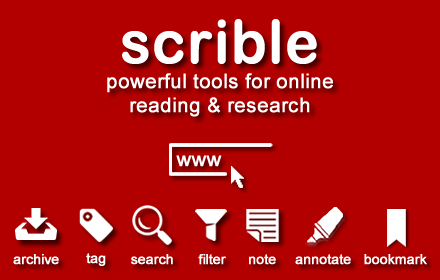
Scrible Extension
Smarter Web reading & research. Annotate, bookmark, save, cite, manage & share online articles. Use with your Scrible.com account.
As of June 2026, Scrible Extension has 80,000 users and a 3.54/5 rating from 91 reviews in the Education category.
Usersno change0%
80.0K
80,000
Ratingno change0%
3.54
91 reviews
Reviewsno change0%
91
Version
2.0.8
Manifest V3
History
13 snapshotsTracking since Apr 2, 2026.
View as table
| Date | Users | Rating | Reviews | Version |
|---|---|---|---|---|
| Apr 2, 2026 | — | 3.54 | 91 | 2.0.8 |
| Apr 4, 2026 | 400.0K | 3.54 | 91 | 2.0.8 |
| Apr 7, 2026 | 300.0K | 3.54 | 91 | 2.0.8 |
| Apr 19, 2026 | — | 3.54 | 91 | 2.0.8 |
| Apr 28, 2026 | 400.0K | 3.54 | 91 | 2.0.8 |
| May 7, 2026 | — | 3.54 | 91 | 2.0.8 |
| May 11, 2026 | 400.0K | 3.54 | 91 | 2.0.8 |
| May 15, 2026 | — | 3.54 | 91 | 2.0.8 |
| May 19, 2026 | 400.0K | 3.54 | 91 | 2.0.8 |
| May 23, 2026 | — | 3.54 | 91 | 2.0.8 |
| May 28, 2026 | 300.0K | 3.54 | 91 | 2.0.8 |
| Jun 2, 2026 | 200.0K | 3.54 | 91 | 2.0.8 |
| Jun 24, 2026 | 100.0K | 3.54 | 91 | 2.0.8 |
| Now | 80.0K | 3.54 | 91 | 2.0.8 |
Permissions & access
- Permissions
- tabsstorage
- Host access
- https://www.scrible.com/*, <all_urls>
Screenshots


About
The Scrible service streamlines the research and writing process for students and teachers, but is generally useful to anyone researching anything on the internet.

The Scrible Toolbar extension allows you to save and work with articles in Scrible while browsing the web.  Click the extension to launch our Toolbar on any webpage or PDF.  This will save it to your Scrible account and open up a Toolbar with tools to highlight, comment, and more.  If you revisit a page you've previously saved to your account with the Toolbar, the Toolbar will automatically launch and reload your annotations.

Historically, teachers and students have had to manage multiple tools through the research and writing workflow. Scrible consolidates those tools in one place, streamlining a student's process of curating, annotating, citing and writing.  Our Toolbar lets you:
 - Save web pages, PDFs and database articles instantly
 - Highlight key facts and passages to refer to later
 - Annotate and add comments to capture first thoughts

Once pages are saved, in the Scrible Library users can:
 - Quickly browse and full text search through sources
 - Organize source information with categorical tags
 - Select sources to add to a bibliography

Sign into your Scrible account to access your Scrible Library or sign up for a free account at https://www.scrible.com/sign-in/

Scrible supports learning across multiple content areas (e.g. ELA, social studies, science, foreign language), programs (e.g. AP Capstone, IB), support areas (e.g. SPED, ELL), project types (e.g. science fair, National History Day) and initiatives (e.g. personalized learning, project based learning, writing across the curriculum). Scrible also supports special education and ELL students and educators.  Learn more at https://www.scrible.com/

Have any questions? Visit our Help Page ( https://www.scrible.com/help/ )

— Team Scrible
Technical
- Version
- 2.0.8
- Manifest
- V3
- Size
- 308KiB
- Min Chrome
- 88
- Languages
- 1
- Featured
- Yes
Metadata
- ID
- lijhjhlnfifgoabbihoobnfapogkcjgk
- Developer ID
- ue74234d15247dc23df0c6f11919b0c44
- Developer Email
- [email protected]
- Created
- Jan 10, 2013
- Last Updated (Store)
- Mar 27, 2026
- Last Scraped
- Jun 24, 2026
- Website
- http://scrible.com/
- Support URL
- https://www.scrible.com/help/
- Privacy Policy
- https://www.scrible.com/privacy/
Similar extensions
Alternatives to Scrible Extension, ranked by description similarity.

Scribo for Google Docs
Scribo for Google Docs extension for Chrome
196
★ 5.0

Scholarcy Browser Extension
Summarizes research articles, creates interactive flashcards, highlights key points, links to open-access versions of each citation
80.0K
★ 4.0

Scribeit
Scribeit Extension
31
★ 4.8

Super Scholar Search
Search over 120 websites, add your own search page, site search(current URL), image search, cite(current URL) and TabList.
59

Site Buddy
Power tool for learning.
6

LocalScholar
Privacy-first AI study assistant: summarize, flashcards, translate, proofread, reports - using Chrome built-in AI.
3

Study Buddy
Capture notes, use AI chat, and analyze videos from anywhere on the web. Sync with your Study Buddy account.
2
★ 4.0

AHelp: AI Writing, Homework and Research
AHelp offers free AI writing tools and apps to improve your academic workflow.
904
★ 5.0
Data sourced from the Chrome Web Store · last verified Jun 24, 2026.