
Onwards & Upwards — Squarespace Dev Tools
Runs OU script on Squarespace /config pages.
As of June 2026, Onwards & Upwards — Squarespace Dev Tools has 2 users in the Developer Tools category.
Usersno change0%
2
2
Ratingno change0%
—
— reviews
Reviewsno change0%
—
Version
1.0.7
Manifest V3
History
6 snapshotsTracking since Apr 2, 2026.
View as table
| Date | Users | Rating | Reviews | Version |
|---|---|---|---|---|
| Apr 2, 2026 | — | — | — | 1.0.7 |
| Apr 17, 2026 | 1 | — | — | 1.0.7 |
| Apr 22, 2026 | 3 | — | — | 1.0.7 |
| Apr 27, 2026 | 2 | — | — | 1.0.7 |
| May 5, 2026 | 3 | — | — | 1.0.7 |
| May 16, 2026 | — | — | — | 1.0.7 |
| Now | 2 | — | — | 1.0.7 |
Permissions & access
- Permissions
- None declared
- Host access
- None declared
Screenshots

About
Stop navigating Squarespace like it's 2015.

Squarespace's admin panel buries the tools you actually use every day. Custom CSS is three clicks away. Code injection is somewhere else entirely. The device preview gives you desktop or mobile, nothing in between. We built this extension because we were tired of wasting time on an interface that wasn't built for professional developers.

What it does:

One-click access to Custom CSS and Code Injection, added directly to the Squarespace toolbar — right where you're already working. No new panels, no floating widgets. The buttons sit alongside the native Edit button and inherit Squarespace's own styling so they look like they were always there.

The device preview gets a full replacement. Instead of a binary desktop/mobile toggle, you get a proper device dropdown covering the full Apple lineup — MacBook 13″ through 16″, every iPad from the mini to the 13″ Pro, and iPhones from the 13 Mini to the 17 Pro Max. All dimensions are correct CSS logical pixels, not physical screen resolutions, so what you see is what your users actually get. Switch orientation with a second dropdown. Hover the info icon to confirm the exact pixel dimensions at a glance.

Built for Squarespace professionals. If you're building client sites on Squarespace every day, this gives you back time you didn't know you were losing.

By Onwards & Upwards — a UK-based Squarespace design collective that pushes platform limits and delivers agency-quality without the bloat.
Technical
- Version
- 1.0.7
- Manifest
- V3
- Size
- 13.79KiB
- Min Chrome
- 88
- Languages
- 1
- Featured
- No
Metadata
- ID
- lihlkeiebjafhceeboljjbndfmcahebm
- Developer ID
- u9fc01621f602d3dd3d810d1a23d56ea5
- Developer Email
- [email protected]
- Created
- Mar 7, 2026
- Last Updated (Store)
- Mar 7, 2026
- Last Scraped
- Jun 10, 2026
- Website
- —
- Support URL
- —
- Privacy Policy
- http://ou.studio/chrome-extension-privacy-policy
Similar extensions
Alternatives to Onwards & Upwards — Squarespace Dev Tools, ranked by description similarity.

Designer's Little Helper
Developer & designer toolkit: Grid, CSS Inspector, Color Picker, Contrast Checker, Responsive Testing & more.
20

Toolkit by Will Myers
Pro Tools for Squarespace Designers & Developers
1.0K
★ 5.0

UI Surgeon
Inspect, edit, and mimic UI elements with live CSS and content editing
13
★ 5.0

CSSpy
Ein einfacher Web Inspector, um HTML-Elemente und deren CSS-Eigenschaften auf Webseiten anzuzeigen.
21
★ 5.0

CSS Scanner Pro
The fastest and easiest way to inspect, copy and analyze CSS styles on any webpage
101
★ 5.0

CSS Magic Inspector
Edit CSS properties on the fly.
40

CSS Injection
Inject custom CSS into websites with a professional management dashboard.
14
★ 3.0
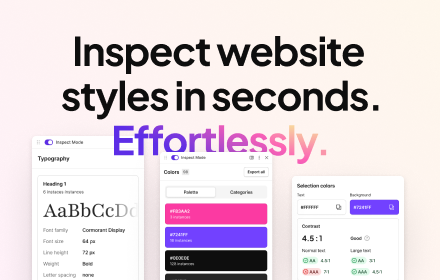
CSS Peeper
Inspect website styles in seconds. Supercharge your workflow, and save hours of work.
500.0K
★ 4.1
Data sourced from the Chrome Web Store · last verified Jun 10, 2026.