
Imagebloom — Image Extractor
Extract every image from the current webpage. Filter by size and type, preview, and bulk-download.
As of June 2026, Imagebloom — Image Extractor has 1 users in the Developer Tools category.
Usersno change0%
1
1
Ratingno change0%
—
— reviews
Reviewsno change0%
—
Version
1.0.1
Manifest V3
History
2 snapshotsTracking since May 19, 2026.
Not enough history yet for this metric — the chart fills in as we collect more snapshots.
View as table
| Date | Users | Rating | Reviews | Version |
|---|---|---|---|---|
| May 19, 2026 | — | — | — | 1.0.1 |
| Jun 7, 2026 | — | — | — | 1.0.1 |
| Now | 1 | — | — | 1.0.1 |
Permissions & access
- Permissions
- activeTabscriptingdownloadsstorage
- Host access
- <all_urls>, https://extensionpay.com/*
Screenshots


About
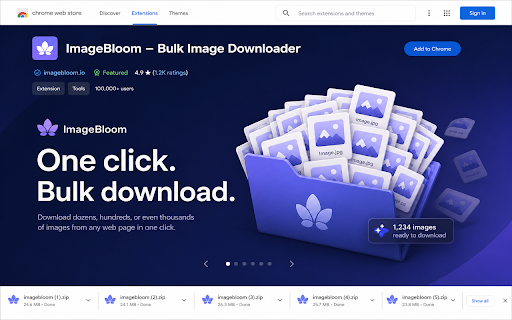
Imagebloom finds every image on the page you're looking at — and lets you bulk-download just the ones you want.

WHY IMAGEBLOOM
Most "image saver" extensions only grab <img> tags and miss half the page. Imagebloom scans <img>, srcset, <picture>, lazy-load attributes, OG/Twitter meta tags, favicons, and CSS background-image — across the main document and every iframe — so you don't lose hero shots, retina variants, or background art.

FEATURES
• One-click scan of any open tab (including signed-in pages and SPAs)
• Filter by file type (PNG, JPG, WEBP, SVG, AVIF, GIF, ICO)
• Filter by minimum dimension (≥100 / 300 / 600 / 1000 px)
• Live URL search
• Multi-select with "Select all" / "Clear"
• Bulk download via Chrome's native downloader into a clean imagebloom/ folder
• Privacy first — nothing leaves your browser

PERMISSIONS WE ASK FOR (AND WHY)
• activeTab — only when you click the icon, to read the page you're on
• scripting — to inject the scanner script that lists images on the page
• downloads — to save the images you pick into your Downloads folder
• storage — to remember your filter preferences locally
• host_permissions <all_urls> — required to read images from any site you choose to scan

We do not collect, transmit, or sell any data. The extension makes zero network
requests of its own — all downloads go directly from the source site to your
Chrome Downloads folder.

OPEN PRICING
The extension is free forever. An optional Pro plan ($7/mo) on our website
unlocks unlimited bulk downloads, EXIF filters, and WebP → JPG/PNG conversion.
Technical
- Version
- 1.0.1
- Manifest
- V3
- Size
- 890KiB
- Min Chrome
- 88
- Languages
- 1
- Featured
- No
Metadata
- ID
- lieehikcagbdmmedmglaplaffoajhfpo
- Developer ID
- ubc4e0086280c1e4fb3f45ccf47360d24
- Developer Email
- [email protected]
- Created
- May 18, 2026
- Last Updated (Store)
- May 18, 2026
- Last Scraped
- Jun 7, 2026
- Website
- —
- Support URL
- —
- Privacy Policy
- https://imagebloom.lovable.app/privacy
Data sourced from the Chrome Web Store · last verified Jun 7, 2026.