
Ctrl-F GPT
An extension enabling multiple types of searches for highlighting matches on a web page, in place of Chrome's CTRL+F.
As of May 2026, Ctrl-F GPT has 306 users and a 3.60/5 rating from 5 reviews in the Workflow & Planning category.
Usersdown 7.6 percent−7.6%
306
306
Ratingno change0%
3.60
5 reviews
Reviewsno change0%
5
Version
1.0.0
Manifest V3
History
2 snapshotsTracking since Apr 23, 2026.
View as table
| Date | Users | Rating | Reviews | Version |
|---|---|---|---|---|
| Apr 23, 2026 | 331 | 3.60 | 5 | 1.0.0 |
| May 18, 2026 | 317 | 3.60 | 5 | 1.0.0 |
| Now | 306 | 3.60 | 5 | 1.0.0 |
Permissions & access
- Permissions
- activeTabstorage
- Host access
- None declared
Screenshots
About
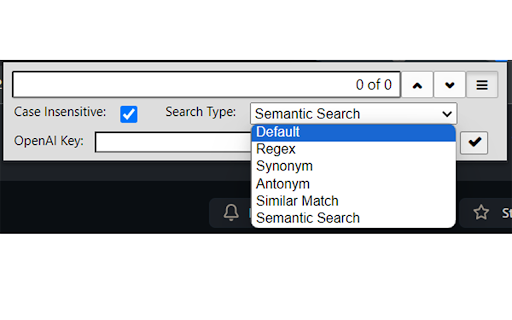
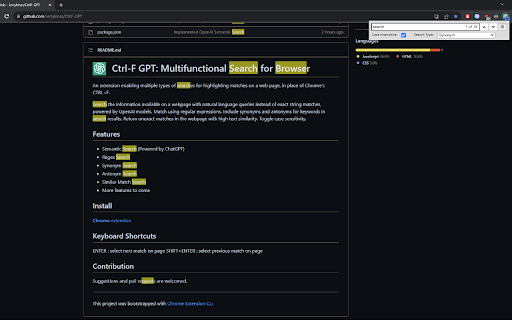
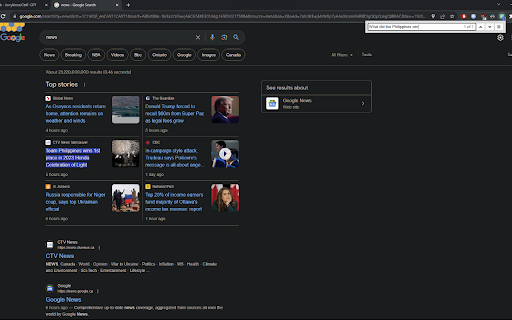
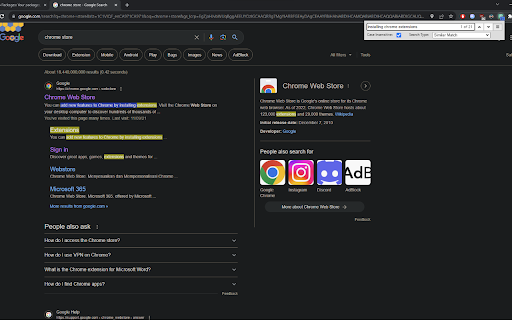
Search the information available on a webpage with natural language queries instead of exact string matches, powered by OpenAI models. Match using regular expressions. Include synonyms and antonyms for keywords in search results. Return unexact matches in the webpage with high text similarity. Toggle case sensitivity.

Features:
- Semantic Search (Powered by ChatGPT)
- Regex Search
- Synonym Search
- Antonym Search
- Similar Match Search
- More features to come


 Keyboard Shortcuts:
ENTER : select next match on page
SHIFT+ENTER : select previous match on page


https://github.com/Jerrykinss/CtrlF-GPT
Technical
- Version
- 1.0.0
- Manifest
- V3
- Size
- 72.22KiB
- Min Chrome
- 88
- Languages
- 1
- Featured
- Yes
Metadata
- ID
- lhmnneaafiepkdajfamalpobamlfkabl
- Developer ID
- u06596b9ef6decc35d073974545d455ec
- Developer Email
- [email protected]
- Created
- Aug 7, 2023
- Last Updated (Store)
- Aug 13, 2023
- Last Scraped
- May 18, 2026
- Website
- —
- Support URL
- —
- Privacy Policy
- —
Similar extensions
Alternatives to Ctrl-F GPT, ranked by description similarity.

Multiple Search and Highlight
Highlight multiple words separated by comma, space or arbitrary separator with persistent history
20.0K
★ 4.2

ChatGPT for Google - Ask AI
Display ChatGPT response alongside search engine results
864
★ 5.0

Search and Replace
Search for text on a webpage and replace it with different text.
60.0K
★ 3.1

SearchGPT
Display ChatGPT response alongside search engine results
1.0K
★ 3.7

ChatGPT Search Plus
Boost the search results with ChatGPT
8

ChatGPT Assistant - GPT Search
Enhanced OpenAI ChatGPT directly Google search response. Get access to ChatGPT on any website. Chat GPT everywhere.
423
★ 5.0

ChatGPT: Your Google's Assistant.
Query ChatGPT with Google and View Answer alongside
719
★ 5.0

Search with AI
🆓 Free extension to search selected text instantly on ChatGPT 💬, Claude 🤖, and Perplexity 🔍
28
Data sourced from the Chrome Web Store · last verified May 18, 2026.