
Blindrs
Automatically blurs sensitive information with category-based privacy protection
As of June 2026, Blindrs has 5 users in the Privacy & Security category.
Usersup 25.0 percent+25.0%
5
5
Ratingno change0%
—
— reviews
Reviewsno change0%
—
Version
2.0
Manifest V3
History
3 snapshotsTracking since Apr 18, 2026.
View as table
| Date | Users | Rating | Reviews | Version |
|---|---|---|---|---|
| Apr 18, 2026 | 4 | — | — | 2.0 |
| May 2, 2026 | 4 | — | — | 2.0 |
| May 12, 2026 | 4 | — | — | 2.0 |
| Now | 5 | — | — | 2.0 |
Permissions & access
- Permissions
- storagecommands
- Host access
- None declared
Screenshots


About
Instantly blur sensitive information on any webpage with one click.
  Perfect for screen sharing, presentations, screenshots, or
  protecting your privacy.

  ## What it does

  Blindrs automatically detects and blurs sensitive information like:

  **Personal Information:**
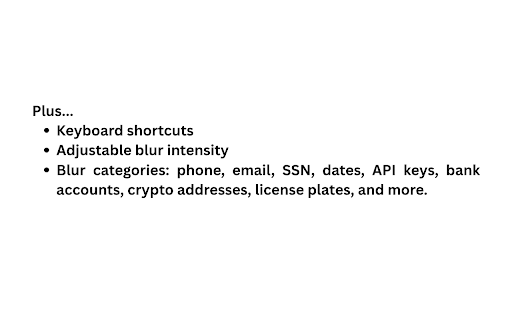
  - Phone numbers
  - Email addresses
  - Social Security Numbers
  - Dates of birth

  **Financial Data:**
  - Credit card numbers
  - Bank account numbers
  - Routing numbers
  - Dollar amounts
  - Cryptocurrency addresses

  **Security & Technical:**
  - API keys
  - JWT tokens
  - IP addresses
  - MAC addresses
  - UUIDs

  **Healthcare & Vehicle:**
  - Medical record numbers
  - Insurance IDs
  - VIN numbers
  - License plates

  ## Key Features

  ✨ **Smart Pattern Detection** - Automatically identifies 25+ types
  of sensitive data
  🎯 **Custom Blur Zones** - Click any element to create a blur
  overlay
  🎨 **Adjustable Intensity** - Control blur strength from 1-20px
  ⚡ **Quick Presets** - Switch between Basic and Maximum privacy
  modes
  🔄 **Cross-Tab Sync** - Toggle blurs on/off across all open tabs
  ⌨️ **Keyboard Shortcut** - Ctrl+Shift+X (Cmd+Shift+X on Mac) to
  toggle

  ## Perfect for:

  - **Screen Sharing** - Hide private data during video calls or
  presentations
  - **Screenshots** - Capture images without exposing sensitive
  information
  - **Privacy Protection** - Browse with confidence knowing your data
  is obscured
  - **Content Creation** - Create tutorials and demos without
  revealing personal details
  - **Compliance** - Protect sensitive information when sharing
  screens

  ## How to Use

  1. Click the Blindrs icon in your toolbar
  2. Choose which types of information to blur
  3. Adjust blur intensity with the slider
  4. Use the element picker (🎯) to blur specific elements
  5. Toggle all blurs on/off with the power button

  No configuration required - it works immediately on any website!

  ## Privacy First

  - No data collection
  - No external servers
  - All processing happens locally in your browser
  - Open source code available on GitHub

  Protect your privacy in seconds with Blindrs.
Technical
- Version
- 2.0
- Manifest
- V3
- Size
- 51.67KiB
- Min Chrome
- 88
- Languages
- 1
- Featured
- No
Metadata
- ID
- lhkkijinbofikgndmnomnipbkfidcgkh
- Developer ID
- u1bbea8538b982f3e8fe58959d09242ba
- Developer Email
- [email protected]
- Created
- Oct 12, 2025
- Last Updated (Store)
- Oct 12, 2025
- Last Scraped
- Jun 6, 2026
- Website
- —
- Support URL
- —
- Privacy Policy
- —
Similar extensions
Alternatives to Blindrs, ranked by description similarity.

ScreenBlur - Privacy Screen Shield
Blur sensitive information on any webpage during screen sharing, streaming, or presentations. One-click privacy protection.
10

Blurverse
Privacy-focused extension to blur elements, text, or areas on web pages. Perfect for hiding sensitive content while browsing.
2
★ 1.0

Blurii
Blur anything, anywhere. Share safely.
3
★ 5.0

BlurGuard
Selectively blur text, areas, and elements on any webpage
20
★ 5.0

Blur Fields Extension
Blurs specific fields which are required and allows blurring the whole page via a shortcut.
22

Privacy Blur: Screen Privacy Tool
Blur sensitive text and images on any webpage before screenshots or screen sharing.
93
★ 5.0

BlurZilla — Blur text in one click
A program for blurring text and images in a browser. Allows you to anonymize your data and hide it from prying eyes.
93
★ 3.0

Cenzor
Privacy redaction tool
1
Data sourced from the Chrome Web Store · last verified Jun 6, 2026.