Advanced Notepad
Simple Notepad yet filled with rich features. Format text, create multiple notes, autosave, remote backup. Faster than ever.
As of June 2026, Advanced Notepad has 10,000 users and a 4.29/5 rating from 105 reviews in the Workflow & Planning category.
Usersno change0%
10.0K
10,000
Ratingup 0.2 percent+0.2%
4.29
105 reviews
Reviewsdown 0.9 percent−0.9%
105
Version
2.2
Manifest V3
History
1 snapshotsTracking since Apr 23, 2026.
View as table
| Date | Users | Rating | Reviews | Version |
|---|---|---|---|---|
| Apr 23, 2026 | 10.0K | 4.28 | 106 | 2.2 |
| Now | 10.0K | 4.29 | 105 | 2.2 |
Permissions & access
- Permissions
- storageunlimitedStorage
- Host access
- None declared
Screenshots


About
Chrome Advanced Notepad is a simple yet powerful notepad filled with rich features.

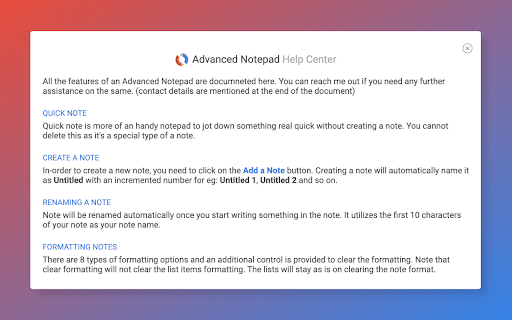
1) Quick Notes
Don't want to create a note to store temporary text? No worries, you can store the notes in Quick notes and erase them whenever you want to.

2) Multiple Notes
You can create multiple notes. No need to worry about storage.

3) Auto Save
No need of a Save button, Advanced Notepad stores the notes without you doing anything. It will store as and when you create a note or you start editing it.

4) Format Notes
You can format your notes. Create unordered/ordered lists, make the text bold, underline, italic or strike it out.

5) Remote Backup
Backup your notes on cloud and restore it on any computer. Powered by JSONbin.io

You could read more around privacy policy at https://8bit.codes/privacy

---------

Change Log

v2.2
- Increased base font size of notes
- Increased size of the Notepad
- Fixed Date/Time format issue on creating notes vs updating.
- Delete now will request for confirmation before you delete a note.
- Editor will now show the last active note as default opened when closed and opened next which will help you continue with your workflow with ease.
- Fixed JSONbin.io Cloud Backup feature for notes.
- Highlight / Remove Highlight for text

v2.1
- Fix backup

v2.0
- Fixed a few bugs
- Resized the window, now it's more bigger than earlier.
- Longer file names, use a line break to decide the file name once you start typing in the notes.
- Notepad will now show Created At & Updated At timestamps for the new notes created (Updated will show up for the older notes too).
- Fonts are darker and more clearer.

v1.5
- Backup Fix

v1.3, v1.4
- Minor Fixes
- Backup Fix

v1.2
- Added formatting options [Increase font size, decrease font size, clear formatting]
- Added Help info

v1.1
- Set the note file name to default if no text found in the note.

v1 - Initial Release
Technical
- Version
- 2.2
- Manifest
- V3
- Size
- 103KiB
- Min Chrome
- 88
- Languages
- 1
- Featured
- Yes
Metadata
- ID
- lfjjkejjcighooiohaacdhlgpbfoldca
- Developer ID
- uc971aa67510c82f66a1aea377e0fad9b
- Developer Email
- [email protected]
- Created
- Jul 9, 2017
- Last Updated (Store)
- Apr 19, 2024
- Last Scraped
- Jun 8, 2026
- Website
- —
- Support URL
- —
- Privacy Policy
- https://8bit.codes/chrome-extension/privacy
Similar extensions
Alternatives to Advanced Notepad, ranked by description similarity.

Chrome Notes
A simple notepad extension for Google Chrome
100.0K
★ 4.4

Free Online Notepad
A modern multi-tab online notepad with rich text editing for quick notes in your browser. Features bold, lists, undo/redo, and more.
64
★ 5.0

My-Notes
My-Notes - Put your story into notes...
2.0K
★ 4.6

PNotas
Write, save, copy, edit notes whenever you need. ¡Get PNotas!
73
★ 4.4

Scratchpad
A plain-text notepad with autosave, sync, file export (download), and themes
2.0K
★ 5.0

New Tab Notepad
A simple new tab notepad to write quick notes.
77

Notes Online
The in-page notepad for taking notes online directly on any web page. No login, autosave, 1-click install, and full privacy
5.0K
★ 4.3

EditOn
This extension allows you to make notes inside your chrome browser.
6
★ 5.0
Data sourced from the Chrome Web Store · last verified Jun 8, 2026.