
Ping Checker - cmlabs SEO Tools
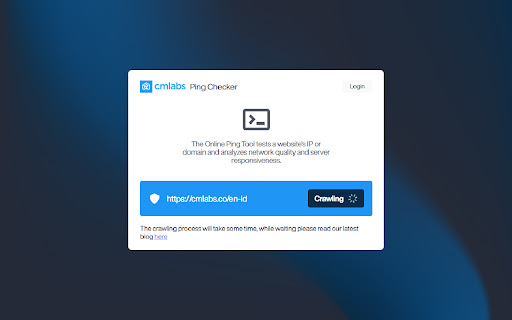
Ping Tool helps you test the existence of a website's IP address/domain and analyzes its quality and responsiveness.
As of May 2026, Ping Checker - cmlabs SEO Tools has 224 users and a 5.00/5 rating from 3 reviews in the Developer Tools category.
Usersup 13.7 percent+13.7%
224
224
Ratingno change0%
5.00
3 reviews
Reviewsno change0%
3
Version
1.0.1
Manifest V3
History
2 snapshotsTracking since Apr 25, 2026.
View as table
| Date | Users | Rating | Reviews | Version |
|---|---|---|---|---|
| Apr 25, 2026 | 197 | 5.00 | 3 | 1.0.1 |
| May 22, 2026 | 211 | 5.00 | 3 | 1.0.1 |
| Now | 224 | 5.00 | 3 | 1.0.1 |
Permissions & access
- Permissions
- storagetabs
- Host access
- None declared
Screenshots



About
Introducing the Online Ping Tool, a versatile network utility meticulously crafted to empower users in evaluating the presence and performance of a website's IP address or domain.

With the Ping Tool by cmlabs, you gain access to vital insights into the reliability and efficiency of your network connection. By pinpointing potential latency issues and identifying areas of concern, you can proactively address network vulnerabilities and enhance overall connectivity. Download and try now!

Features & Benefits

Here are some of the key benefits of this tool:

- Network Connectivity Testing: This tool allows you to quickly test and verify network connectivity. By sending out a “PING” request to a target device or server, users can confirm whether or not the destination is reachable.
- Latency Measurement: It also provides a simple and effective way to measure latency, helping users assess the responsiveness of their network connections. This information is crucial for ensuring smooth and lag-free experiences in various online activities.
- Troubleshooting Network Problems: By analyzing ping statistics, administrators can identify high latency or inconsistent response times.
- Performance Monitoring: This tool helps you to monitor the network devices and servers since administrators can track changes in response times or detect potential degradation in network performance.
- Remote Server Status Checking: It offers a quick way to assess the availability and responsiveness of particular IP addresses or URLs.

How to Use

1. Open the Ping Tool
Open the Ping Tool to start checking your network management.

2. Input URL or IP Address
To initiate the assessment, input the IP address or URL as illustrated in the provided example within the blue-boxed area. You can either input https://www.example.com or 192.168.32.1, the decision is yours!

3. Select Value Type
After entering the IP address or URL, now you should click the button “Select Value Type” and choose the type of input in correspondence to the previously entered data (choose URL for URL entries and choose IP Address if you input IP Address).

4. Now, Ping!
Subsequently, kickstart the process by directly clicking the "Ping" button situated in the upper right corner. Allow a brief pause for the scanning procedure to reach completion.

5. Analyze the Outcomes
Once it is finalized, you will be presented with outcomes featuring an array of specifics detailing the internet network's status and accessibility. In essence, the scan outcomes will showcase:

- Domain Name
- IP Address
- Responding Time
- Other pertinent details

6. Monitor Usage History
Finally, you can also view a list of Technology Lookup usage history. In the list, you will see a list of website URLs that you have monitored.

Help & Support

We value your feedback! If you have any suggestions for improving the Ping Tool or encounter any issues while using the tool, please don't hesitate to let us know. Our support team is here to help. Reach us by email at:

[email protected]
[email protected]
Technical
- Version
- 1.0.1
- Manifest
- V3
- Size
- 3.55MiB
- Min Chrome
- 88
- Languages
- 1
- Featured
- No
Metadata
- ID
- lepccdjicogieagnblakpemnhcghhlob
- Developer ID
- u1df6d9973a5e9451b2f4cfef31c023f0
- Developer Email
- [email protected]
- Created
- May 14, 2024
- Last Updated (Store)
- May 16, 2024
- Last Scraped
- May 22, 2026
- Website
- cmlabs.co
- Support URL
- —
- Privacy Policy
- https://cmlabs.co/en-id/privacy-policy/chrome-web-store
Similar extensions
Alternatives to Ping Checker - cmlabs SEO Tools, ranked by description similarity.

Pagespeed Test - cmlabs SEO Tools
Pagespeed Test is a tool to helps you monitor the webpage performance on desktop and mobile devices based on several metrics.
298
★ 4.2

Mobile Friendly Test - cmlabs Tools
Mobile Friendly Test helps you evaluate how well your website performs on mobile devices.
4.0K
★ 5.0

Technology Lookup - cmlabs SEO Tools
Technology Lookup is a tool that you can use to identify what technology was used to build a website by simply entering its URL.
167
★ 5.0

HTTP Header Checker - cmlabs SEO Tools
This tool helps you inspect and analyze the headers of HTTP requests and responses exchanged between client and server.
293
★ 5.0

Page Request URL Monitor
A great helper for development debugging! Supports multiple formatting styles and custom output formats.
41

Website monitoring
With the Website Monitoring app, you can track website uptime. You can get down alerts, check site status, and ensure server uptime
266
★ 5.0

IP, DNS & Security Tools | HackerTarget.com
Quick access to IP, DNS & Network Tools. Check DNS, Whois, ASN, Traceroute, Ping and more. Tools for technical operators.
10.0K
★ 4.1

Live Website IP Checker - Loruv
Instantly view the real-time server IP address of the current website, displayed directly on the page.
70
★ 5.0
Data sourced from the Chrome Web Store · last verified May 22, 2026.