
LinkedIn Secret Weapon
Tools for responsibly supercharging your networking workflow 🚀
As of June 2026, LinkedIn Secret Weapon has 2 users in the Productivity category.
Usersno change0%
2
2
Ratingno change0%
—
— reviews
Reviewsno change0%
—
Version
1.0.0
Manifest V3
90-day change · In the last 90 days this extension 4 version updates, changed permissions.
History
8 snapshotsTracking since Apr 6, 2026.
View as table
| Date | Users | Rating | Reviews | Version |
|---|---|---|---|---|
| Apr 6, 2026 | 2 | — | — | 0.2.0 |
| Apr 19, 2026 | 2 | — | — | 0.3.2 |
| Apr 24, 2026 | 2 | — | — | 0.4.1 |
| May 8, 2026 | 2 | — | — | 0.4.1 |
| May 18, 2026 | 2 | — | — | 0.5.0 |
| May 24, 2026 | — | — | — | 1.0.0 |
| May 31, 2026 | 2 | — | — | 1.0.0 |
| Jun 6, 2026 | 1 | — | — | 1.0.0 |
| Now | 2 | — | — | 1.0.0 |
Changelog
- May 18, 2026description
IMPORTANT:
This extension is not affiliated with LinkedIn. Use responsibly and in accordance with LinkedIn's Terms of Service. The extension does not automate sending connection requests - it only helps you create personalized messages faster.

---
Network faster with LinkedIn Secret Weapon. Craft your message template and copy it quickly, with your contact's info included. Connect without taking you hands from the keyboard, with accessibility shortcuts.

Changelog
-----------------
v0.5.0
- New: "Click the Add Note" button shortcut also inserts the filled template directly into LinkedIn's "Add Note" modal once it's open
- New: Set a custom character limit, or ignore the limit altogether
- Fix: More reliable detection of LinkedIn's "More" button

v0.4.1
This version includes a major code migration, from Vanilla JS and HTML to a modern stack using Preact, Tailwind, and CRXJS.

This release also adds accessibility shortcuts to some core actions in LinkedIn:
Alt+C: Open the "Connect" dialog for the current profile
Alt+N: Open the "Add a Note to Your Invitation" dialog
Alt+Shift+S: Send invitation with a note

You can set these shortcuts from chrome://extensions/shortcuts

Other improvements:
- {{companyName}} wildcard fixed.
- Pressing the Tab key when the template is blank and showing the placeholder populates the template with the placeholder.

v0.3.0 (March 31, 2026)
LinkedIn pushed BIG update that makes it a lot harder to get information. Good for them! This update fixes a bit of that:
- Fix fullName parsing
- Fix a few secret weapons

v0.2.0 (March 12, 2026)
- Search your templates - Find the perfect message quickly
- Clickable message wildcards - Insert fields directly into messages
- One-click templates - Select a template and it's ready to use (no save needed)
- {{companyName}} wildcard works better
- New wildcards for the recipient of an open message - Write templates like "Hi {{msgFirstName}}, can you introduce me to {{firstName}}?"
- Polish & bug fixes - Improved UI and stability
- New secret weapons
IMPORTANT: This extension is not affiliated with LinkedIn. Use responsibly and in accordance with LinkedIn's Terms of Service. The extension does not automate sending connection requests - it only helps you create personalized messages faster. --- Network faster with LinkedIn Secret Weapon. Craft your message template and copy it quickly, with your contact's info included. Connect without taking you hands from the keyboard, with accessibility shortcuts. Changelog ----------------- v1.0.0 This version introduces accounts and cloud sync — the biggest update yet. Sign in with your email to save templates to the cloud, and access them from any device. If you're offline or the connection fails, the extension works instantly from your local cache so you're never stuck. New features: - Sign in / create an account with email and password - Templates sync to the cloud automatically - Sort your templates by name, date created, or last updated --- v0.5.0 - New: "Click the Add Note" button shortcut also inserts the filled template directly into LinkedIn's "Add Note" modal once it's open - New: Set a custom character limit, or ignore the limit altogether - Fix: More reliable detection of LinkedIn's "More" button v0.4.1 This version includes a major code migration, from Vanilla JS and HTML to a modern stack using Preact, Tailwind, and CRXJS. This release also adds accessibility shortcuts to some core actions in LinkedIn: Alt+C: Open the "Connect" dialog for the current profile Alt+N: Open the "Add a Note to Your Invitation" dialog Alt+Shift+S: Send invitation with a note You can set these shortcuts from chrome://extensions/shortcuts Other improvements: - {{companyName}} wildcard fixed. - Pressing the Tab key when the template is blank and showing the placeholder populates the template with the placeholder. v0.3.0 (March 31, 2026) LinkedIn pushed BIG update that makes it a lot harder to get information. Good for them! This update fixes a bit of that: - Fix fullName parsing - Fix a few secret weapons v0.2.0 (March 12, 2026) - Search your templates - Find the perfect message quickly - Clickable message wildcards - Insert fields directly into messages - One-click templates - Select a template and it's ready to use (no save needed) - {{companyName}} wildcard works better - New wildcards for the recipient of an open message - Write templates like "Hi {{msgFirstName}}, can you introduce me to {{firstName}}?" - Polish & bug fixes - Improved UI and stability - New secret weapons - May 18, 2026host_permissions
https://www.linkedin.com/*
https://www.linkedin.com/*, http://127.0.0.1:54321/*, https://*.supabase.co/*
- May 8, 2026description
IMPORTANT: This extension is not affiliated with LinkedIn. Use responsibly and in accordance with LinkedIn's Terms of Service. The extension does not automate sending connection requests - it only helps you create personalized messages faster. --- Network faster with LinkedIn Secret Weapon. Craft your message template and copy it quickly, with your contact's info included. Connect without taking you hands from the keyboard, with accessibility shortcuts. Changelog ----------------- v0.4.1 This version includes a major code migration, from Vanilla JS and HTML to a modern stack using Preact, Tailwind, and CRXJS. This release also adds accessibility shortcuts to some core actions in LinkedIn: Alt+C: Open the "Connect" dialog for the current profile Alt+N: Open the "Add a Note to Your Invitation" dialog Alt+Shift+S: Send invitation with a note You can set these shortcuts from chrome://extensions/shortcuts Other improvements: - {{companyName}} wildcard fixed. - Pressing the Tab key when the template is blank and showing the placeholder populates the template with the placeholder. v0.3.0 (March 31, 2026) LinkedIn pushed BIG update that makes it a lot harder to get information. Good for them! This update fixes a bit of that: - Fix fullName parsing - Fix a few secret weapons v0.2.0 (March 12, 2026) - Search your templates - Find the perfect message quickly - Clickable message wildcards - Insert fields directly into messages - One-click templates - Select a template and it's ready to use (no save needed) - {{companyName}} wildcard works better - New wildcards for the recipient of an open message - Write templates like "Hi {{msgFirstName}}, can you introduce me to {{firstName}}?" - Polish & bug fixes - Improved UI and stability - New secret weaponsIMPORTANT: This extension is not affiliated with LinkedIn. Use responsibly and in accordance with LinkedIn's Terms of Service. The extension does not automate sending connection requests - it only helps you create personalized messages faster. --- Network faster with LinkedIn Secret Weapon. Craft your message template and copy it quickly, with your contact's info included. Connect without taking you hands from the keyboard, with accessibility shortcuts. Changelog ----------------- v0.5.0 - New: "Click the Add Note" button shortcut also inserts the filled template directly into LinkedIn's "Add Note" modal once it's open - New: Set a custom character limit, or ignore the limit altogether - Fix: More reliable detection of LinkedIn's "More" button v0.4.1 This version includes a major code migration, from Vanilla JS and HTML to a modern stack using Preact, Tailwind, and CRXJS. This release also adds accessibility shortcuts to some core actions in LinkedIn: Alt+C: Open the "Connect" dialog for the current profile Alt+N: Open the "Add a Note to Your Invitation" dialog Alt+Shift+S: Send invitation with a note You can set these shortcuts from chrome://extensions/shortcuts Other improvements: - {{companyName}} wildcard fixed. - Pressing the Tab key when the template is blank and showing the placeholder populates the template with the placeholder. v0.3.0 (March 31, 2026) LinkedIn pushed BIG update that makes it a lot harder to get information. Good for them! This update fixes a bit of that: - Fix fullName parsing - Fix a few secret weapons v0.2.0 (March 12, 2026) - Search your templates - Find the perfect message quickly - Clickable message wildcards - Insert fields directly into messages - One-click templates - Select a template and it's ready to use (no save needed) - {{companyName}} wildcard works better - New wildcards for the recipient of an open message - Write templates like "Hi {{msgFirstName}}, can you introduce me to {{firstName}}?" - Polish & bug fixes - Improved UI and stability - New secret weapons - Apr 19, 2026description
IMPORTANT: This extension is not affiliated with LinkedIn. Use responsibly and in accordance with LinkedIn's Terms of Service. The extension does not automate sending connection requests - it only helps you create personalized messages faster. --- Network faster with LinkedIn Secret Weapon. Craft your message template and copy it quickly, with your contact's info included. The shortcut to copy, Opt+V, makes it easy because it's right next to Cmd+V! Changelog ----------------- v0.3.0 (March 31, 2026) LinkedIn pushed BIG update that makes it a lot harder to get information. Good for them! This update fixes a bit of that: - Fix fullName parsing - Fix a few secret weapons v0.2.0 (March 12, 2026) - Search your templates - Find the perfect message quickly - Clickable message wildcards - Insert fields directly into messages - One-click templates - Select a template and it's ready to use (no save needed) - {{companyName}} wildcard works better - New wildcards for the recipient of an open message - Write templates like "Hi {{msgFirstName}}, can you introduce me to {{firstName}}?" - Polish & bug fixes - Improved UI and stability - New secret weaponsIMPORTANT: This extension is not affiliated with LinkedIn. Use responsibly and in accordance with LinkedIn's Terms of Service. The extension does not automate sending connection requests - it only helps you create personalized messages faster. --- Network faster with LinkedIn Secret Weapon. Craft your message template and copy it quickly, with your contact's info included. Connect without taking you hands from the keyboard, with accessibility shortcuts. Changelog ----------------- v0.4.1 This version includes a major code migration, from Vanilla JS and HTML to a modern stack using Preact, Tailwind, and CRXJS. This release also adds accessibility shortcuts to some core actions in LinkedIn: Alt+C: Open the "Connect" dialog for the current profile Alt+N: Open the "Add a Note to Your Invitation" dialog Alt+Shift+S: Send invitation with a note You can set these shortcuts from chrome://extensions/shortcuts Other improvements: - {{companyName}} wildcard fixed. - Pressing the Tab key when the template is blank and showing the placeholder populates the template with the placeholder. v0.3.0 (March 31, 2026) LinkedIn pushed BIG update that makes it a lot harder to get information. Good for them! This update fixes a bit of that: - Fix fullName parsing - Fix a few secret weapons v0.2.0 (March 12, 2026) - Search your templates - Find the perfect message quickly - Clickable message wildcards - Insert fields directly into messages - One-click templates - Select a template and it's ready to use (no save needed) - {{companyName}} wildcard works better - New wildcards for the recipient of an open message - Write templates like "Hi {{msgFirstName}}, can you introduce me to {{firstName}}?" - Polish & bug fixes - Improved UI and stability - New secret weapons - Apr 6, 2026description
IMPORTANT: This extension is not affiliated with LinkedIn. Use responsibly and in accordance with LinkedIn's Terms of Service. The extension does not automate sending connection requests - it only helps you create personalized messages faster. --- Network faster with LinkedIn Secret Weapon. Craft your message template and copy it quickly, with your contact's info included. The shortcut to copy, Opt+V, makes it easy because it's right next to Cmd+V! Changelog ----------------- v0.2.0 (March 12, 2026) - Search your templates - Find the perfect message quickly - Clickable message wildcards - Insert fields directly into messages - One-click templates - Select a template and it's ready to use (no save needed) - {{companyName}} wildcard works better - New wildcards for the recipient of an open message - Write templates like "Hi {{msgFirstName}}, can you introduce me to {{firstName}}?" - Polish & bug fixes - Improved UI and stability - New secret weaponsIMPORTANT: This extension is not affiliated with LinkedIn. Use responsibly and in accordance with LinkedIn's Terms of Service. The extension does not automate sending connection requests - it only helps you create personalized messages faster. --- Network faster with LinkedIn Secret Weapon. Craft your message template and copy it quickly, with your contact's info included. The shortcut to copy, Opt+V, makes it easy because it's right next to Cmd+V! Changelog ----------------- v0.3.0 (March 31, 2026) LinkedIn pushed BIG update that makes it a lot harder to get information. Good for them! This update fixes a bit of that: - Fix fullName parsing - Fix a few secret weapons v0.2.0 (March 12, 2026) - Search your templates - Find the perfect message quickly - Clickable message wildcards - Insert fields directly into messages - One-click templates - Select a template and it's ready to use (no save needed) - {{companyName}} wildcard works better - New wildcards for the recipient of an open message - Write templates like "Hi {{msgFirstName}}, can you introduce me to {{firstName}}?" - Polish & bug fixes - Improved UI and stability - New secret weapons
Permissions & access
- Permissions
- storageactiveTabclipboardWrite
- Host access
- https://www.linkedin.com/*, http://127.0.0.1:54321/*, https://*.supabase.co/*
Screenshots


About
IMPORTANT:
This extension is not affiliated with LinkedIn. Use responsibly and in accordance with LinkedIn's Terms of Service. The extension does not automate sending connection requests - it only helps you create personalized messages faster.

---
Network faster with LinkedIn Secret Weapon. Craft your message template and copy it quickly, with your contact's info included. Connect without taking you hands from the keyboard, with accessibility shortcuts.

Changelog
-----------------
v1.0.0
This version introduces accounts and cloud sync — the biggest update yet. Sign in with your email to save templates to the cloud, and access them from any device. If you're offline or the connection fails, the extension works instantly from your local cache so you're never stuck.

New features:

- Sign in / create an account with email and password
- Templates sync to the cloud automatically
- Sort your templates by name, date created, or last updated

---
v0.5.0
- New: "Click the Add Note" button shortcut also inserts the filled template directly into LinkedIn's "Add Note" modal once it's open
- New: Set a custom character limit, or ignore the limit altogether
- Fix: More reliable detection of LinkedIn's "More" button

v0.4.1
This version includes a major code migration, from Vanilla JS and HTML to a modern stack using Preact, Tailwind, and CRXJS.

This release also adds accessibility shortcuts to some core actions in LinkedIn:
Alt+C: Open the "Connect" dialog for the current profile
Alt+N: Open the "Add a Note to Your Invitation" dialog
Alt+Shift+S: Send invitation with a note

You can set these shortcuts from chrome://extensions/shortcuts

Other improvements:
- {{companyName}} wildcard fixed.
- Pressing the Tab key when the template is blank and showing the placeholder populates the template with the placeholder.

v0.3.0 (March 31, 2026)
LinkedIn pushed BIG update that makes it a lot harder to get information. Good for them! This update fixes a bit of that:
- Fix fullName parsing
- Fix a few secret weapons

v0.2.0 (March 12, 2026)
- Search your templates - Find the perfect message quickly
- Clickable message wildcards - Insert fields directly into messages
- One-click templates - Select a template and it's ready to use (no save needed)
- {{companyName}} wildcard works better
- New wildcards for the recipient of an open message - Write templates like "Hi {{msgFirstName}}, can you introduce me to {{firstName}}?"
- Polish & bug fixes - Improved UI and stability
- New secret weaponsTechnical
- Version
- 1.0.0
- Manifest
- V3
- Size
- 95.51KiB
- Min Chrome
- 88
- Languages
- 1
- Featured
- No
Metadata
- ID
- lemllkepipijimjaobiapmipedjmnonp
- Developer ID
- ucf5cc4555122e719b8727e0629fd63f0
- Developer Email
- [email protected]
- Created
- Jan 7, 2026
- Last Updated (Store)
- May 14, 2026
- Last Scraped
- Jun 6, 2026
- Website
- —
- Privacy Policy
- —
Similar extensions
Alternatives to LinkedIn Secret Weapon, ranked by description similarity.

ReachOut - Message Templates
Save and instantly insert message templates for professional networking. Perfect for sales, recruiting, and outreach.
—

Speed Reply for LinkedIn
Quickly reply to messages on LinkedIn with pre-written templates.
39
★ 5.0

LinkedIn Connection Helper
4 quick-copy message buttons for LinkedIn — new connections, recruiters, and referral requests
1
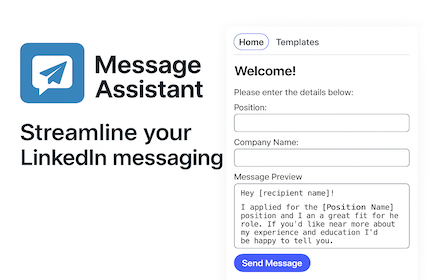
LinkedIn Message Assistant
Manage and send LinkedIn message templates efficiently.
8

QuickReach for LinkedIn
Create drafts and reuse it for fast outreach on LinkedIn.
8
★ 5.0

LinkUp: LinkedIn Connection Made Easy
LinkUp: Send personalized LinkedIn connection requests in seconds! Automate messages & names. Streamlines your networking.
20

QasLinked - LinkedIn Power Tool
Save message templates, pre-fill connection notes, export profiles to CSV & track connections on LinkedIn.
—

TurboLinked
Automate personalized LinkedIn connection requests
3
★ 5.0
Data sourced from the Chrome Web Store · last verified Jun 6, 2026.