
Jira Export Markdown
Export Jira issues to Markdown with offline attachments
As of June 2026, Jira Export Markdown has 358 users and a 5.00/5 rating from 2 reviews in the Workflow & Planning category.
Usersup 184.1 percent+184.1%
358
358
Ratingno change0%
5.00
2 reviews
Reviewsno change0%
2
Version
2.0.0
Manifest V3
History
7 snapshotsTracking since Apr 6, 2026.
View as table
| Date | Users | Rating | Reviews | Version |
|---|---|---|---|---|
| Apr 6, 2026 | 126 | — | — | 2.0.0 |
| Apr 19, 2026 | 131 | — | — | 2.0.0 |
| Apr 29, 2026 | 178 | 5.00 | 1 | 2.0.0 |
| May 8, 2026 | 217 | 5.00 | 1 | 2.0.0 |
| May 16, 2026 | 247 | 5.00 | 1 | 2.0.0 |
| May 25, 2026 | 260 | 5.00 | 1 | 2.0.0 |
| Jun 4, 2026 | 299 | 5.00 | 1 | 2.0.0 |
| Now | 358 | 5.00 | 2 | 2.0.0 |
Permissions & access
- Permissions
- activeTabscriptingdownloadsstorage
- Host access
- *://*.atlassian.net/*, *://*.jira.com/*
Screenshots

About
Jira Export Markdown saves the current Jira issue as a Markdown file and downloads attachments and inline images for offline use or to be fed to AI agents

Features:
- Full issue export: title, metadata, description, custom fields/sections, and comments
- Attachment + inline image downloads into a {KEY}/ folder
- Local-only Markdown links for offline access
- Works without Jira API access (page scraping with optional API fallback)

How it works:
1) Open a Jira issue
2) Click the extension icon
3) Adjust options and export

All data stays local in your browser and Downloads folder.
Technical
- Version
- 2.0.0
- Manifest
- V3
- Size
- 38.23KiB
- Min Chrome
- 88
- Languages
- 1
- Featured
- No
Metadata
- ID
- legpapdafeillobpbfmlaecnkkjagkom
- Developer ID
- ucf4864f26032102da70b671864e96a1b
- Developer Email
- [email protected]
- Created
- Jan 19, 2026
- Last Updated (Store)
- Jan 19, 2026
- Last Scraped
- Jun 4, 2026
- Website
- —
- Support URL
- —
- Privacy Policy
- https://randusoft.ro/pp.html
Similar extensions
Alternatives to Jira Export Markdown, ranked by description similarity.

Jira Issue Buddy
Create Jira issues directly from any webpage — attach screenshots, pick elements, assign team members.
14
★ 5.0

Jira to Markdown Exporter
Export Jira Issues to Markdown with Modal Editor & Asset Bundling.
524
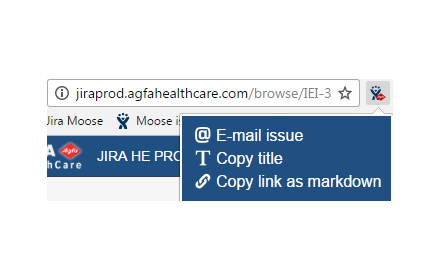
Agfa JIRA
Adds custom actions to JIRA issue pages
86
★ 3.0

Jira Quick Finder
Search issues very quick from multiple Jira instances by key (e.g., JAG-6660) with one click or by pressing Enter.
2
★ 5.0

Jira Create Issues
Directly create Jira issues from your browser
38

Jira Diff Highlighter
Improves readability of Jira ticket diffs.
491
★ 4.8

Jira AI Task Generator – Break Stories, Epics & PRDs
Automatically break Jira stories, epics, and PRDs into structured subtasks using AI. Speed up sprint planning and issue creation.
24
★ 4.8

Jirbana
Extracts Jira issues and Kibana logs, provides AI analysis, and lets users download logs for debugging.
93
Data sourced from the Chrome Web Store · last verified Jun 4, 2026.