Open Port Check Tool
Check a port's status easily, find out which ports of your connection is open or closed
As of May 2026, Open Port Check Tool has 7,000 users and a 3.96/5 rating from 51 reviews.
Usersdown 12.5 percent−12.5%
7.0K
7,000
Ratingno change0%
3.96
51 reviews
Reviewsno change0%
51
Version
1.2
Manifest V2
90-day change · In the last 90 days this extension lost 1.0K users.
History
2 snapshotsTracking since Apr 25, 2026.
View as table
| Date | Users | Rating | Reviews | Version |
|---|---|---|---|---|
| Apr 25, 2026 | 8.0K | 3.96 | 51 | 1.2 |
| May 22, 2026 | 8.0K | 3.96 | 51 | 1.2 |
| Now | 7.0K | 3.96 | 51 | 1.2 |
Permissions & access
- Permissions
- None declared
- Host access
- None declared
Screenshots
About
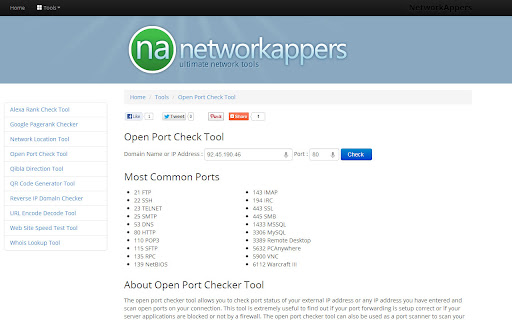
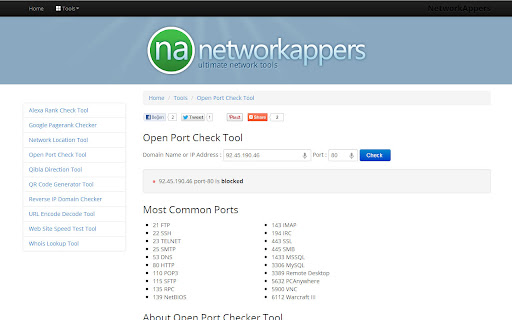
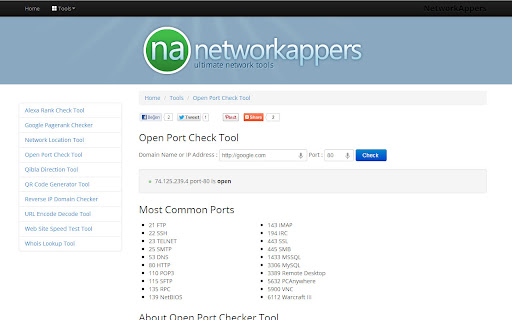
The open port checker tool allows you to check port status of your external IP address or any IP address you have entered and scan open ports on your connection. This tool is extremely useful to find out if your port forwarding is setup correct or if your server applications are blocked or not by a firewall. The open port checker tool can also be used as a port scanner to scan your network for ports that are commonly used such as HTTP (port 80). Some may be closed such as port 25 by default, are often blocked at the ISP level in order to prevent unwanted activities.
Technical
- Version
- 1.2
- Manifest
- V2
- Size
- 9.83KiB
- Min Chrome
- —
- Languages
- 1
- Featured
- No
Metadata
- ID
- lefghalnfhaklfbndadklndcndabkadb
- Developer ID
- uc1e303e4038ec7eccc03bfc09e46f927
- Developer Email
- [email protected]
- Created
- Mar 5, 2013
- Last Updated (Store)
- Dec 25, 2015
- Last Scraped
- May 22, 2026
- Privacy Policy
- —
Similar extensions
Alternatives to Open Port Check Tool, ranked by description similarity.

Localhost Scanner
Scan active localhost ports and open the corresponding site.
33

LAN Portscanner
This is a simple port scanner that work in private networks (no external service used to scan).
810
★ 1.7

IP, DNS & Security Tools | HackerTarget.com
Quick access to IP, DNS & Network Tools. Check DNS, Whois, ASN, Traceroute, Ping and more. Tools for technical operators.
10.0K
★ 4.1

Port Knocking
A simple port knocking Chrome Extension usualily used to open a port in a firewall.
189

Port Checker
检测目标 IP/域名 的端口连通性(基于 HTTP/HTTPS 探测)
4

Live Website IP Checker - Loruv
Instantly view the real-time server IP address of the current website, displayed directly on the page.
70
★ 5.0

Easy IP Checker
Check your internet IP
35
★ 5.0

IP What? - IPv4/IPv6 Connectivity Checker
Check IPv4 and IPv6 connectivity with jitter, packet loss, and historical graphs
13
Data sourced from the Chrome Web Store · last verified May 22, 2026.