
Tab Workspace
Organize your browsing into folders, projects, and saved tab sessions.
As of June 2026, Tab Workspace has 7 users and a 5.00/5 rating from 1 reviews in the Workflow & Planning category.
Usersno change0%
7
7
Ratingno change0%
5.00
1 reviews
Reviewsno change0%
1
Version
1.2.0
Manifest V3
90-day change · In the last 90 days this extension 2 version updates.
History
7 snapshotsTracking since Apr 24, 2026.
View as table
| Date | Users | Rating | Reviews | Version |
|---|---|---|---|---|
| Apr 24, 2026 | — | — | — | 1.0.0 |
| May 1, 2026 | — | — | — | 1.0.0 |
| May 7, 2026 | 4 | — | — | 1.0.1 |
| May 17, 2026 | 3 | — | — | 1.0.1 |
| May 24, 2026 | 4 | 5.00 | 1 | 1.0.1 |
| May 31, 2026 | 5 | 5.00 | 1 | 1.2.0 |
| Jun 6, 2026 | 8 | 5.00 | 1 | 1.2.0 |
| Now | 7 | 5.00 | 1 | 1.2.0 |
Changelog
- May 24, 2026description
Tab Workspace helps you organize your browser work into clear, structured projects.

Instead of losing tabs or keeping dozens of windows open, you can:

• Group tabs into projects
• Save and restore tab sessions
• Keep important links in one place
• Structure your work with folders
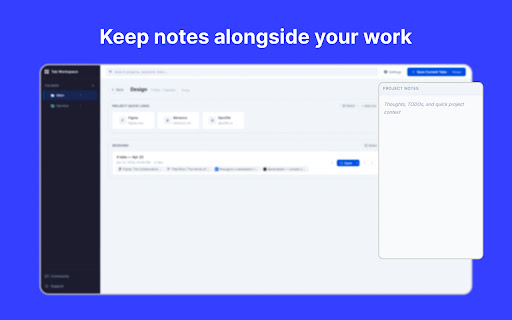
• Add notes to stay focused and organized

Everything is stored locally in your browser — no accounts, no sync, no tracking.

Perfect for developers, designers, freelancers, and anyone who works with many tabs daily.
Tab Workspace is a clean, local-first browser workspace that helps you organize tabs, links, notes, folders, projects, and saved sessions in one place.

If your browser often turns into a mix of work tabs, research pages, client links, personal tasks, and half-finished ideas, Tab Workspace gives you a simple structure to keep everything under control.

Create projects for different areas of your work, group links into folders, save tab sessions for later, and keep useful notes close to the context where you need them.

Key features:
• Projects for different tasks, clients, topics, or workflows
• Folders for organizing links inside each project
• Saved tab sessions to reopen important browsing contexts later
• Global quick links for pages you use every day
• Notes for lightweight context and reminders
• Customizable appearance with themes, accent colors, density modes, and dashboard sections
• Import and export for local JSON backups

Tab Workspace replaces the default new tab page with a focused dashboard built for daily browser work.

It is useful for developers, designers, freelancers, students, researchers, product people, and anyone who wants fewer messy tabs and more structure.

Everything is stored locally in your browser. There are no accounts, no forced sync, and no server-side tracking of your workspace data.

Open a new tab, choose your project, and continue exactly where your work makes sense.
Permissions & access
- Permissions
- tabsstorage
- Host access
- None declared
Screenshots


About
Tab Workspace is a clean, local-first browser workspace that helps you organize tabs, links, notes, folders, projects, and saved sessions in one place.

If your browser often turns into a mix of work tabs, research pages, client links, personal tasks, and half-finished ideas, Tab Workspace gives you a simple structure to keep everything under control.

Create projects for different areas of your work, group links into folders, save tab sessions for later, and keep useful notes close to the context where you need them.

Key features:
• Projects for different tasks, clients, topics, or workflows
• Folders for organizing links inside each project
• Saved tab sessions to reopen important browsing contexts later
• Global quick links for pages you use every day
• Notes for lightweight context and reminders
• Customizable appearance with themes, accent colors, density modes, and dashboard sections
• Import and export for local JSON backups

Tab Workspace replaces the default new tab page with a focused dashboard built for daily browser work.

It is useful for developers, designers, freelancers, students, researchers, product people, and anyone who wants fewer messy tabs and more structure.

Everything is stored locally in your browser. There are no accounts, no forced sync, and no server-side tracking of your workspace data.

Open a new tab, choose your project, and continue exactly where your work makes sense.
Technical
- Version
- 1.2.0
- Manifest
- V3
- Size
- 337KiB
- Min Chrome
- 88
- Languages
- 1
- Featured
- No
Metadata
- ID
- ldiggfhkdlgappomnlcjgdmejeehjgno
- Developer ID
- u4e6101c1a1e9c14bbac95356c8d499b2
- Developer Email
- [email protected]
- Created
- Apr 23, 2026
- Last Updated (Store)
- May 19, 2026
- Last Scraped
- Jun 6, 2026
- Website
- —
- Support URL
- —
Data sourced from the Chrome Web Store · last verified Jun 6, 2026.