
LinkedIn Cringe Blocker
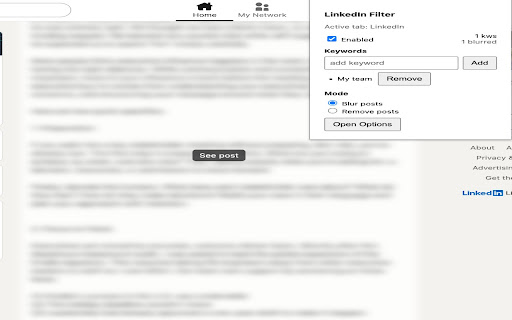
Hide LinkedIn feed posts matching user-provided keywords.
As of June 2026, LinkedIn Cringe Blocker has — users in the Functionality & UI category.
Usersno change0%
—
—
Ratingno change0%
—
— reviews
Reviewsno change0%
—
Version
0.1.2
Manifest V3
History
7 snapshotsTracking since Apr 1, 2026.
View as table
| Date | Users | Rating | Reviews | Version |
|---|---|---|---|---|
| Apr 1, 2026 | — | — | — | 0.1.2 |
| Apr 18, 2026 | 1 | — | — | 0.1.2 |
| Apr 28, 2026 | 2 | — | — | 0.1.2 |
| May 8, 2026 | — | — | — | 0.1.2 |
| May 15, 2026 | 2 | — | — | 0.1.2 |
| May 29, 2026 | 1 | — | — | 0.1.2 |
| Jun 9, 2026 | 2 | — | — | 0.1.2 |
| Now | — | — | — | 0.1.2 |
Permissions & access
- Permissions
- storageactiveTabscripting
- Host access
- https://www.linkedin.com/*
Screenshots
About
LinkedIn Cringe Blocker scans your feed and hides or soft-blurs posts that match user-provided keywords so you see more of what matters and less of the repetitive or distracting content. Settings (keywords, enabled state, and mode) are stored only in your browser via chrome.storage.local and nothing is uploaded to external servers.
Technical
- Version
- 0.1.2
- Manifest
- V3
- Size
- 79.61KiB
- Min Chrome
- 88
- Languages
- 1
- Featured
- No
Metadata
- ID
- ldcfnchoijkcepagaocfgkplddobhaae
- Developer ID
- u5845078862ec4c52999c3569f60ea467
- Developer Email
- [email protected]
- Created
- Nov 14, 2025
- Last Updated (Store)
- Nov 14, 2025
- Last Scraped
- Jun 9, 2026
- Website
- —
- Support URL
- —
Similar extensions
Alternatives to LinkedIn Cringe Blocker, ranked by description similarity.

LinkedIn Feed Cleaner
Professional tool for LinkedIn that filters business and career-related content. Compliant with Chrome Web Store policies.
4
★ 5.0

LinkedOut
Hide LinkedIn feed posts containing keywords you dont want to see. Block the buzzwords, clean your feed.
4

Werewolf Blocker
Blur and block romance novel ads in Meta Ads Library
67
★ 5.0

SafeBlur
Blurs specified areas on web pages.
3

SocialFilter
Remove unwanted posts from Reddit, Twitter/X, and Facebook — by keyword, subreddit, or account/page.
10

CustomBlocker
Filter any element on any web site with any condition with XPath, CSS Selector & RegExp
1.0K
★ 4.2

Intent Lock
Stay focused on your intent.
2

Hide LinkedIn Ads
This Chrome browser extension hides ads on LinkedIn.
169
★ 3.4
Data sourced from the Chrome Web Store · last verified Jun 9, 2026.