
Usersdown 12.7 percent−12.7%
55
55
Ratingno change0%
—
— reviews
Reviewsno change0%
—
Version
2.3.4
Manifest V2
History
2 snapshotsTracking since May 3, 2026.
View as table
| Date | Users | Rating | Reviews | Version |
|---|---|---|---|---|
| May 3, 2026 | 63 | — | — | 2.3.4 |
| Jun 2, 2026 | 60 | — | — | 2.3.4 |
| Now | 55 | — | — | 2.3.4 |
Permissions & access
- Permissions
- storage
- Host access
- None declared
Screenshots


About
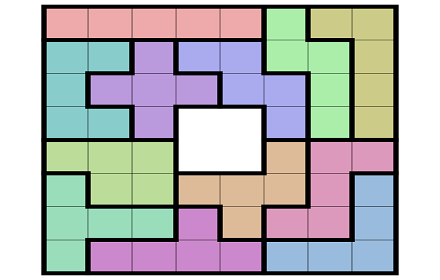
Creating a new game:

You can enter a game from a newspaper or magazine article. This is done	by clicking on a tile corresponding to one occupied in the article. The Digit Selector will appear from which you can choose the digit to be placed on the game board. This is covered in the 'Choosing a Digit' topic immediately below.

Be sure to save the game ('Save As...') prior to solving it so it can be played again, later.


Choosing a digit:

A digit is placed on the game board by clicking on a game board tile. The Digit Selector will appear. It consists of the digits 1-9 and an 'Erase' link. Clicking a digit will place it on the game board in the center of the previously clicked tile. If you wish, you can erase a game board tile by clicking the 'Erase' link.

You can also click a different game board tile before choosing a digit. You might do this when you change your mind as to which tile to place a digit on.

As you enter digits on the game board, you may notice some choices are missing from from the 'Digit Selector'.  This is normal and is due to the fact that the missing digit are in conflict with digits already on the board.

Finally, if you open the 'Digit Selector' and wish to leave without changing the currently selected game board tile - you can do so, by clicking anywhere on the game board.


Erasing the game board:

The 'Erase' button in the control panel will erase the entire game board.


Deleting a game:

A game may be deleted from the game selector dropdown by clicking on the control panel 'Delete...' button. The selected game information will be displayed for verification.


Undo/Redo:

Essentially, the undo/redo process remembers your every game board click.

The undo/redo buttons are not visible until a change is made to the game board. As soon as a change is made to the game board (by as adding a digit), the 'Undo' button will appear.  The 'Redo' button will not appearuntil after an undo has been made. When the 'Redo' button is present it will redo any game board tiles that were previously undone.

The 'Undo' button will disappear when the game starting point is reached. The 'Redo' button will disappear after all entries have been restored. You can click back and forth between undo and redo to any point between the game starting point and the last board change you made.


Backup/Restore:

A Backup/Restore feature is provided for backing up and reloading data to a folder of your choosing. The data saved/reloaded during an operation is in JSON format. The app is initially installed with sample data to get you started.


Help:

The information presented here is available inside this app.
Technical
- Version
- 2.3.4
- Manifest
- V2
- Size
- 122KiB
- Min Chrome
- 38
- Languages
- 1
- Featured
- No
Metadata
- ID
- lcfdephbniippdginafadbnggcpdbabn
- Developer ID
- uf310ee60ddedae0c12a3b50a4e25de9a
- Developer Email
- [email protected]
- Created
- May 30, 2016
- Last Updated (Store)
- May 30, 2016
- Last Scraped
- Jun 2, 2026
- Website
- —
- Support URL
- —
- Privacy Policy
- —
Similar extensions
Alternatives to Sudoku Anytime, ranked by description similarity.

Letter Swap Game
Swap letters to eliminate groups of three identical ones.
280
★ 4.0

Lexifind Scrabble Helper FREE Version
Finds and displays every word that can be made by playing from a rack of letters to a full Scrabble or other word game board.
1.0K
★ 2.4

Simply Sudoku
Simply Sudoku is a logic-based, combinatorial number-placement puzzle.
1.0K
★ 3.3

Scrammed!
Blend Scrabble, Sudoku and Qwirkle and you get Scrammed! A fun game that is challenging and addictive.
585
★ 4.7

Mem Tile (Popup Game)
Memory Based Tile Sliding Game
6.0K
★ 4.8

Crazy Numbers - Fun Math Game
Crazy Numbers is an educational and fun game for kids to improve their math skills!
42
Happy 8 Puzzle
A simple board game, where you need to arrange numbers in sequence
—
★ 4.8
Unknown
—
Data sourced from the Chrome Web Store · last verified Jun 2, 2026.