
Clean Twitter
Clean up some annoying elements on Twitter and make your Twitter experience cleaner
As of June 2026, Clean Twitter has 1,000 users and a 5.00/5 rating from 7 reviews in the Productivity category.
Usersno change0%
1.0K
1,000
Ratingno change0%
5.00
7 reviews
Reviewsup 16.7 percent+16.7%
7
Version
0.19.2
Manifest V3
90-day change · In the last 90 days this extension 1 version update.
History
4 snapshotsTracking since Apr 16, 2026.
View as table
| Date | Users | Rating | Reviews | Version |
|---|---|---|---|---|
| Apr 16, 2026 | 1.0K | 5.00 | 6 | 0.18.3 |
| May 23, 2026 | 1.0K | 5.00 | 6 | 0.19.2 |
| May 28, 2026 | 2.0K | 5.00 | 6 | 0.19.2 |
| Jun 22, 2026 | 3.0K | 5.00 | 6 | 0.19.2 |
| Now | 1.0K | 5.00 | 7 | 0.19.2 |
Changelog
- Apr 16, 2026description
Clean up unnecessary elements on X (Twitter) and enjoy a cleaner, more focused browsing experience.
FEATURES

Branding:
• Restore classic Twitter logo - Bring back the bird logo

Layout:
• Hide right sidebar - Remove trending topics and suggestions

Left Navigation:
• Hide Chat - Remove the Chat/Messages tab
• Hide Grok - Remove the Grok AI assistant
• Hide Lists - Remove the Lists tab
• Hide Bookmarks - Remove the Bookmarks tab
• Hide Communities - Remove the Communities tab
• Hide Premium - Remove X Premium/Twitter Blue promotional elements
• Hide Profile - Remove the Profile navigation link
• Hide Creator Studio
• Hide Ads - Remove promotional advertisements from navigation
• Hide Create your Space
• Hide More - Remove the More menu option
• Hide Follow - Remove the Follow navigation
• Hide Aritcles - Remove the Aritcles navigation
• Hide App Download in iOS

Tweet Actions:
• Hide Analytics - Remove analytics buttons from tweets
• Hide Bookmarks - Remove bookmark buttons from tweet actions
• Hide Grok - Remove the Grok AI assistant

Content Area:
• Hide Timeline Explore - Remove the Explore tab from your timeline
• Hide Discover More - Remove "Discover more" recommendations
• Hide Advertisement - Remove sponsored content and ads from your feed
• Hide Today News - Remove "Today" news section
• Hide Who to Follow - Remove "Who to follow" suggestions
• Text mode in Home  - Remove Image and Video in Home
• Hide Notification Recommendation - Remove recommended posts from notifications

GETTING STARTED
1. Install the extension from Chrome Web Store
2. Visit X (Twitter) - The extension activates automatically
3. Click the extension icon in your toolbar to customize which features to enable or disable
4. Your preferences are saved automatically and sync across devices

CUSTOMIZATION
All features can be individually toggled on/off through the extension popup. Choose exactly what you want to see and hide everything else.

OTHER EXTENSIONS
The extension popup also includes links to our other browser extensions for your reference.

SUPPORT
Join our Discord community for support, feature requests, and discussions: https://discord.gg/gFhKUthc88

Make X (Twitter) yours again - Install Clean Twitter today!
Clean up unnecessary elements on X (Twitter) and enjoy a cleaner, more focused browsing experience.
FEATURES

Branding:
• Restore classic Twitter logo - Bring back the bird logo

Layout:
• Hide right sidebar - Remove trending topics and suggestions

Left Navigation:
• Hide Chat - Remove the Chat/Messages tab
• Hide Grok - Remove the Grok AI assistant
• Hide Lists - Remove the Lists tab
• Hide Bookmarks - Remove the Bookmarks tab
• Hide Communities - Remove the Communities tab
• Hide Premium - Remove X Premium/Twitter Blue promotional elements
• Hide Profile - Remove the Profile navigation link
• Hide Creator Studio
• Hide Ads - Remove promotional advertisements from navigation
• Hide Create your Space
• Hide More - Remove the More menu option
• Hide Follow - Remove the Follow navigation
• Hide Aritcles - Remove the Aritcles navigation
• Hide App Download in iOS

Tweet Actions:
• Hide Analytics - Remove analytics buttons from tweets
• Hide Bookmarks - Remove bookmark buttons from tweet actions
• Hide Grok - Remove the Grok AI assistant

Content Area:
• Hide Timeline Explore - Remove the Explore tab from your timeline
• Hide Discover More - Remove "Discover more" recommendations
• Hide Advertisement - Remove sponsored content and ads from your feed
• Hide Today News - Remove "Today" news section
• Hide Who to Follow - Remove "Who to follow" suggestions
• Text mode in Home  - Remove Image and Video in Home
• Hide Space Live - Remove live notification in Home
• Hide Notification Recommendation - Remove recommended posts from notifications

GETTING STARTED
1. Install the extension from Chrome Web Store
2. Visit X (Twitter) - The extension activates automatically
3. Click the extension icon in your toolbar to customize which features to enable or disable
4. Your preferences are saved automatically and sync across devices

CUSTOMIZATION
All features can be individually toggled on/off through the extension popup. Choose exactly what you want to see and hide everything else.

OTHER EXTENSIONS
The extension popup also includes links to our other browser extensions for your reference.

SUPPORT
Join our Discord community for support, feature requests, and discussions: https://discord.gg/gFhKUthc88

Make X (Twitter) yours again - Install Clean Twitter today!
Permissions & access
- Permissions
- storage
- Host access
- None declared
Screenshots


About
Clean up unnecessary elements on X (Twitter) and enjoy a cleaner, more focused browsing experience.
FEATURES

Branding:
• Restore classic Twitter logo - Bring back the bird logo

Layout:
• Hide right sidebar - Remove trending topics and suggestions

Left Navigation:
• Hide Chat - Remove the Chat/Messages tab
• Hide Grok - Remove the Grok AI assistant
• Hide Lists - Remove the Lists tab
• Hide Bookmarks - Remove the Bookmarks tab
• Hide Communities - Remove the Communities tab
• Hide Premium - Remove X Premium/Twitter Blue promotional elements
• Hide Profile - Remove the Profile navigation link
• Hide Creator Studio
• Hide Ads - Remove promotional advertisements from navigation
• Hide Create your Space
• Hide More - Remove the More menu option
• Hide Follow - Remove the Follow navigation
• Hide Aritcles - Remove the Aritcles navigation
• Hide App Download in iOS

Tweet Actions:
• Hide Analytics - Remove analytics buttons from tweets
• Hide Bookmarks - Remove bookmark buttons from tweet actions
• Hide Grok - Remove the Grok AI assistant

Content Area:
• Hide Timeline Explore - Remove the Explore tab from your timeline
• Hide Discover More - Remove "Discover more" recommendations
• Hide Advertisement - Remove sponsored content and ads from your feed
• Hide Today News - Remove "Today" news section
• Hide Who to Follow - Remove "Who to follow" suggestions
• Text mode in Home  - Remove Image and Video in Home
• Hide Space Live - Remove live notification in Home
• Hide Notification Recommendation - Remove recommended posts from notifications

GETTING STARTED
1. Install the extension from Chrome Web Store
2. Visit X (Twitter) - The extension activates automatically
3. Click the extension icon in your toolbar to customize which features to enable or disable
4. Your preferences are saved automatically and sync across devices

CUSTOMIZATION
All features can be individually toggled on/off through the extension popup. Choose exactly what you want to see and hide everything else.

OTHER EXTENSIONS
The extension popup also includes links to our other browser extensions for your reference.

SUPPORT
Join our Discord community for support, feature requests, and discussions: https://discord.gg/gFhKUthc88

Make X (Twitter) yours again - Install Clean Twitter today!
Technical
- Version
- 0.19.2
- Manifest
- V3
- Size
- 149KiB
- Min Chrome
- 88
- Languages
- 1
- Featured
- Yes
Metadata
- ID
- lbbfmkbgembfbohdadeggdcgdkmfdmpb
- Developer ID
- u28ff49e7d19b0843e59be957d8f12994
- Developer Email
- [email protected]
- Created
- Jun 28, 2023
- Last Updated (Store)
- Apr 12, 2026
- Last Scraped
- Jun 22, 2026
- Website
- rxliuli.com
- Support URL
- https://discord.gg/gFhKUthc88
- Privacy Policy
- https://rxliuli.com/webstore/privacy/
Similar extensions
Alternatives to Clean Twitter, ranked by description similarity.
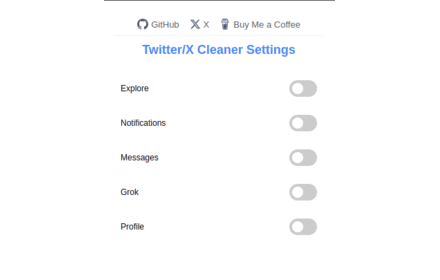
Twitter/X Cleaner
Removes unnecessary items from the left banner on Twitter/X.
19
★ 5.0

Better X/Twitter
Make X (Twitter) more bearable
77
★ 5.0

Minimal X - Hide X.com Right Sidebar
Hide the right sidebar and some other distracting elements on X.com for a cleaner, distraction-free browsing experience
164
★ 5.0

X (Twitter) Cleaner
X Feed Cleaner – Distraction Free & Focus Mode for X.com
189
★ 5.0

XFeed Pro
A cleaner, distraction-free X experience
6

X (Twitter) Auto Cleaner
Easily clean your X (formerly Twitter) account by deleting tweets, unlinking likes, and removing reposts.
7.0K
★ 3.8

Twitter (X) Manager - Likes, Retweets, Cleanup for Twitter (X)
Manage tweets, likes, retweets, bookmarks, and tweet cleanup on X (Twitter) from one sidebar. Safe, manual, and private.
84
★ 5.0

X Enhancher+
Automatically block users or hide tweets with unwanted words. Fully customizable & safe.
5
★ 5.0
Data sourced from the Chrome Web Store · last verified Jun 22, 2026.