
Cookie Manager: View, Edit, Import & Export
Full cookie management — view, edit, import and export cookies for any site.
As of June 2026, Cookie Manager: View, Edit, Import & Export has 10 users in the Developer Tools category.
Usersno change0%
10
10
Ratingno change0%
—
— reviews
Reviewsno change0%
—
Version
1.0.0
Manifest V3
History
4 snapshotsTracking since May 23, 2026.
View as table
| Date | Users | Rating | Reviews | Version |
|---|---|---|---|---|
| May 23, 2026 | — | — | — | 1.0.0 |
| May 29, 2026 | — | — | — | 1.0.0 |
| Jun 5, 2026 | 3 | — | — | 1.0.0 |
| Jun 11, 2026 | 6 | — | — | 1.0.0 |
| Now | 10 | — | — | 1.0.0 |
Permissions & access
- Permissions
- cookiestabsstoragesidePanel
- Host access
- None declared
Screenshots


About
Cookie Manager: View, Edit, Import & Export

A complete cookie management tool for your browser. View, create, edit and delete cookies for any site you visit — plus full import and export so you can back up, transfer, or restore cookies across browsers and machines.

WHAT YOU CAN DO
• View all cookies for the current tab in a clean, fast interface
• Create new cookies with full control over every attribute (name, value, domain, path, expiration, SameSite, Secure, HttpOnly, HostOnly, Session)
• Edit any cookie in place
• Delete a single cookie — or wipe every cookie for the current page in one click
• Export cookies to JSON or Netscape format
• Import cookies from a file — including across all your sites at once, not just the current tab
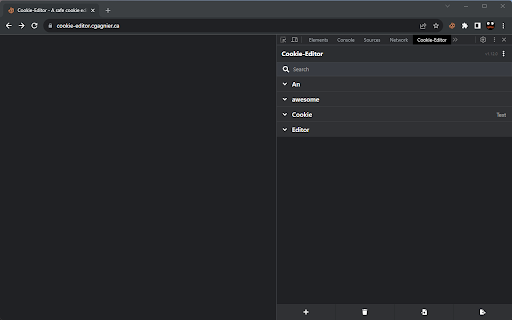
• Side panel and DevTools integration for power users
• Works in incognito (split mode for privacy)
• Light and dark themes, with Auto to match your browser

WHO IT'S FOR
• Developers — test session states, debug authentication, simulate logged-in users, reproduce bugs across environments
• QA & testers — capture a working session and replay it on another machine or after a fresh install
• Privacy-conscious users — see exactly what every site stores and delete what you don't want
• Anyone switching browsers or devices — transfer your login state without having to sign in everywhere again

WHAT MAKES IT DIFFERENT
Most cookie editors let you export cookies, but importing them back — especially for multiple sites at once — is usually missing or hidden. This extension makes the full round trip simple: export → save → import, with one click on either end.

PRIVACY
• No data is sent to any server
• No tracking, no analytics, no ads
• Your cookies never leave your device
• Fully open source — every line of code is auditable

OPEN SOURCE
This extension is open source under the GPL-3.0 license. It is based on Cookie-Editor by Christophe Gagnier (Moustachauve), with an added cross-site import feature.

Source code: https://github.com/shraga100/cookie-editor

PERMISSIONS EXPLAINED
• "cookies" — to read and modify cookies (the whole point of the extension)
• "tabs" — to know which site you are currently viewing
• "storage" — to remember your preferences (theme, export format, etc.)
• Access to all websites — optional, requested only at the moment you choose to act on cookies across all sites (for example, when you use Import All or Export All)
Technical
- Version
- 1.0.0
- Manifest
- V3
- Size
- 284KiB
- Min Chrome
- 102
- Languages
- 1
- Featured
- No
Metadata
- ID
- lapnedeocflcaajggkcpcljaalkjhbgp
- Developer ID
- ua0f3fedec265eee0a95512217f21e0ea
- Developer Email
- [email protected]
- Created
- May 22, 2026
- Last Updated (Store)
- May 22, 2026
- Last Scraped
- Jun 11, 2026
- Website
- —
- Support URL
- https://github.com/shraga100/cookie-editor
- Privacy Policy
- —
Data sourced from the Chrome Web Store · last verified Jun 11, 2026.