
QuickGroup - Tab Grouper for Presentations
Quickly group and collapse all tabs when presenting or sharing your screen, then restore them when done.
As of June 2026, QuickGroup - Tab Grouper for Presentations has — users in the Productivity category.
Usersno change0%
—
—
Ratingno change0%
—
— reviews
Reviewsno change0%
—
Version
1.0.0
Manifest V3
History
2 snapshotsTracking since Apr 16, 2026.
Not enough history yet for this metric — the chart fills in as we collect more snapshots.
View as table
| Date | Users | Rating | Reviews | Version |
|---|---|---|---|---|
| Apr 16, 2026 | — | — | — | 1.0.0 |
| Apr 22, 2026 | — | — | — | 1.0.0 |
| Now | — | — | — | 1.0.0 |
Permissions & access
- Permissions
- tabstabGroupsstorage
- Host access
- None declared
Screenshots

About
Description:

Hide your tabs instantly when presenting or sharing your screen.
Alt+G to toggle instantly!

QuickGroup lets you quickly group and collapse all your browser tabs into a single hidden group, perfect for:

- Screen sharing in meetings
- Giving presentations
- Recording tutorials
- Keeping your browsing private when someone looks at your screen

How it works:

1. Click "Group & Hide" to collapse all tabs into a hidden group
2. Click "Ungroup & Show" when you're done to restore everything

Features:

- Keyboard shortcut: Alt+G to toggle instantly
- Option to keep your current tab visible while hiding others
- Clean, minimal dark interface
- Works on Chrome and Edge
- No data collection, no tracking

Perfect for professionals who:

- Share their screen in video calls
- Give demos or presentations
- Want quick privacy when needed

Simple. Fast. Private
Technical
- Version
- 1.0.0
- Manifest
- V3
- Size
- 44.75KiB
- Min Chrome
- 88
- Languages
- 1
- Featured
- No
Metadata
- ID
- lamokhboanaccmgioigpjopdmmimldfo
- Developer ID
- u14b31eb58930646aa179d10aef969cc6
- Developer Email
- [email protected]
- Created
- Feb 1, 2026
- Last Updated (Store)
- Feb 1, 2026
- Last Scraped
- Jun 9, 2026
- Website
- amoran.io
- Support URL
- https://amoran.io/extensions/support.txt
- Privacy Policy
- https://amoran.io/quickGroup/privacy.txt
Similar extensions
Alternatives to QuickGroup - Tab Grouper for Presentations, ranked by description similarity.

Incognegro
Stealth Browsing Made Easy - For Hackers, Creators, Influencers, CEOs, and Anyone concerned with information leaks.
7
Hide Everything Else
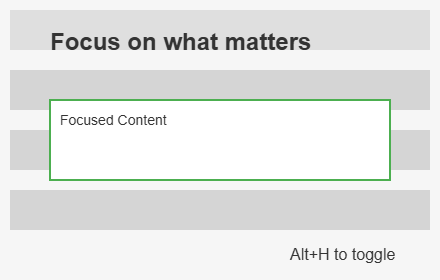
Focus on specific web elements by hiding others. Supports overlay/removal modes, multi-select & hover highlighting.
9
★ 5.0

AutoScreenShield
Automatically protect your browser privacy during screen sharing
—

Tab Guard - Instant Stealth
Hide tabs in one keypress with a custom decoy page, Instant Lock, Auto-Return, and optional Master Lock for restores.
24

Smart Tab Grouper
Automatically group browser tabs by domain with instant auto-collapse. Clean, fast, and smart.
9

Hide Bookmarks
Hide and restore all your bookmarks with a single click
2.0K
★ 4.0

Easy Tab Grouper
Easily group selected tabs or add a tab to an existing group using Chrome's native tab grouping.
8

Hide My Web
Hide, blur, and highlight elements of any webpage with a single click of mouse.
167
★ 2.7
Data sourced from the Chrome Web Store · last verified Jun 9, 2026.