
Tab ReTitle+
Rename browser tab titles with powerful persistence options
As of June 2026, Tab ReTitle+ has 289 users and a 5.00/5 rating from 2 reviews in the Functionality & UI category.
Usersdown 14.5 percent−14.5%
289
289
Ratingno change0%
5.00
2 reviews
Reviewsup 100.0 percent+100.0%
2
Version
3.0.1
Manifest V3
90-day change · In the last 90 days this extension 1 version update.
History
8 snapshotsTracking since Apr 1, 2026.
View as table
| Date | Users | Rating | Reviews | Version |
|---|---|---|---|---|
| Apr 1, 2026 | 338 | 5.00 | 1 | 3.0.0 |
| Apr 16, 2026 | 349 | 5.00 | 1 | 3.0.0 |
| Apr 22, 2026 | 354 | 5.00 | 1 | 3.0.0 |
| May 3, 2026 | 353 | 5.00 | 1 | 3.0.0 |
| May 10, 2026 | 354 | 5.00 | 1 | 3.0.0 |
| May 19, 2026 | 356 | 5.00 | 1 | 3.0.0 |
| May 28, 2026 | 405 | 5.00 | 1 | 3.0.0 |
| Jun 6, 2026 | 270 | 5.00 | 1 | 3.0.0 |
| Now | 289 | 5.00 | 2 | 3.0.1 |
Permissions & access
- Permissions
- storagetabsscriptingcontextMenusbookmarks
- Host access
- <all_urls>
Screenshots


About
Tab ReTitle+ gives you complete control over your browser tab titles with powerful persistence and smart matching rules.

🎯 KEY FEATURES

• Multiple Storage Options
  - One-time: Quick session-only changes
  - Tab-specific: Persists across browser restarts for specific tabs
  - Exact URL: Applies to a specific page
  - Domain-wide: Applies to all pages on the same domain

• Template Variables
  - Use {original} or $0 to include the original title
  - Use {url} for the full URL
  - Use {domain} for the domain name
  - Example: "[PROD] {original}" becomes "[PROD] GitHub - Homepage"

• Smart Priority System
  Automatically matches the most specific rule when multiple rules could apply:
  Tab-specific > Exact URL > Domain > Regex > Bookmark > Original

• Live Preview
  See your custom title as you type before saving

• Manage All Rules
  View, edit, and delete saved titles from the popup or options page

• Works on Dynamic Sites
  Custom titles persist even on sites that change titles frequently (YouTube, Gmail, etc.)

⚡ QUICK START

1. Click the extension icon or press Ctrl+Shift+E (Cmd+Shift+E on Mac)
2. Enter your custom title
3. Choose how to save it (one-time, tab, URL, or domain)
4. Click Save

Your tab title updates instantly!

🔧 ADDITIONAL FEATURES

• Context menu integration (right-click on page)
• Customizable keyboard shortcut
• Bookmark title integration (optional)
• Dark mode interface
• Storage quota monitoring
• Debug mode for troubleshooting

💡 USE CASES

• Label development environments: "[DEV] Dashboard", "[STAGING] API Docs"
• Organize research tabs: "Paper 1: AI Ethics", "Paper 2: Machine Learning"
• Simplify long titles: "Long Document Name.pdf" → "Proposal"
• Add context to tabs: "{original} - Client Project"
• Track multiple Gmail accounts: "Gmail - Personal", "Gmail - Work"

🔒 PRIVACY

Tab ReTitle+ stores your custom titles locally using Chrome's sync storage. No data is sent to external servers. The extension only reads tab information to apply your custom titles.

Built with modern web technologies: React, TypeScript, Manifest V3, and Tailwind CSS.

Inspired by the original Tab ReTitle extension for Firefox by Lazyuki.

Need help? Visit our GitHub repository for documentation and support.
Technical
- Version
- 3.0.1
- Manifest
- V3
- Size
- 94.97KiB
- Min Chrome
- 88
- Languages
- 1
- Featured
- No
Metadata
- ID
- lahliejgfgjhjainkcbajhalojkdigje
- Developer ID
- ubad761ab8fd76fe462df7bae3bb54629
- Developer Email
- [email protected]
- Created
- Jan 21, 2026
- Last Updated (Store)
- Jun 4, 2026
- Last Scraped
- Jun 6, 2026
- Website
- —
- Support URL
- —
Similar extensions
Alternatives to Tab ReTitle+, ranked by description similarity.

Tab ReTitler
Customize browser tab titles for better organization. Change titles temporarily or permanently with URL patterns.
136
★ 3.5

Tab Styler Pro
Change page title and favicon dynamically.
12

Tab Title Renamer
Tab Title Renamer allows you to rename the titles of your browser tabs instantly, helping you stay organised and focused while…
8

Tab Master Pro
Smart tab manager with dashboard, OneTab-style lists, workspaces, sessions, and automation.
13
★ 5.0

Custom Tab Title
Change and maintain custom tab titles
681
★ 4.5
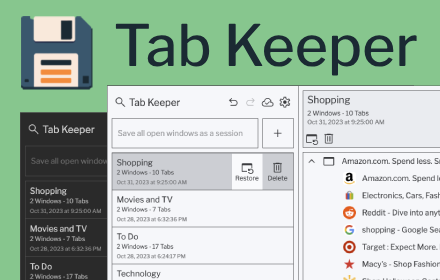
Tab Keeper - Chrome Tab Manager & Sync Tool
Efficiently save and synchronize tabs across devices without the need for personal logins.
4.0K
★ 4.8

TabMeister
Organize tabs into a smart dashboard. Add notes, reminders, secure passwords, and sync across devices with Flipbook view.
11
★ 5.0

TabStash
Never lose a tab again. Auto-save, AI search, smart organization.
9
Data sourced from the Chrome Web Store · last verified Jun 6, 2026.