
MindHunt AI - LinkedIn Profile Importer
Import LinkedIn profiles directly to MindHunt AI kanban board
As of June 2026, MindHunt AI - LinkedIn Profile Importer has 5 users in the Workflow & Planning category.
Usersup 400.0 percent+400.0%
5
5
Ratingno change0%
—
— reviews
Reviewsno change0%
—
Version
2.2.1
Manifest V3
90-day change · In the last 90 days this extension 2 version updates, changed permissions.
History
6 snapshotsTracking since Apr 17, 2026.
View as table
| Date | Users | Rating | Reviews | Version |
|---|---|---|---|---|
| Apr 17, 2026 | 1 | — | — | 2.0.1 |
| Apr 27, 2026 | 2 | — | — | 2.2.0 |
| May 4, 2026 | 3 | — | — | 2.2.1 |
| May 15, 2026 | 2 | — | — | 2.2.1 |
| May 21, 2026 | 3 | — | — | 2.2.1 |
| May 28, 2026 | 4 | — | — | 2.2.1 |
| Now | 5 | — | — | 2.2.1 |
Changelog
- Apr 27, 2026host_permissions
https://*.linkedin.com/*, https://*.mindhuntai.com/*
https://*.linkedin.com/*, https://*.mindhuntai.com/*, https://www.google-analytics.com/*
- Apr 17, 2026description
MindHunt AI - LinkedIn Profile Importer streamlines your recruiting workflow by enabling one-click import of LinkedIn profiles directly into your MindHunt AI kanban board.

🚀 KEY FEATURES:

• One-Click Import - Save LinkedIn profiles to your recruiting pipeline instantly
• Smart Profile Extraction - Automatically captures name, title, company, location, experience, education, and skills
• Position Selection - Choose which hiring position to add candidates to
• Stage Assignment - Place candidates directly into your preferred pipeline stage (New, Screening, Interview, etc.)
• Seamless Integration - Works directly with your MindHunt AI account

💼 PERFECT FOR:

• Recruiters building talent pipelines
• HR professionals sourcing candidates
• Hiring managers tracking prospects
• Talent acquisition teams

🔒 PRIVACY & SECURITY:

• Only accesses LinkedIn profile pages you visit
• No background data collection
• Your credentials are securely stored locally
• GDPR compliant

📋 HOW TO USE:

1. Log in to your MindHunt AI account through the extension
2. Navigate to any LinkedIn profile
3. Click the extension icon
4. Select your target position and stage
5. Click "Import to MindHunt" - Done!

Transform your recruiting workflow and never lose track of promising candidates again. Start building your talent pipeline faster with MindHunt AI.
Summary:
Import LinkedIn profiles to MindHunt AI in one click. Duplicate detection included.

Description:
Browse LinkedIn. Find a promising candidate. Click the MindHunt AI extension. They're in your pipeline instantly.
That's it.

What it does:

One-click import from any LinkedIn profile page
Automatically captures name, title, company, location, experience, education and skills
Choose which position to add the candidate to
Checks for duplicates before importing — no clean-up needed
Works directly with your MindHunt AI account

How to set up:

Install the extension
Go to Account Settings → API Keys in MindHunt AI
Copy your API token and paste it into the extension
Start importing LinkedIn profiles in one click

Privacy & Security:

Only reads LinkedIn profile pages you actively visit
No background data collection
Credentials stored locally
GDPR compliant

Try MindHunt AI free at mindhuntai.com
- Apr 17, 2026host_permissions
https://*.linkedin.com/*, https://*.emergentagent.com/*
https://*.linkedin.com/*, https://*.mindhuntai.com/*
Permissions & access
- Permissions
- storageactiveTab
- Host access
- https://*.linkedin.com/*, https://*.mindhuntai.com/*, https://www.google-analytics.com/*
Screenshots


About
Summary:
Import LinkedIn profiles to MindHunt AI in one click. Duplicate detection included.

Description:
Browse LinkedIn. Find a promising candidate. Click the MindHunt AI extension. They're in your pipeline instantly.
That's it.

What it does:

One-click import from any LinkedIn profile page
Automatically captures name, title, company, location, experience, education and skills
Choose which position to add the candidate to
Checks for duplicates before importing — no clean-up needed
Works directly with your MindHunt AI account

How to set up:

Install the extension
Go to Account Settings → API Keys in MindHunt AI
Copy your API token and paste it into the extension
Start importing LinkedIn profiles in one click

Privacy & Security:

Only reads LinkedIn profile pages you actively visit
No background data collection
Credentials stored locally
GDPR compliant

Try MindHunt AI free at mindhuntai.com
Technical
- Version
- 2.2.1
- Manifest
- V3
- Size
- 21.71KiB
- Min Chrome
- 88
- Languages
- 1
- Featured
- No
Metadata
- ID
- kngfgebecaihlpkoeoodomnojmmnbmii
- Developer ID
- u49fc15470ba7256a5fbf79debdba79e9
- Developer Email
- [email protected]
- Created
- Jan 21, 2026
- Last Updated (Store)
- Apr 23, 2026
- Last Scraped
- Jun 10, 2026
- Website
- mindhuntai.com
- Support URL
- mindhuntai.com/features
- Privacy Policy
- https://mindhuntai.com/privacy
Similar extensions
Alternatives to MindHunt AI - LinkedIn Profile Importer, ranked by description similarity.

ProfileIn
Gather LinkedIn profiles with contact info and export them to CSV
7
★ 5.0

Midas – AI Staffing Agent
Midas is the most advanced AI-Native ATS featuring modern soulutions to sourcing and managing your talent efficiently.
1

CareerGenie Talent Outreach Manager
Detect LinkedIn profiles, check pipeline, add to roles, and suggest outreach messages.
5

LinkedIn Job Applicants Exporter – Local, No Login, CSV/Sheets
Bulk export LinkedIn job applicants to Joinus.team, Google Sheets, or CSV with automated data extraction
970
★ 4.1
HireHarmonyAI
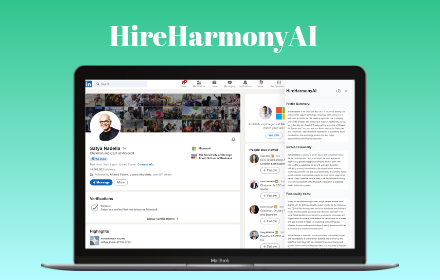
HireHarmonyAI is an AI powered Chrome extension that makes hiring over linkedin easier and more efficient.
10

ProfilePilot - AI Recruiting Tool for LinkedIn
Candidate Matching&Resume Analysis, recruiting tool, LinkedIn automation, resume matcher, HR tools, recruitment Chrome extension
65
★ 2.3

LeadFlow
Extracts LinkedIn profiles and checks or creates them in HubSpot.
6

Framewrk.ai Bridge
Extract professional profiles & contact data from LinkedIn
1
Data sourced from the Chrome Web Store · last verified Jun 10, 2026.