
Bookmark group tabs
Bookmark in a folder all the tabs of a group
As of May 2026, Bookmark group tabs has 123 users and a 5.00/5 rating from 1 reviews in the Workflow & Planning category.
Usersdown 8.2 percent−8.2%
123
123
Ratingno change0%
5.00
1 reviews
Reviewsno change0%
1
Version
1.1
Manifest V3
History
2 snapshotsTracking since Apr 26, 2026.
View as table
| Date | Users | Rating | Reviews | Version |
|---|---|---|---|---|
| Apr 26, 2026 | 134 | 5.00 | 1 | 1.1 |
| May 24, 2026 | 128 | 5.00 | 1 | 1.1 |
| Now | 123 | 5.00 | 1 | 1.1 |
Permissions & access
- Permissions
- tabstabGroupsbookmarks
- Host access
- None declared
Screenshots
About
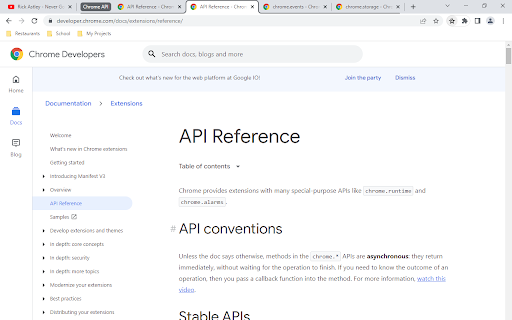
If you have used Chrome's grouping feature, you probably experienced wanting to close a group of tabs without losing them. You then had to create a bookmark for each and every one of the tabs in the group. And it probably annoyed you :)

You might know that by right-clicking on a bookmarks folder, you can open all its tabs in a group, which even gets the name of the folder.

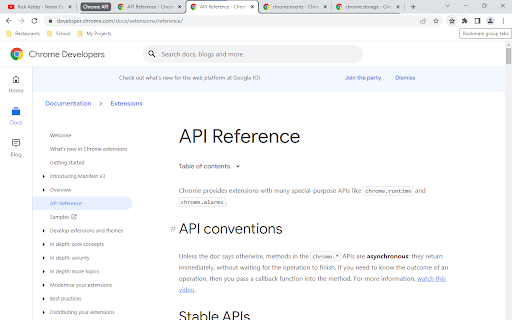
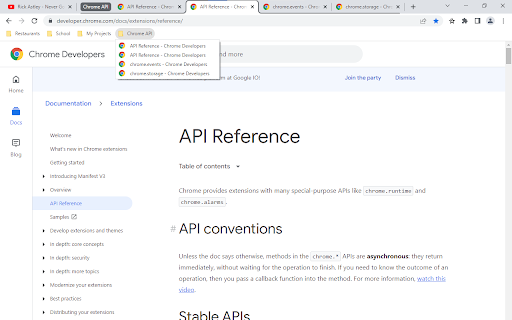
This extension allows you to do the opposite : by clicking on the extension's icon (top right corner of your screen), a folder containing the group's tabs is automatically created in your bookmarks bar, with the title of the group as title. To do so, the currently open tab simply needs to be in the desired group when you click on the extension's icon.

You can then quickly move this new folder to the folder or location that suits you!
Technical
- Version
- 1.1
- Manifest
- V3
- Size
- 6.92KiB
- Min Chrome
- 88
- Languages
- 1
- Featured
- No
Metadata
- ID
- kndieddefnlofcgjljoagkgmnclmkjhh
- Developer ID
- ue8fd4f206130292a4ffad1e5176e8743
- Developer Email
- [email protected]
- Created
- May 26, 2022
- Last Updated (Store)
- May 26, 2022
- Last Scraped
- May 24, 2026
- Website
- —
- Support URL
- —
- Privacy Policy
- —
Similar extensions
Alternatives to Bookmark group tabs, ranked by description similarity.

Tab Groups to Bookmarks
Manage and Save Your Tab Groups
1.0K
★ 4.7

Tabs-To-Bookmarks
Quickly convert your open tabs to bookmarks. Automatically detects tab groups and creates subfolders in bookmarks.
63

Bookmark Groups
Save group tabs as bookmarks
749
★ 3.8

Auto Group Tab
Auto group your Chrome tabs
12

Tab Grouper by Lee
allows user to store current set of tabs into a storage, and open them at will. Ex: Entertainment layout, etc
4
★ 5.0

Auto Groupify
Automatically group your tabs by page opener
22
★ 5.0

Tab Group Manager
Tab Group Manager exends the native Tab Groups in Chrome letting you store, sync and resume them anytime and anywhere.
5.0K
★ 3.8

Groupify
Group the tabs easily
5
★ 5.0
Data sourced from the Chrome Web Store · last verified May 24, 2026.