
PassSecurium
Your Password Database - available anytime and anywhere.
As of June 2026, PassSecurium has 613 users and a 5.00/5 rating from 4 reviews in the Productivity category.
Usersup 22.4 percent+22.4%
613
613
Ratingno change0%
5.00
4 reviews
Reviewsno change0%
4
Version
3.2.2
Manifest V3
90-day change · In the last 90 days this extension 3 version updates, changed permissions.
History
11 snapshotsTracking since Apr 1, 2026.
View as table
| Date | Users | Rating | Reviews | Version |
|---|---|---|---|---|
| Apr 1, 2026 | 501 | 5.00 | 4 | 3.1.1 |
| Apr 10, 2026 | 505 | 5.00 | 4 | 3.2.0 |
| Apr 20, 2026 | 573 | 5.00 | 4 | 3.2.0 |
| Apr 25, 2026 | 553 | 5.00 | 4 | 3.2.0 |
| May 3, 2026 | 566 | 5.00 | 4 | 3.2.1 |
| May 9, 2026 | 577 | 5.00 | 4 | 3.2.1 |
| May 14, 2026 | 579 | 5.00 | 4 | 3.2.1 |
| May 20, 2026 | 607 | 5.00 | 4 | 3.2.2 |
| May 26, 2026 | 580 | 5.00 | 4 | 3.2.2 |
| Jun 2, 2026 | 592 | 5.00 | 4 | 3.2.2 |
| Jun 8, 2026 | 599 | 5.00 | 4 | 3.2.2 |
| Now | 613 | 5.00 | 4 | 3.2.2 |
Changelog
- Apr 1, 2026permissions
identity, tabs, storage
identity, tabs, storage, scripting
Permissions & access
- Permissions
- identitytabsstoragescripting
- Host access
- http://*/*, https://*/*
Screenshots


About
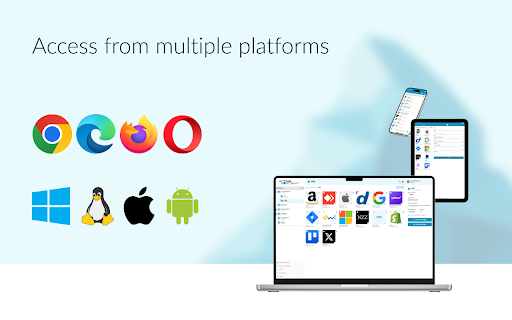
The PassSecurium Browser Extension provides secure access to your PassSecurium password manager data and autofills forms on websites. It allows you to easily create, store and manage your passwords and other access data in one place.

❗️ To use the extension you need a PassSecurium password manager account, which you can register for free on our website: https://www.pass-securium.ch/en/

Your login to PassSecurium is protected by two-factor authentication with one-time passwords, you can set a security code as an additional layer of protection for autofilled credentials.

Key browser extension features:
🔹 Easily create, save, preview and delete records
🔹 Autofill website forms
🔹 Automatically save login credentials to the password manager on first login
🔹 Security code for autofill
🔹 Two-factor authentication
🔹 Option to leave feedback

We develop our PassSecurium password manager with privacy and security in mind. It complies with European and Swiss data protection regulations and our company regularly passes security certifications.

100% made, secured and hosted in Switzerland.

❗️ This major release brings a redesigned encryption concept for stronger security and clearer key handling, along with a range of improvements to make everyday use smoother and more reliable:

🔹 New password requirements to strengthen account security
🔹 Improved synchronization performance
🔹 Key versions and better session management
🔹 UI improvements (security code dialog, animations, favorites, Pull-to-Refresh)
🔹 Additional bug fixes and security updates
Technical
- Version
- 3.2.2
- Manifest
- V3
- Size
- 8.71MiB
- Min Chrome
- 88
- Languages
- 4
- Featured
- No
Metadata
- ID
- kmmndpeiibkjhdkakihdafcodnhgflcp
- Developer ID
- ue5cccf450affecde2f4507d11c1a3ced
- Developer Email
- [email protected]
- Created
- Jan 28, 2020
- Last Updated (Store)
- May 12, 2026
- Last Scraped
- Jun 8, 2026
- Support URL
- https://www.pass-securium.ch/en/contact
- Privacy Policy
- https://www.alpeinsoft.ch/en/privacy-policy
Similar extensions
Alternatives to PassSecurium, ranked by description similarity.

Passave
Your zero-knowledge password vault, right in your browser.
4
★ 5.0

UpSignOn by Septeo
Generate, save, and automatically fill in your passwords securely.
4.0K
★ 3.5

SecurePass Pro - Password Manager
Secure password generator and manager with advanced features. Generate strong passwords, store securely, and autofill with ease.
2

Secure Password Autofill
Generates and autofills strong passwords with local encryption
12

VaultPlus - Password Manager
Secure password manager with autofill. Store and sync encrypted passwords, credit cards, and addresses across devices.
—

My Password Manager
Use My Password Manager Chrome extension to generate strong passwords and securely manage them.
—
★ 5.0

PassBangla
Secure password manager with auto-fill, TOTP codes, and encrypted storage. Quick and safe password access.
6

The Vault Password Manager
Autofill passwords from The Vault
—
Data sourced from the Chrome Web Store · last verified Jun 8, 2026.