
My Little Bookmark
Organize your bookmarks into focused workspaces and collections on the new tab.
As of June 2026, My Little Bookmark has 1 users in the Productivity category.
Usersno change0%
1
1
Ratingno change0%
—
— reviews
Reviewsno change0%
—
Version
0.1.0
Manifest V3
History
2 snapshotsTracking since May 27, 2026.
Not enough history yet for this metric — the chart fills in as we collect more snapshots.
View as table
| Date | Users | Rating | Reviews | Version |
|---|---|---|---|---|
| May 27, 2026 | — | — | — | 0.1.0 |
| Jun 3, 2026 | — | — | — | 0.1.0 |
| Now | 1 | — | — | 0.1.0 |
Permissions & access
- Permissions
- bookmarkstabstabGroupsstoragefavicon
- Host access
- https://api.gumroad.com/*
Screenshots


About
My Little Bookmark turns the Chrome new tab page into a focused bookmark workspace. Users can save unlimited bookmarks and organize them into workspaces and collections, making it easier to keep links grouped by project, topic, or workflow.

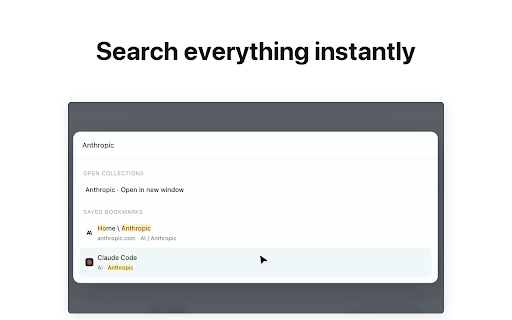
The extension supports drag-and-drop organization, fast bookmark search, and a command palette for quickly finding saved links. Users can save currently open tabs as a collection, then reopen saved collections as a Chrome tab group or in a new window whenever they need them again.

It is designed for people who have many bookmarks, manage multiple projects, or repeatedly open the same groups of links. By installing My Little Bookmark, users can make their new tab page more useful, reduce bookmark clutter, and access important links faster.
Technical
- Version
- 0.1.0
- Manifest
- V3
- Size
- 359KiB
- Min Chrome
- 88
- Languages
- 2
- Featured
- No
Metadata
- ID
- kmmbecaeehflnnefjlhfglhfligfmmpf
- Developer ID
- u6e3bbdf3854be6438e6070928ff9737d
- Developer Email
- [email protected]
- Created
- May 26, 2026
- Last Updated (Store)
- May 26, 2026
- Last Scraped
- Jun 8, 2026
- Website
- —
- Privacy Policy
- —
Data sourced from the Chrome Web Store · last verified Jun 8, 2026.