
ClearTok - TikTok Repost Remover
Instantly remove all your TikTok reposts—no scrolling, no tapping.
As of June 2026, ClearTok - TikTok Repost Remover has 50,000 users and a 4.81/5 rating from 1,624 reviews in the Productivity category.
Usersup 25.0 percent+25.0%
50.0K
50,000
Ratingup 4.8 percent+4.8%
4.81
1.6K reviews
Reviewsup 1076.8 percent+1076.8%
1.6K
Version
1.8.7
Manifest V3
90-day change · In the last 90 days this extension gained 10.0K users, 3 version updates.
History
24 snapshotsTracking since Apr 1, 2026.
View as table
| Date | Users | Rating | Reviews | Version |
|---|---|---|---|---|
| Apr 1, 2026 | 40.0K | 4.59 | 138 | 1.7.0 |
| Apr 8, 2026 | 40.0K | 4.56 | 139 | 1.7.0 |
| Apr 16, 2026 | 40.0K | 4.56 | 140 | 1.7.0 |
| Apr 20, 2026 | 40.0K | 4.57 | 142 | 1.8.0 |
| Apr 23, 2026 | 40.0K | 4.57 | 143 | 1.8.1 |
| Apr 26, 2026 | 40.0K | 4.59 | 186 | 1.8.1 |
| Apr 29, 2026 | 40.0K | 4.68 | 266 | 1.8.1 |
| May 5, 2026 | 40.0K | 4.70 | 284 | 1.8.1 |
| May 8, 2026 | 40.0K | 4.72 | 451 | 1.8.1 |
| May 11, 2026 | 40.0K | 4.74 | 501 | 1.8.1 |
| May 13, 2026 | 40.0K | 4.75 | 562 | 1.8.2 |
| May 15, 2026 | 50.0K | 4.75 | 619 | 1.8.2 |
| May 17, 2026 | 50.0K | 4.76 | 653 | 1.8.2 |
| May 20, 2026 | 50.0K | 4.78 | 710 | 1.8.2 |
| May 23, 2026 | 50.0K | 4.78 | 765 | 1.8.2 |
| May 25, 2026 | 50.0K | 4.78 | 846 | 1.8.2 |
| May 28, 2026 | 50.0K | 4.79 | 913 | 1.8.2 |
| May 31, 2026 | 50.0K | 4.79 | 958 | 1.8.2 |
| Jun 3, 2026 | 50.0K | 4.79 | 1.0K | 1.8.2 |
| Jun 6, 2026 | 50.0K | 4.79 | 1.1K | 1.8.5 |
| Jun 8, 2026 | 50.0K | 4.79 | 1.2K | 1.8.5 |
| Jun 11, 2026 | 50.0K | 4.80 | 1.3K | 1.8.6 |
| Jun 15, 2026 | 50.0K | 4.79 | 1.4K | 1.8.6 |
| Jun 22, 2026 | 50.0K | 4.80 | 1.4K | 1.8.6 |
| Now | 50.0K | 4.81 | 1.6K | 1.8.7 |
Changelog
- Jun 22, 2026description
ClearTok – remove all reposted video on tiktok at once — free, safe, fast.

✅ How to use
1️⃣ Make sure you’re logged into TikTok (open tiktok.com in a new tab).
2️⃣ Open ClearTok and click Start Removing.
3️⃣ The tool will automatically:
 — Open each reposted video
 — Remove it from your account activity
 — Loop until every repost is removed

🔧 Key features
- One-click bulk removal of all TikTok reposts
- Runs in your browser—no password required
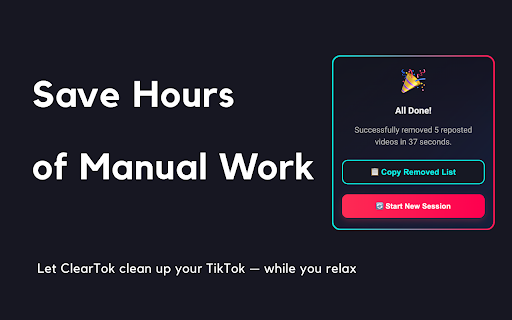
- Export report — download a CSV/XLSX log after cleanup
- Works on Windows, macOS, Linux, and ChromeOS

🔒 Safety & Privacy
- ClearTok never collects personal data or TikTok credentials.
- All clicks are simulated locally and visibly on-screen.
- You can stop anytime by simply closing the TikTok tab.

💡 Troubleshooting
If TikTok rate-limits your account, ClearTok pauses automatically. Wait about an hour, then click Resume or Start again.

 📩 Support
Prefer a new feature? Let us know at [email protected].

---

Clean your profile in seconds. Start fresh—install ClearTok now.

---


## Recent Updates
### v1.8.6 (2026-06-06)
- Improved Reposts tab loading detection to avoid false "no reposts found" results while TikTok is still rendering the tab
- Added a refresh confirmation step before treating a missing Reposts tab as an empty repost list
- Added lightweight workflow scan signals for diagnosing Reposts tab loading issues

### v1.8.5 (2026-06-03)
- Improved Start behavior so ClearTok focuses the TikTok tab/window where removal is running
- Fixed a startup messaging issue that could be logged when TikTok navigates or reloads during removal startup
- Tightened own-profile preflight checks before opening the Reposts tab

### v1.8.3 (2026-06-01)
- Improved bulk repost removal stability with verified removal counting and safer recovery when TikTok pages get out of sync

### v1.8.2 (2026-05-09)
- Better support for TikTok’s latest 2026 Reposted Videos tab layout
- Safer repost removal flow with stronger checks before deleting anything
- More stable detection when TikTok updates buttons, tabs, or page selectors
- Automatic recovery when cached TikTok UI selectors become outdated
- New mobile app download area with QR code, App Store, and Google Play links, with custom bulk delete ranges
- Full localization support for the new mobile download section


### v1.8.0 (2026-04-15)
- Fixed a rare issue where the extension could mis-target the Videos tab and create new reposts instead of removing them
- Improved Reposts tab detection using TikTok's official  anchors for more reliable targeting
- Added automatic recovery when cached TikTok selectors fall out of date — no reinstall needed
- Redesigned the side panel UI and on-page overlay for a cleaner, more professional look

v1.7.0 (2026-03-16)
Improved initial repost loading logic to fetch a fuller list (up to 100 items) before starting deletion
Fixed an issue where the last repost could be clicked repeatedly instead of stopping cleanly at the end
Replaced the “Share Card” button with a “TikTok” button linking to the official ClearTok account
Simplified popup completion logic and removed unused share-card code paths for better maintainability

### v1.6.9 (2026-02-11)
- Refactored workflow to always click the profile button to navigate to the profile page
- Increased timeout for waiting for the repost tab
- Added support for multiple languages
- **UI/UX Improvements**: Boosted text contrast, added focus rings for accessibility, and enhanced button interactions

### v1.6.8 (2025-01-04)
- Enhanced selector fallback system for improved TikTok UI compatibility
- Improved logging and debugging for element detection
- Optimized DRY_RUN mode for testing purposes
- Bug fixes and performance improvements

v1.6.6 (2025-12-18)
Added 10 new languages: Arabic, Filipino, Indonesian, Italian, Malay, Burmese, Dutch, Polish, Portuguese, Turkish
Improved language detection and switching experience
Updated localization files for German and French

### v1.6.0(2025-09-25)
- optimized the extension to work with the new TikTok UI
- improved the detection algorithm
- added a premium version with more features
- added a new language: Chinese

### v1.5.0(2025-09-12)
- Improved visual experience
- Faster deletion speed

### v1.4.0(2025-08-04)
- Improved repost detection accuracy
- Maximized bulk deletion coverage

### v1.2.0 (2025-07-27)
- Hot-update support
  When a newer tiktok UI version is detected, selectors are hot-reloaded without publishing a new build.

### v1.1.2 (2025-07-12)
- Added multi-language support (Franch, Arabic, Japanese, Spanish, and more)

### v1.1.0 (2025-07-01)
- One-click bulk removal of all TikTok reposts
- Automatic login detection and prompt
- Export and copy log of removed videos

### v1.0.0 (2025-06-15)
- Initial public release of ClearTok
- Chrome extension for one-click TikTok repost cleanup
ClearTok – remove all reposted video on tiktok at once — free, safe, fast.

✅ How to use
1️⃣ Make sure you’re logged into TikTok (open tiktok.com in a new tab).
2️⃣ Open ClearTok and click Start Removing.
3️⃣ The tool will automatically:
 — Open each reposted video
 — Remove it from your account activity
 — Loop until every repost is removed

🔧 Key features
- One-click bulk removal of all TikTok reposts
- Runs in your browser—no password required
- Export report — download a CSV/XLSX log after cleanup
- Works on Windows, macOS, Linux, and ChromeOS

🔒 Safety & Privacy
- ClearTok never collects personal data or TikTok credentials.
- All clicks are simulated locally and visibly on-screen.
- You can stop anytime by simply closing the TikTok tab.

💡 Troubleshooting
If TikTok rate-limits your account, ClearTok pauses automatically. Wait about an hour, then click Resume or Start again.

 📩 Support
Prefer a new feature? Let us know at [email protected].

---

Clean your profile in seconds. Start fresh—install ClearTok now.

---


## Recent Updates
### v1.8.7 (2026-06-18)
- Enhanced repost detection for TikTok’s latest interface
- Improved bulk cleanup stability across video and photo reposts
- Refined the removal flow for a smoother, more reliable experience

### v1.8.6 (2026-06-06)
- Improved Reposts tab loading detection to avoid false "no reposts found" results while TikTok is still rendering the tab
- Added a refresh confirmation step before treating a missing Reposts tab as an empty repost list
- Added lightweight workflow scan signals for diagnosing Reposts tab loading issues

### v1.8.5 (2026-06-03)
- Improved Start behavior so ClearTok focuses the TikTok tab/window where removal is running
- Fixed a startup messaging issue that could be logged when TikTok navigates or reloads during removal startup
- Tightened own-profile preflight checks before opening the Reposts tab

### v1.8.3 (2026-06-01)
- Improved bulk repost removal stability with verified removal counting and safer recovery when TikTok pages get out of sync

### v1.8.2 (2026-05-09)
- Better support for TikTok’s latest 2026 Reposted Videos tab layout
- Safer repost removal flow with stronger checks before deleting anything
- More stable detection when TikTok updates buttons, tabs, or page selectors
- Automatic recovery when cached TikTok UI selectors become outdated
- New mobile app download area with QR code, App Store, and Google Play links, with custom bulk delete ranges
- Full localization support for the new mobile download section


### v1.8.0 (2026-04-15)
- Fixed a rare issue where the extension could mis-target the Videos tab and create new reposts instead of removing them
- Improved Reposts tab detection using TikTok's official  anchors for more reliable targeting
- Added automatic recovery when cached TikTok selectors fall out of date — no reinstall needed
- Redesigned the side panel UI and on-page overlay for a cleaner, more professional look

v1.7.0 (2026-03-16)
Improved initial repost loading logic to fetch a fuller list (up to 100 items) before starting deletion
Fixed an issue where the last repost could be clicked repeatedly instead of stopping cleanly at the end
Replaced the “Share Card” button with a “TikTok” button linking to the official ClearTok account
Simplified popup completion logic and removed unused share-card code paths for better maintainability

### v1.6.9 (2026-02-11)
- Refactored workflow to always click the profile button to navigate to the profile page
- Increased timeout for waiting for the repost tab
- Added support for multiple languages
- **UI/UX Improvements**: Boosted text contrast, added focus rings for accessibility, and enhanced button interactions

### v1.6.8 (2025-01-04)
- Enhanced selector fallback system for improved TikTok UI compatibility
- Improved logging and debugging for element detection
- Optimized DRY_RUN mode for testing purposes
- Bug fixes and performance improvements

v1.6.6 (2025-12-18)
Added 10 new languages: Arabic, Filipino, Indonesian, Italian, Malay, Burmese, Dutch, Polish, Portuguese, Turkish
Improved language detection and switching experience
Updated localization files for German and French

### v1.6.0(2025-09-25)
- optimized the extension to work with the new TikTok UI
- improved the detection algorithm
- added a premium version with more features
- added a new language: Chinese

### v1.5.0(2025-09-12)
- Improved visual experience
- Faster deletion speed

### v1.4.0(2025-08-04)
- Improved repost detection accuracy
- Maximized bulk deletion coverage

### v1.2.0 (2025-07-27)
- Hot-update support
  When a newer tiktok UI version is detected, selectors are hot-reloaded without publishing a new build.

### v1.1.2 (2025-07-12)
- Added multi-language support (Franch, Arabic, Japanese, Spanish, and more)

### v1.1.0 (2025-07-01)
- One-click bulk removal of all TikTok reposts
- Automatic login detection and prompt
- Export and copy log of removed videos

### v1.0.0 (2025-06-15)
- Initial public release of ClearTok
- Chrome extension for one-click TikTok repost cleanup
- Jun 8, 2026description
ClearTok – remove all reposted video on tiktok at once — free, safe, fast.

✅ How to use
1️⃣ Make sure you’re logged into TikTok (open tiktok.com in a new tab).
2️⃣ Open ClearTok and click Start Removing.
3️⃣ The tool will automatically:
 — Open each reposted video
 — Remove it from your account activity
 — Loop until every repost is removed

🔧 Key features
- One-click bulk removal of all TikTok reposts
- Runs in your browser—no password required
- Export report — download a CSV/XLSX log after cleanup
- Works on Windows, macOS, Linux, and ChromeOS

🔒 Safety & Privacy
- ClearTok never collects personal data or TikTok credentials.
- All clicks are simulated locally and visibly on-screen.
- You can stop anytime by simply closing the TikTok tab.

💡 Troubleshooting
If TikTok rate-limits your account, ClearTok pauses automatically. Wait about an hour, then click Resume or Start again.

 📩 Support
Prefer a new feature? Let us know at [email protected].

---

Clean your profile in seconds. Start fresh—install ClearTok now.

---


## Recent Updates
### v1.8.3 (2026-06-01)
- Improved bulk repost removal stability with verified removal counting and safer recovery when TikTok pages get out of sync

### v1.8.2 (2026-05-09)
- Better support for TikTok’s latest 2026 Reposted Videos tab layout
- Safer repost removal flow with stronger checks before deleting anything
- More stable detection when TikTok updates buttons, tabs, or page selectors
- Automatic recovery when cached TikTok UI selectors become outdated
- New mobile app download area with QR code, App Store, and Google Play links, with custom bulk delete ranges
- Full localization support for the new mobile download section


### v1.8.0 (2026-04-15)
- Fixed a rare issue where the extension could mis-target the Videos tab and create new reposts instead of removing them
- Improved Reposts tab detection using TikTok's official  anchors for more reliable targeting
- Added automatic recovery when cached TikTok selectors fall out of date — no reinstall needed
- Redesigned the side panel UI and on-page overlay for a cleaner, more professional look

v1.7.0 (2026-03-16)
Improved initial repost loading logic to fetch a fuller list (up to 100 items) before starting deletion
Fixed an issue where the last repost could be clicked repeatedly instead of stopping cleanly at the end
Replaced the “Share Card” button with a “TikTok” button linking to the official ClearTok account
Simplified popup completion logic and removed unused share-card code paths for better maintainability

### v1.6.9 (2026-02-11)
- Refactored workflow to always click the profile button to navigate to the profile page
- Increased timeout for waiting for the repost tab
- Added support for multiple languages
- **UI/UX Improvements**: Boosted text contrast, added focus rings for accessibility, and enhanced button interactions

### v1.6.8 (2025-01-04)
- Enhanced selector fallback system for improved TikTok UI compatibility
- Improved logging and debugging for element detection
- Optimized DRY_RUN mode for testing purposes
- Bug fixes and performance improvements

v1.6.6 (2025-12-18)
Added 10 new languages: Arabic, Filipino, Indonesian, Italian, Malay, Burmese, Dutch, Polish, Portuguese, Turkish
Improved language detection and switching experience
Updated localization files for German and French

### v1.6.0(2025-09-25)
- optimized the extension to work with the new TikTok UI
- improved the detection algorithm
- added a premium version with more features
- added a new language: Chinese

### v1.5.0(2025-09-12)
- Improved visual experience
- Faster deletion speed

### v1.4.0(2025-08-04)
- Improved repost detection accuracy
- Maximized bulk deletion coverage

### v1.2.0 (2025-07-27)
- Hot-update support
  When a newer tiktok UI version is detected, selectors are hot-reloaded without publishing a new build.

### v1.1.2 (2025-07-12)
- Added multi-language support (Franch, Arabic, Japanese, Spanish, and more)

### v1.1.0 (2025-07-01)
- One-click bulk removal of all TikTok reposts
- Automatic login detection and prompt
- Export and copy log of removed videos

### v1.0.0 (2025-06-15)
- Initial public release of ClearTok
- Chrome extension for one-click TikTok repost cleanup
ClearTok – remove all reposted video on tiktok at once — free, safe, fast.

✅ How to use
1️⃣ Make sure you’re logged into TikTok (open tiktok.com in a new tab).
2️⃣ Open ClearTok and click Start Removing.
3️⃣ The tool will automatically:
 — Open each reposted video
 — Remove it from your account activity
 — Loop until every repost is removed

🔧 Key features
- One-click bulk removal of all TikTok reposts
- Runs in your browser—no password required
- Export report — download a CSV/XLSX log after cleanup
- Works on Windows, macOS, Linux, and ChromeOS

🔒 Safety & Privacy
- ClearTok never collects personal data or TikTok credentials.
- All clicks are simulated locally and visibly on-screen.
- You can stop anytime by simply closing the TikTok tab.

💡 Troubleshooting
If TikTok rate-limits your account, ClearTok pauses automatically. Wait about an hour, then click Resume or Start again.

 📩 Support
Prefer a new feature? Let us know at [email protected].

---

Clean your profile in seconds. Start fresh—install ClearTok now.

---


## Recent Updates
### v1.8.6 (2026-06-06)
- Improved Reposts tab loading detection to avoid false "no reposts found" results while TikTok is still rendering the tab
- Added a refresh confirmation step before treating a missing Reposts tab as an empty repost list
- Added lightweight workflow scan signals for diagnosing Reposts tab loading issues

### v1.8.5 (2026-06-03)
- Improved Start behavior so ClearTok focuses the TikTok tab/window where removal is running
- Fixed a startup messaging issue that could be logged when TikTok navigates or reloads during removal startup
- Tightened own-profile preflight checks before opening the Reposts tab

### v1.8.3 (2026-06-01)
- Improved bulk repost removal stability with verified removal counting and safer recovery when TikTok pages get out of sync

### v1.8.2 (2026-05-09)
- Better support for TikTok’s latest 2026 Reposted Videos tab layout
- Safer repost removal flow with stronger checks before deleting anything
- More stable detection when TikTok updates buttons, tabs, or page selectors
- Automatic recovery when cached TikTok UI selectors become outdated
- New mobile app download area with QR code, App Store, and Google Play links, with custom bulk delete ranges
- Full localization support for the new mobile download section


### v1.8.0 (2026-04-15)
- Fixed a rare issue where the extension could mis-target the Videos tab and create new reposts instead of removing them
- Improved Reposts tab detection using TikTok's official  anchors for more reliable targeting
- Added automatic recovery when cached TikTok selectors fall out of date — no reinstall needed
- Redesigned the side panel UI and on-page overlay for a cleaner, more professional look

v1.7.0 (2026-03-16)
Improved initial repost loading logic to fetch a fuller list (up to 100 items) before starting deletion
Fixed an issue where the last repost could be clicked repeatedly instead of stopping cleanly at the end
Replaced the “Share Card” button with a “TikTok” button linking to the official ClearTok account
Simplified popup completion logic and removed unused share-card code paths for better maintainability

### v1.6.9 (2026-02-11)
- Refactored workflow to always click the profile button to navigate to the profile page
- Increased timeout for waiting for the repost tab
- Added support for multiple languages
- **UI/UX Improvements**: Boosted text contrast, added focus rings for accessibility, and enhanced button interactions

### v1.6.8 (2025-01-04)
- Enhanced selector fallback system for improved TikTok UI compatibility
- Improved logging and debugging for element detection
- Optimized DRY_RUN mode for testing purposes
- Bug fixes and performance improvements

v1.6.6 (2025-12-18)
Added 10 new languages: Arabic, Filipino, Indonesian, Italian, Malay, Burmese, Dutch, Polish, Portuguese, Turkish
Improved language detection and switching experience
Updated localization files for German and French

### v1.6.0(2025-09-25)
- optimized the extension to work with the new TikTok UI
- improved the detection algorithm
- added a premium version with more features
- added a new language: Chinese

### v1.5.0(2025-09-12)
- Improved visual experience
- Faster deletion speed

### v1.4.0(2025-08-04)
- Improved repost detection accuracy
- Maximized bulk deletion coverage

### v1.2.0 (2025-07-27)
- Hot-update support
  When a newer tiktok UI version is detected, selectors are hot-reloaded without publishing a new build.

### v1.1.2 (2025-07-12)
- Added multi-language support (Franch, Arabic, Japanese, Spanish, and more)

### v1.1.0 (2025-07-01)
- One-click bulk removal of all TikTok reposts
- Automatic login detection and prompt
- Export and copy log of removed videos

### v1.0.0 (2025-06-15)
- Initial public release of ClearTok
- Chrome extension for one-click TikTok repost cleanup
- Jun 3, 2026description
ClearTok – remove all reposted video on tiktok at once — free, safe, fast.

✅ How to use
1️⃣ Make sure you’re logged into TikTok (open tiktok.com in a new tab).
2️⃣ Open ClearTok and click Start Removing.
3️⃣ The tool will automatically:
 — Open each reposted video
 — Remove it from your account activity
 — Loop until every repost is removed

🔧 Key features
- One-click bulk removal of all TikTok reposts
- Runs in your browser—no password required
- Export report — download a CSV/XLSX log after cleanup
- Works on Windows, macOS, Linux, and ChromeOS

🔒 Safety & Privacy
- ClearTok never collects personal data or TikTok credentials.
- All clicks are simulated locally and visibly on-screen.
- You can stop anytime by simply closing the TikTok tab.

💡 Troubleshooting
If TikTok rate-limits your account, ClearTok pauses automatically. Wait about an hour, then click Resume or Start again.

 📩 Support
Prefer a new feature? Let us know at [email protected].

---

Clean your profile in seconds. Start fresh—install ClearTok now.

---


## Recent Updates
### v1.8.2 (2026-05-09)
- Better support for TikTok’s latest 2026 Reposted Videos tab layout
- Safer repost removal flow with stronger checks before deleting anything
- More stable detection when TikTok updates buttons, tabs, or page selectors
- Automatic recovery when cached TikTok UI selectors become outdated
- New mobile app download area with QR code, App Store, and Google Play links, with custom bulk delete ranges
- Full localization support for the new mobile download section


### v1.8.0 (2026-04-15)
- Fixed a rare issue where the extension could mis-target the Videos tab and create new reposts instead of removing them
- Improved Reposts tab detection using TikTok's official  anchors for more reliable targeting
- Added automatic recovery when cached TikTok selectors fall out of date — no reinstall needed
- Redesigned the side panel UI and on-page overlay for a cleaner, more professional look

v1.7.0 (2026-03-16)
Improved initial repost loading logic to fetch a fuller list (up to 100 items) before starting deletion
Fixed an issue where the last repost could be clicked repeatedly instead of stopping cleanly at the end
Replaced the “Share Card” button with a “TikTok” button linking to the official ClearTok account
Simplified popup completion logic and removed unused share-card code paths for better maintainability

### v1.6.9 (2026-02-11)
- Refactored workflow to always click the profile button to navigate to the profile page
- Increased timeout for waiting for the repost tab
- Added support for multiple languages
- **UI/UX Improvements**: Boosted text contrast, added focus rings for accessibility, and enhanced button interactions

### v1.6.8 (2025-01-04)
- Enhanced selector fallback system for improved TikTok UI compatibility
- Improved logging and debugging for element detection
- Optimized DRY_RUN mode for testing purposes
- Bug fixes and performance improvements

v1.6.6 (2025-12-18)
Added 10 new languages: Arabic, Filipino, Indonesian, Italian, Malay, Burmese, Dutch, Polish, Portuguese, Turkish
Improved language detection and switching experience
Updated localization files for German and French

### v1.6.0(2025-09-25)
- optimized the extension to work with the new TikTok UI
- improved the detection algorithm
- added a premium version with more features
- added a new language: Chinese

### v1.5.0(2025-09-12)
- Improved visual experience
- Faster deletion speed

### v1.4.0(2025-08-04)
- Improved repost detection accuracy
- Maximized bulk deletion coverage

### v1.2.0 (2025-07-27)
- Hot-update support
  When a newer tiktok UI version is detected, selectors are hot-reloaded without publishing a new build.

### v1.1.2 (2025-07-12)
- Added multi-language support (Franch, Arabic, Japanese, Spanish, and more)

### v1.1.0 (2025-07-01)
- One-click bulk removal of all TikTok reposts
- Automatic login detection and prompt
- Export and copy log of removed videos

### v1.0.0 (2025-06-15)
- Initial public release of ClearTok
- Chrome extension for one-click TikTok repost cleanup
ClearTok – remove all reposted video on tiktok at once — free, safe, fast.

✅ How to use
1️⃣ Make sure you’re logged into TikTok (open tiktok.com in a new tab).
2️⃣ Open ClearTok and click Start Removing.
3️⃣ The tool will automatically:
 — Open each reposted video
 — Remove it from your account activity
 — Loop until every repost is removed

🔧 Key features
- One-click bulk removal of all TikTok reposts
- Runs in your browser—no password required
- Export report — download a CSV/XLSX log after cleanup
- Works on Windows, macOS, Linux, and ChromeOS

🔒 Safety & Privacy
- ClearTok never collects personal data or TikTok credentials.
- All clicks are simulated locally and visibly on-screen.
- You can stop anytime by simply closing the TikTok tab.

💡 Troubleshooting
If TikTok rate-limits your account, ClearTok pauses automatically. Wait about an hour, then click Resume or Start again.

 📩 Support
Prefer a new feature? Let us know at [email protected].

---

Clean your profile in seconds. Start fresh—install ClearTok now.

---


## Recent Updates
### v1.8.3 (2026-06-01)
- Improved bulk repost removal stability with verified removal counting and safer recovery when TikTok pages get out of sync

### v1.8.2 (2026-05-09)
- Better support for TikTok’s latest 2026 Reposted Videos tab layout
- Safer repost removal flow with stronger checks before deleting anything
- More stable detection when TikTok updates buttons, tabs, or page selectors
- Automatic recovery when cached TikTok UI selectors become outdated
- New mobile app download area with QR code, App Store, and Google Play links, with custom bulk delete ranges
- Full localization support for the new mobile download section


### v1.8.0 (2026-04-15)
- Fixed a rare issue where the extension could mis-target the Videos tab and create new reposts instead of removing them
- Improved Reposts tab detection using TikTok's official  anchors for more reliable targeting
- Added automatic recovery when cached TikTok selectors fall out of date — no reinstall needed
- Redesigned the side panel UI and on-page overlay for a cleaner, more professional look

v1.7.0 (2026-03-16)
Improved initial repost loading logic to fetch a fuller list (up to 100 items) before starting deletion
Fixed an issue where the last repost could be clicked repeatedly instead of stopping cleanly at the end
Replaced the “Share Card” button with a “TikTok” button linking to the official ClearTok account
Simplified popup completion logic and removed unused share-card code paths for better maintainability

### v1.6.9 (2026-02-11)
- Refactored workflow to always click the profile button to navigate to the profile page
- Increased timeout for waiting for the repost tab
- Added support for multiple languages
- **UI/UX Improvements**: Boosted text contrast, added focus rings for accessibility, and enhanced button interactions

### v1.6.8 (2025-01-04)
- Enhanced selector fallback system for improved TikTok UI compatibility
- Improved logging and debugging for element detection
- Optimized DRY_RUN mode for testing purposes
- Bug fixes and performance improvements

v1.6.6 (2025-12-18)
Added 10 new languages: Arabic, Filipino, Indonesian, Italian, Malay, Burmese, Dutch, Polish, Portuguese, Turkish
Improved language detection and switching experience
Updated localization files for German and French

### v1.6.0(2025-09-25)
- optimized the extension to work with the new TikTok UI
- improved the detection algorithm
- added a premium version with more features
- added a new language: Chinese

### v1.5.0(2025-09-12)
- Improved visual experience
- Faster deletion speed

### v1.4.0(2025-08-04)
- Improved repost detection accuracy
- Maximized bulk deletion coverage

### v1.2.0 (2025-07-27)
- Hot-update support
  When a newer tiktok UI version is detected, selectors are hot-reloaded without publishing a new build.

### v1.1.2 (2025-07-12)
- Added multi-language support (Franch, Arabic, Japanese, Spanish, and more)

### v1.1.0 (2025-07-01)
- One-click bulk removal of all TikTok reposts
- Automatic login detection and prompt
- Export and copy log of removed videos

### v1.0.0 (2025-06-15)
- Initial public release of ClearTok
- Chrome extension for one-click TikTok repost cleanup
- May 11, 2026description
ClearTok – remove all reposted video on tiktok at once — free, safe, fast.

✅ How to use
1️⃣ Make sure you’re logged into TikTok (open tiktok.com in a new tab).
2️⃣ Open ClearTok and click Start Removing.
3️⃣ The tool will automatically:
 — Open each reposted video
 — Remove it from your account activity
 — Loop until every repost is removed

🔧 Key features
- One-click bulk removal of all TikTok reposts
- Runs in your browser—no password required
- Export report — download a CSV/XLSX log after cleanup
- Works on Windows, macOS, Linux, and ChromeOS

🔒 Safety & Privacy
- ClearTok never collects personal data or TikTok credentials.
- All clicks are simulated locally and visibly on-screen.
- You can stop anytime by simply closing the TikTok tab.

💡 Troubleshooting
If TikTok rate-limits your account, ClearTok pauses automatically. Wait about an hour, then click Resume or Start again.

 📩 Support
Prefer a new feature? Let us know at [email protected].

---

Clean your profile in seconds. Start fresh—install ClearTok now.

---


## Recent Updates
### v1.8.0 (2026-04-15)
- Fixed a rare issue where the extension could mis-target the Videos tab and create new reposts instead of removing them
- Improved Reposts tab detection using TikTok's official  anchors for more reliable targeting
- Added automatic recovery when cached TikTok selectors fall out of date — no reinstall needed
- Redesigned the side panel UI and on-page overlay for a cleaner, more professional look

v1.7.0 (2026-03-16)
Improved initial repost loading logic to fetch a fuller list (up to 100 items) before starting deletion
Fixed an issue where the last repost could be clicked repeatedly instead of stopping cleanly at the end
Replaced the “Share Card” button with a “TikTok” button linking to the official ClearTok account
Simplified popup completion logic and removed unused share-card code paths for better maintainability

### v1.6.9 (2026-02-11)
- Refactored workflow to always click the profile button to navigate to the profile page
- Increased timeout for waiting for the repost tab
- Added support for multiple languages
- **UI/UX Improvements**: Boosted text contrast, added focus rings for accessibility, and enhanced button interactions

### v1.6.8 (2025-01-04)
- Enhanced selector fallback system for improved TikTok UI compatibility
- Improved logging and debugging for element detection
- Optimized DRY_RUN mode for testing purposes
- Bug fixes and performance improvements

v1.6.6 (2025-12-18)
Added 10 new languages: Arabic, Filipino, Indonesian, Italian, Malay, Burmese, Dutch, Polish, Portuguese, Turkish
Improved language detection and switching experience
Updated localization files for German and French

### v1.6.0(2025-09-25)
- optimized the extension to work with the new TikTok UI
- improved the detection algorithm
- added a premium version with more features
- added a new language: Chinese

### v1.5.0(2025-09-12)
- Improved visual experience
- Faster deletion speed

### v1.4.0(2025-08-04)
- Improved repost detection accuracy
- Maximized bulk deletion coverage

### v1.2.0 (2025-07-27)
- Hot-update support
  When a newer tiktok UI version is detected, selectors are hot-reloaded without publishing a new build.

### v1.1.2 (2025-07-12)
- Added multi-language support (Franch, Arabic, Japanese, Spanish, and more)

### v1.1.0 (2025-07-01)
- One-click bulk removal of all TikTok reposts
- Automatic login detection and prompt
- Export and copy log of removed videos

### v1.0.0 (2025-06-15)
- Initial public release of ClearTok
- Chrome extension for one-click TikTok repost cleanup
ClearTok – remove all reposted video on tiktok at once — free, safe, fast.

✅ How to use
1️⃣ Make sure you’re logged into TikTok (open tiktok.com in a new tab).
2️⃣ Open ClearTok and click Start Removing.
3️⃣ The tool will automatically:
 — Open each reposted video
 — Remove it from your account activity
 — Loop until every repost is removed

🔧 Key features
- One-click bulk removal of all TikTok reposts
- Runs in your browser—no password required
- Export report — download a CSV/XLSX log after cleanup
- Works on Windows, macOS, Linux, and ChromeOS

🔒 Safety & Privacy
- ClearTok never collects personal data or TikTok credentials.
- All clicks are simulated locally and visibly on-screen.
- You can stop anytime by simply closing the TikTok tab.

💡 Troubleshooting
If TikTok rate-limits your account, ClearTok pauses automatically. Wait about an hour, then click Resume or Start again.

 📩 Support
Prefer a new feature? Let us know at [email protected].

---

Clean your profile in seconds. Start fresh—install ClearTok now.

---


## Recent Updates
### v1.8.2 (2026-05-09)
- Better support for TikTok’s latest 2026 Reposted Videos tab layout
- Safer repost removal flow with stronger checks before deleting anything
- More stable detection when TikTok updates buttons, tabs, or page selectors
- Automatic recovery when cached TikTok UI selectors become outdated
- New mobile app download area with QR code, App Store, and Google Play links, with custom bulk delete ranges
- Full localization support for the new mobile download section


### v1.8.0 (2026-04-15)
- Fixed a rare issue where the extension could mis-target the Videos tab and create new reposts instead of removing them
- Improved Reposts tab detection using TikTok's official  anchors for more reliable targeting
- Added automatic recovery when cached TikTok selectors fall out of date — no reinstall needed
- Redesigned the side panel UI and on-page overlay for a cleaner, more professional look

v1.7.0 (2026-03-16)
Improved initial repost loading logic to fetch a fuller list (up to 100 items) before starting deletion
Fixed an issue where the last repost could be clicked repeatedly instead of stopping cleanly at the end
Replaced the “Share Card” button with a “TikTok” button linking to the official ClearTok account
Simplified popup completion logic and removed unused share-card code paths for better maintainability

### v1.6.9 (2026-02-11)
- Refactored workflow to always click the profile button to navigate to the profile page
- Increased timeout for waiting for the repost tab
- Added support for multiple languages
- **UI/UX Improvements**: Boosted text contrast, added focus rings for accessibility, and enhanced button interactions

### v1.6.8 (2025-01-04)
- Enhanced selector fallback system for improved TikTok UI compatibility
- Improved logging and debugging for element detection
- Optimized DRY_RUN mode for testing purposes
- Bug fixes and performance improvements

v1.6.6 (2025-12-18)
Added 10 new languages: Arabic, Filipino, Indonesian, Italian, Malay, Burmese, Dutch, Polish, Portuguese, Turkish
Improved language detection and switching experience
Updated localization files for German and French

### v1.6.0(2025-09-25)
- optimized the extension to work with the new TikTok UI
- improved the detection algorithm
- added a premium version with more features
- added a new language: Chinese

### v1.5.0(2025-09-12)
- Improved visual experience
- Faster deletion speed

### v1.4.0(2025-08-04)
- Improved repost detection accuracy
- Maximized bulk deletion coverage

### v1.2.0 (2025-07-27)
- Hot-update support
  When a newer tiktok UI version is detected, selectors are hot-reloaded without publishing a new build.

### v1.1.2 (2025-07-12)
- Added multi-language support (Franch, Arabic, Japanese, Spanish, and more)

### v1.1.0 (2025-07-01)
- One-click bulk removal of all TikTok reposts
- Automatic login detection and prompt
- Export and copy log of removed videos

### v1.0.0 (2025-06-15)
- Initial public release of ClearTok
- Chrome extension for one-click TikTok repost cleanup
- Apr 16, 2026description
ClearTok – Bulk delete all reposts on tiktok automatically — free, safe, fast and export a cleanup log.

✅ How to use
1️⃣ Make sure you’re logged into TikTok (open tiktok.com in a new tab).
2️⃣ Open ClearTok and click Start Removing.
3️⃣ The tool will automatically:
 — Open each reposted video
 — Remove it from your account activity
 — Loop until every repost is removed

🔧 Key features
- One-click bulk removal of all TikTok reposts
- Runs in your browser—no password required
- Export report — download a CSV/XLSX log after cleanup
- Works on Windows, macOS, Linux, and ChromeOS

🔒 Safety & Privacy
- ClearTok never collects personal data or TikTok credentials.
- All clicks are simulated locally and visibly on-screen.
- You can stop anytime by simply closing the TikTok tab.

💡 Troubleshooting
If TikTok rate-limits your account, ClearTok pauses automatically. Wait about an hour, then click Resume or Start again.

 📩 Support
Prefer a new feature? Let us know at [email protected].

---

Clean your profile in seconds. Start fresh—install ClearTok now.

---


## Recent Updates
v1.7.0 (2026-03-16)
Improved initial repost loading logic to fetch a fuller list (up to 100 items) before starting deletion
Fixed an issue where the last repost could be clicked repeatedly instead of stopping cleanly at the end
Replaced the “Share Card” button with a “TikTok” button linking to the official ClearTok account
Simplified popup completion logic and removed unused share-card code paths for better maintainability

### v1.6.9 (2026-02-11)
- Refactored workflow to always click the profile button to navigate to the profile page
- Increased timeout for waiting for the repost tab
- Added support for multiple languages
- **UI/UX Improvements**: Boosted text contrast, added focus rings for accessibility, and enhanced button interactions

### v1.6.8 (2025-01-04)
- Enhanced selector fallback system for improved TikTok UI compatibility
- Improved logging and debugging for element detection
- Optimized DRY_RUN mode for testing purposes
- Bug fixes and performance improvements

v1.6.6 (2025-12-18)
Added 10 new languages: Arabic, Filipino, Indonesian, Italian, Malay, Burmese, Dutch, Polish, Portuguese, Turkish
Improved language detection and switching experience
Updated localization files for German and French

### v1.6.0(2025-09-25)
- optimized the extension to work with the new TikTok UI
- improved the detection algorithm
- added a premium version with more features
- added a new language: Chinese

### v1.5.0(2025-09-12)
- Improved visual experience
- Faster deletion speed

### v1.4.0(2025-08-04)
- Improved repost detection accuracy
- Maximized bulk deletion coverage

### v1.2.0 (2025-07-27)
- Hot-update support
  When a newer tiktok UI version is detected, selectors are hot-reloaded without publishing a new build.

### v1.1.2 (2025-07-12)
- Added multi-language support (Franch, Arabic, Japanese, Spanish, and more)

### v1.1.0 (2025-07-01)
- One-click bulk removal of all TikTok reposts
- Automatic login detection and prompt
- Export and copy log of removed videos

### v1.0.0 (2025-06-15)
- Initial public release of ClearTok
- Chrome extension for one-click TikTok repost cleanup
ClearTok – remove all reposted video on tiktok at once — free, safe, fast.

✅ How to use
1️⃣ Make sure you’re logged into TikTok (open tiktok.com in a new tab).
2️⃣ Open ClearTok and click Start Removing.
3️⃣ The tool will automatically:
 — Open each reposted video
 — Remove it from your account activity
 — Loop until every repost is removed

🔧 Key features
- One-click bulk removal of all TikTok reposts
- Runs in your browser—no password required
- Export report — download a CSV/XLSX log after cleanup
- Works on Windows, macOS, Linux, and ChromeOS

🔒 Safety & Privacy
- ClearTok never collects personal data or TikTok credentials.
- All clicks are simulated locally and visibly on-screen.
- You can stop anytime by simply closing the TikTok tab.

💡 Troubleshooting
If TikTok rate-limits your account, ClearTok pauses automatically. Wait about an hour, then click Resume or Start again.

 📩 Support
Prefer a new feature? Let us know at [email protected].

---

Clean your profile in seconds. Start fresh—install ClearTok now.

---


## Recent Updates
### v1.8.0 (2026-04-15)
- Fixed a rare issue where the extension could mis-target the Videos tab and create new reposts instead of removing them
- Improved Reposts tab detection using TikTok's official  anchors for more reliable targeting
- Added automatic recovery when cached TikTok selectors fall out of date — no reinstall needed
- Redesigned the side panel UI and on-page overlay for a cleaner, more professional look

v1.7.0 (2026-03-16)
Improved initial repost loading logic to fetch a fuller list (up to 100 items) before starting deletion
Fixed an issue where the last repost could be clicked repeatedly instead of stopping cleanly at the end
Replaced the “Share Card” button with a “TikTok” button linking to the official ClearTok account
Simplified popup completion logic and removed unused share-card code paths for better maintainability

### v1.6.9 (2026-02-11)
- Refactored workflow to always click the profile button to navigate to the profile page
- Increased timeout for waiting for the repost tab
- Added support for multiple languages
- **UI/UX Improvements**: Boosted text contrast, added focus rings for accessibility, and enhanced button interactions

### v1.6.8 (2025-01-04)
- Enhanced selector fallback system for improved TikTok UI compatibility
- Improved logging and debugging for element detection
- Optimized DRY_RUN mode for testing purposes
- Bug fixes and performance improvements

v1.6.6 (2025-12-18)
Added 10 new languages: Arabic, Filipino, Indonesian, Italian, Malay, Burmese, Dutch, Polish, Portuguese, Turkish
Improved language detection and switching experience
Updated localization files for German and French

### v1.6.0(2025-09-25)
- optimized the extension to work with the new TikTok UI
- improved the detection algorithm
- added a premium version with more features
- added a new language: Chinese

### v1.5.0(2025-09-12)
- Improved visual experience
- Faster deletion speed

### v1.4.0(2025-08-04)
- Improved repost detection accuracy
- Maximized bulk deletion coverage

### v1.2.0 (2025-07-27)
- Hot-update support
  When a newer tiktok UI version is detected, selectors are hot-reloaded without publishing a new build.

### v1.1.2 (2025-07-12)
- Added multi-language support (Franch, Arabic, Japanese, Spanish, and more)

### v1.1.0 (2025-07-01)
- One-click bulk removal of all TikTok reposts
- Automatic login detection and prompt
- Export and copy log of removed videos

### v1.0.0 (2025-06-15)
- Initial public release of ClearTok
- Chrome extension for one-click TikTok repost cleanup
Permissions & access
- Permissions
- scriptingtabsactiveTabsidePanelstorage
- Host access
- https://*.tiktok.com/*, https://api.cleartok.io/*
Screenshots



About
ClearTok – remove all reposted video on tiktok at once — free, safe, fast.

✅ How to use
1️⃣ Make sure you’re logged into TikTok (open tiktok.com in a new tab).
2️⃣ Open ClearTok and click Start Removing.
3️⃣ The tool will automatically:
 — Open each reposted video
 — Remove it from your account activity
 — Loop until every repost is removed

🔧 Key features
- One-click bulk removal of all TikTok reposts
- Runs in your browser—no password required
- Export report — download a CSV/XLSX log after cleanup
- Works on Windows, macOS, Linux, and ChromeOS

🔒 Safety & Privacy
- ClearTok never collects personal data or TikTok credentials.
- All clicks are simulated locally and visibly on-screen.
- You can stop anytime by simply closing the TikTok tab.

💡 Troubleshooting
If TikTok rate-limits your account, ClearTok pauses automatically. Wait about an hour, then click Resume or Start again.

 📩 Support
Prefer a new feature? Let us know at [email protected].

---

Clean your profile in seconds. Start fresh—install ClearTok now.

---


## Recent Updates
### v1.8.7 (2026-06-18)
- Enhanced repost detection for TikTok’s latest interface
- Improved bulk cleanup stability across video and photo reposts
- Refined the removal flow for a smoother, more reliable experience

### v1.8.6 (2026-06-06)
- Improved Reposts tab loading detection to avoid false "no reposts found" results while TikTok is still rendering the tab
- Added a refresh confirmation step before treating a missing Reposts tab as an empty repost list
- Added lightweight workflow scan signals for diagnosing Reposts tab loading issues

### v1.8.5 (2026-06-03)
- Improved Start behavior so ClearTok focuses the TikTok tab/window where removal is running
- Fixed a startup messaging issue that could be logged when TikTok navigates or reloads during removal startup
- Tightened own-profile preflight checks before opening the Reposts tab

### v1.8.3 (2026-06-01)
- Improved bulk repost removal stability with verified removal counting and safer recovery when TikTok pages get out of sync

### v1.8.2 (2026-05-09)
- Better support for TikTok’s latest 2026 Reposted Videos tab layout
- Safer repost removal flow with stronger checks before deleting anything
- More stable detection when TikTok updates buttons, tabs, or page selectors
- Automatic recovery when cached TikTok UI selectors become outdated
- New mobile app download area with QR code, App Store, and Google Play links, with custom bulk delete ranges
- Full localization support for the new mobile download section


### v1.8.0 (2026-04-15)
- Fixed a rare issue where the extension could mis-target the Videos tab and create new reposts instead of removing them
- Improved Reposts tab detection using TikTok's official  anchors for more reliable targeting
- Added automatic recovery when cached TikTok selectors fall out of date — no reinstall needed
- Redesigned the side panel UI and on-page overlay for a cleaner, more professional look

v1.7.0 (2026-03-16)
Improved initial repost loading logic to fetch a fuller list (up to 100 items) before starting deletion
Fixed an issue where the last repost could be clicked repeatedly instead of stopping cleanly at the end
Replaced the “Share Card” button with a “TikTok” button linking to the official ClearTok account
Simplified popup completion logic and removed unused share-card code paths for better maintainability

### v1.6.9 (2026-02-11)
- Refactored workflow to always click the profile button to navigate to the profile page
- Increased timeout for waiting for the repost tab
- Added support for multiple languages
- **UI/UX Improvements**: Boosted text contrast, added focus rings for accessibility, and enhanced button interactions

### v1.6.8 (2025-01-04)
- Enhanced selector fallback system for improved TikTok UI compatibility
- Improved logging and debugging for element detection
- Optimized DRY_RUN mode for testing purposes
- Bug fixes and performance improvements

v1.6.6 (2025-12-18)
Added 10 new languages: Arabic, Filipino, Indonesian, Italian, Malay, Burmese, Dutch, Polish, Portuguese, Turkish
Improved language detection and switching experience
Updated localization files for German and French

### v1.6.0(2025-09-25)
- optimized the extension to work with the new TikTok UI
- improved the detection algorithm
- added a premium version with more features
- added a new language: Chinese

### v1.5.0(2025-09-12)
- Improved visual experience
- Faster deletion speed

### v1.4.0(2025-08-04)
- Improved repost detection accuracy
- Maximized bulk deletion coverage

### v1.2.0 (2025-07-27)
- Hot-update support
  When a newer tiktok UI version is detected, selectors are hot-reloaded without publishing a new build.

### v1.1.2 (2025-07-12)
- Added multi-language support (Franch, Arabic, Japanese, Spanish, and more)

### v1.1.0 (2025-07-01)
- One-click bulk removal of all TikTok reposts
- Automatic login detection and prompt
- Export and copy log of removed videos

### v1.0.0 (2025-06-15)
- Initial public release of ClearTok
- Chrome extension for one-click TikTok repost cleanup
Technical
- Version
- 1.8.7
- Manifest
- V3
- Size
- 188KiB
- Min Chrome
- 88
- Languages
- 17
- Featured
- Yes
Metadata
- ID
- kmellgkfemijicfcpndnndiebmkdginb
- Developer ID
- uf62c822a34bca3f21933900725ca4d77
- Developer Email
- [email protected]
- Created
- Jun 4, 2025
- Last Updated (Store)
- Jun 20, 2026
- Last Scraped
- Jun 22, 2026
- Website
- cleartok.io
- Support URL
- https://cleartok.io/#faq
- Privacy Policy
- https://cleartok.io/privacy-policy/
Similar extensions
Alternatives to ClearTok - TikTok Repost Remover, ranked by description similarity.

Repost Cleaner
A Chrome extension to remove all reposted videos!.
270
★ 5.0

TikTok Cleaner | Remove Likes & Reposts with One-Click
Delete all your TikTok likes and reposts in one click – keep your profile clean and organized.
3.0K
★ 4.5

ClearTok - TikTok Post Remover
Instantly delete all your TikTok videos—no scrolling, no tapping.
309
★ 1.0

DeleteTik - TikTok Repost Remover & Bulk Delete Videos, Likes
TikTok all reposted videos remover extension. Bulk delete reposts, liked videos, and favorites. No password, 100% local.
1.0K
★ 2.3

Tiktok Repost Remover
Easily remove all reposts on your TikTok account.
10.0K
★ 4.9

RepostCleanup – TikTok, Instagram & X
Bulk remove reposts on TikTok, Instagram, and X with one click
598

SwiftPurge: TikTok Cleaner
Mass delete TikTok reposts, likes, favorites, and unfollow users. Clean up your account automatically.
705
★ 3.0

TikTok Cleaner - Remove Liked, Reposted, and Favorite Videos
A tool to remove liked, reposted, and favorite videos on TikTok.
7.0K
★ 3.7
Data sourced from the Chrome Web Store · last verified Jun 22, 2026.