
TubeGPT
Chat with YouTube videos while watching with AI
As of May 2026, TubeGPT has 22 users in the Productivity category.
Usersdown 4.3 percent−4.3%
22
22
Ratingno change0%
—
— reviews
Reviewsno change0%
—
Version
1.1
Manifest V3
History
3 snapshotsTracking since Apr 1, 2026.
View as table
| Date | Users | Rating | Reviews | Version |
|---|---|---|---|---|
| Apr 1, 2026 | 23 | — | — | 1.1 |
| May 1, 2026 | 24 | — | — | 1.1 |
| May 29, 2026 | 21 | — | — | 1.1 |
| Now | 22 | — | — | 1.1 |
Permissions & access
- Permissions
- storagetabs
- Host access
- None declared
Screenshots
About
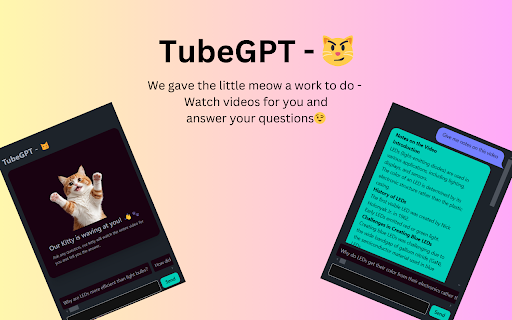
Elevate your YouTube experience with TubeGPT, the ultimate Chrome extension that brings AI-powered interactivity to your favorite videos. Whether you're watching tutorials, reviews, lectures, or any content on YouTube, TubeGPT is here to enhance your viewing by providing instant AI-driven insights, summaries, and personalized recommendations.

Features:

1. Interactive AI Chat: Click on the TubeGPT extension while watching any YouTube video to open a chat interface where you can interact with an AI.
2. Video-Specific Questions: Get a list of recommended questions related to the video content, helping you dive deeper into the subject matter.
3. Custom Queries: Type your own questions or comments and receive intelligent, context-aware responses from the AI.
4. User-Friendly Interface: Enjoy a sleek and intuitive chat window designed with lots of love and tea for optimal usability and aesthetic appeal.

How to Use:

1. Install the TubeGPT extension from the Chrome Web Store.
2. Navigate to any YouTube video.
3. Click on the TubeGPT icon in the Chrome toolbar to open the chat interface.
4. Start interacting with the AI by selecting recommended questions or typing your own.

Why TubeGPT?:

TubeGPT transforms passive video watching into an active learning experience. Whether you're a student, a professional, or simply a curious mind, TubeGPT provides the tools to ask better questions, get more precise answers, and engage with video content on a deeper level.

Privacy:
We value your privacy. TubeGPT does not store any personal information and only processes data necessary to provide you with relevant responses based on the video you're watching.

Install TubeGPT today and revolutionize the way you learn from YouTube videos.
Technical
- Version
- 1.1
- Manifest
- V3
- Size
- 663KiB
- Min Chrome
- 88
- Languages
- 1
- Featured
- No
Metadata
- ID
- kmdnilocpglpdmogjejenpdpchcfecea
- Developer ID
- u071009b120314a576a5d168f0751fb54
- Developer Email
- [email protected]
- Created
- Jul 22, 2024
- Last Updated (Store)
- Aug 14, 2024
- Last Scraped
- May 29, 2026
- Website
- —
- Support URL
- —
- Privacy Policy
- https://orange-squeezy.com/tubegpt/privacy-policy
Similar extensions
Alternatives to TubeGPT, ranked by description similarity.

TubeTalk: AI Assistant for YouTube - Use Your Own API Key
Transform YouTube videos with AI chat and summaries. Ask questions, get instant answers, and use your own API key for privacy.
86
★ 4.8

TubeChat AI - YouTube Video Chat
Chat with your YouTube videos: Ask questions, find moments, and understand content faster with TubeChat AI.
3

TubeChat AI - YouTube Video Chat
Chat with your YouTube videos: Ask questions, find moments, and understand content faster with TubeChat AI.
—

TubeChat AI - YouTube Video Chat
Chat with your YouTube videos: Ask questions, find moments, and understand content faster with TubeChat AI.
3

TubeBuddy - Summarize & chat with youtube videos
Transform YouTube videos into smart conversations. Get instant summaries, ask questions, and jump to important moments.
97

Vidviz GPT: AI for YouTube
Vidviz GPT: ChatGPT for YouTube. Chat, Summarize, Question Videos Seamlessly. Extract Visual Information and Empower your Learning.
17

YouTube Transcript to AI
Send YouTube transcripts to ChatGPT or Claude
29
★ 3.0

AskGPT
Unlock the Speed of GPT Anywhere Online: Experience the quickest and most efficient way to harness the power of GPT across the web.
53
Data sourced from the Chrome Web Store · last verified May 29, 2026.