
Extract Text for Canva
Extract all texts from a Canva Design.
As of June 2026, Extract Text for Canva has 992 users and a 4.00/5 rating from 4 reviews in the Productivity category.
Usersup 6.7 percent+6.7%
992
992
Ratingno change0%
4.00
4 reviews
Reviewsno change0%
4
Version
0.0.4
Manifest V3
History
5 snapshotsTracking since Apr 18, 2026.
View as table
| Date | Users | Rating | Reviews | Version |
|---|---|---|---|---|
| Apr 18, 2026 | 930 | 4.00 | 4 | 0.0.4 |
| Apr 28, 2026 | 957 | 4.00 | 4 | 0.0.4 |
| May 10, 2026 | 968 | 4.00 | 4 | 0.0.4 |
| May 22, 2026 | 990 | 4.00 | 4 | 0.0.4 |
| Jun 5, 2026 | 1.0K | 4.00 | 4 | 0.0.4 |
| Now | 992 | 4.00 | 4 | 0.0.4 |
Permissions & access
- Permissions
- storageclipboardWrite
- Host access
- None declared
Screenshots


About
Introducing 'Extract Text for Canva' – Your Must-Have Canva Companion!

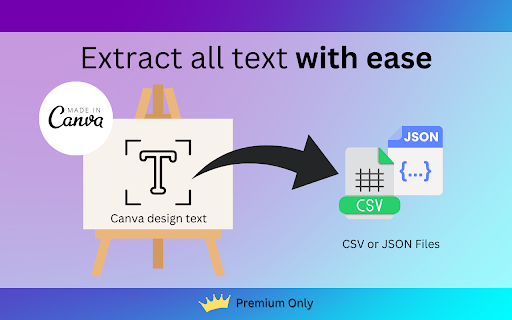
Unlock the potential of your Canva designs with our Chrome extension. Easily extract/copy all text from any Canva design and seamlessly paste it to your clipboard or convert it to CSV or JSON format. Here's what it enables you to do:

- **Content Reuse**: Effortlessly reuse Canva text content in other documents or platforms.

- **Content Analysis**: Analyze and optimize text content for marketing and content creation.

- **Translation**: Swiftly translate Canva text into multiple languages.

- **Data Entry**: Convert Canva text into structured data for seamless integration into databases.

- **Accessibility Compliance**: Make Canva designs more accessible with extracted text.

- **Presentation Creation**: Quickly add Canva text to your presentations.

- **Social Media Scheduling**: Schedule engaging social media posts with Canva content.

- **Market Research**: Gather insights by extracting text for analysis.

- **Education**: Facilitate learning with extracted text from educational materials.

- **Email Marketing**: Enhance your email campaigns with Canva-designed content.

And much more! Get started in seconds:

1. Go to Canva.com
2. Open your Canva design
3. Click on the extension icon
4. Choose Text, CSV, or JSON
5. Click 'Extract now!'
6. Confirm
7. Done!

IMPORTANT, PLEASE READ: *Currently works only with default Canva design format (or non-video editing format): the one with vertical scrolling pages. Click on "Scroll View" icon on the bottom-right corner of the screen.

Experience the convenience and efficiency of 'Extract Text for Canva.' Try it today and transform your Canva designs into powerful assets for your unique use cases.

Disclaimer: You acknowledge that the extension's functionality may be affected by external factors, such as changes in Canvas policy, which could prevent the extension from fully functioning. This is not the responsibility of the extension author.
Technical
- Version
- 0.0.4
- Manifest
- V3
- Size
- 102KiB
- Min Chrome
- 88
- Languages
- 3
- Featured
- No
Metadata
- ID
- klohdimagkhlanlklljjplhgjmbcimhp
- Developer ID
- u11629770c2da7bad35fea34e61fc3395
- Developer Email
- [email protected]
- Created
- Oct 8, 2023
- Last Updated (Store)
- Oct 27, 2025
- Last Scraped
- Jun 5, 2026
- Website
- limbuscode.com
- Privacy Policy
- —
Data sourced from the Chrome Web Store · last verified Jun 5, 2026.