
Messenger - How To Use
Learn how to use messenger apps like Snapchat, Facebook Messenger, WhatsApp, Skype, Viber, imo, Kik, Tango, LINE, WeChat.
As of May 2026, Messenger - How To Use has 3,000 users and a 3.09/5 rating from 79 reviews.
Usersdown 40.0 percent−40.0%
3.0K
3,000
Ratingno change0%
3.09
79 reviews
Reviewsno change0%
79
Version
1.1
Manifest V2
90-day change · In the last 90 days this extension lost 2.0K users.
History
2 snapshotsTracking since May 1, 2026.
View as table
| Date | Users | Rating | Reviews | Version |
|---|---|---|---|---|
| May 1, 2026 | 5.0K | 3.09 | 79 | 1.1 |
| May 29, 2026 | 5.0K | 3.09 | 79 | 1.1 |
| Now | 3.0K | 3.09 | 79 | 1.1 |
Permissions & access
- Permissions
- None declared
- Host access
- None declared
Screenshots


About
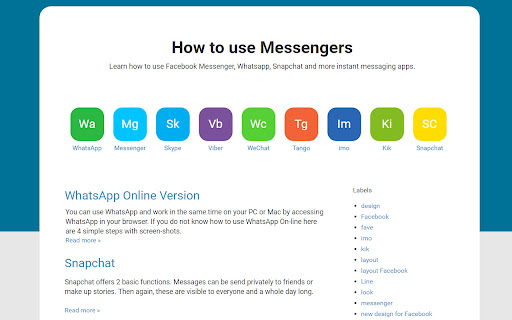
List with tutorials how to use popular messengers like the WhatsApp, Facebook Messenger, Skype Web, Viber, LINE Messenger, WeChat, Tango, imo messenger, Kik and Snapchat. From now you can access some of this apps with your web browser. Learn how to use the chat apps on your Chromebook.

Do you know how to open WhatsApp on your Chrome? WhatsApp Web version is a new way of communication. The WhatsApp for Web is a responsive website that you can open on every device. It is a clean and minimal design layout and you will love it. You can check this web version of WhatsApp and you have quick access from the icons on top of this application.

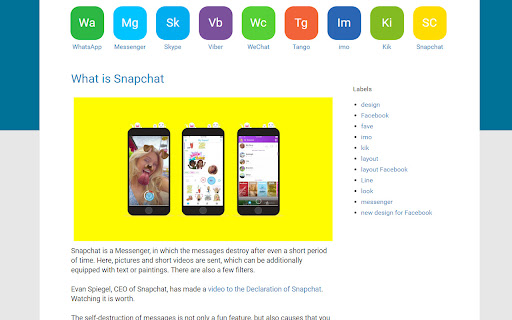
And how about Snapchat? Snapchat is a Messenger, in which the messages destroy after even a short period of time. Here, pictures and short videos are sent, which can be additionally equipped with text or paintings. There are also a few filters. You can use Snapchat only on your phone.

Messenger.com is a web app by Facebook. All you Facebook messages are in a new layout. Like the most popular app for phones, here is a version for Web. On Messenger.com you can chat easier, make video and voice calls and send images or stickers. What the people like on the Messenger Web version is the ability to find conversation very quick, the speed of the chat, the nice flat design and the big input areas.

You have to try this experience.

Feel free to share this chrome web-app using Facebook Messenger and Google Plus.

WhatsApp, Facebook Messenger, Skype Web, Viber, LINE Messenger, WeChat, Tango, imo messenger, Kik or Snapchat doesn't endorse or sponsor this app. All images and texts meets Facebook Trademark Guidelines and WhatsApp Trademark Guidelines. All product names, logos, and brands are property of their respective owners. Skype™ is a trademark of Microsoft Inc.  Facebook™ is a trademark of Facebook Inc. WhatsApp™ is a trademark of WhatsApp Inc. Android™, Chrome™, Google™, Google Plus™ are trademarks of Google Inc.
Technical
- Version
- 1.1
- Manifest
- V2
- Size
- 30.78KiB
- Min Chrome
- —
- Languages
- 41
- Featured
- No
Metadata
- ID
- kljhjccpkcioegehlgmdccfigehobnjp
- Developer ID
- u690816d7f73bc1ca4b6e28d40c571fe9
- Developer Email
- —
- Created
- Aug 25, 2014
- Last Updated (Store)
- Apr 6, 2017
- Last Scraped
- May 29, 2026
- Website
- http://www.messengerhow.com/
- Support URL
- http://www.messengerhow.com
- Privacy Policy
- —
Similar extensions
Alternatives to Messenger - How To Use, ranked by description similarity.

How to use the messenger on web
See how to use WhatsApp Web on your browser
20.0K
★ 3.7

Multi Chat - All Chat In One For You - SocialPlus
Merge all chats into one with Multi Chat. One platform, all communication. Easy, seamless, and unified.
1.0K
★ 4.4

Notifier for WhatsApp Web
Unofficial enhacement for WhatsApp™ Web notifications.
200.0K
★ 4.2

App for WhatsApp and Messenger access
We gather all messenger in one app. Opens WhatsApp in the browser just in 1 click as well as other chats
3.0K
★ 3.4

StartChat – Open Chat Without Saving Number
Open chats in WhatsApp, Telegram, or Viber without saving the number.
144

Messenger Central
No more switching between tabs to access your messenger apps!.
50.0K
★ 1.0

WhatsApp™ Web
Unofficial WhatsApp™ Web Application
818
★ 4.5

WhatsApp Direct Chat
Start WhatsApp chats instantly without saving contacts. Country selector, recent history & more.
7
Data sourced from the Chrome Web Store · last verified May 29, 2026.