
BuffHub
Analyze all resource requests on any webpage. See load times, sizes and cache status. Spot slow or heavy assets. Export as JSON.
As of June 2026, BuffHub has — users in the Productivity category.
Usersno change0%
—
—
Ratingno change0%
—
— reviews
Reviewsno change0%
—
Version
1.0.0
Manifest V3
History
2 snapshotsTracking since Apr 20, 2026.
Not enough history yet for this metric — the chart fills in as we collect more snapshots.
View as table
| Date | Users | Rating | Reviews | Version |
|---|---|---|---|---|
| Apr 20, 2026 | — | — | — | 1.0.0 |
| Apr 25, 2026 | — | — | — | 1.0.0 |
| Now | — | — | — | 1.0.0 |
Permissions & access
- Permissions
- storageactiveTabcontextMenusnotifications
- Host access
- None declared
Screenshots

About
BuffHub turns your browser into a lightweight network inspector — no DevTools required. Capture every resource request on any webpage and instantly see what's fast, what's slow, and what's bloated.

Key Features:

⚡ Full Resource Capture
Click "Capture" to snapshot all resources loaded by the current page: JavaScript, CSS, images, fonts, XHR/Fetch calls, media files, and third-party trackers. Powered entirely by the browser's native PerformanceTiming API — no special permissions needed.

📊 Navigation Timing Dashboard
See the full document lifecycle at a glance: DNS lookup, TCP handshake, Time To First Byte, DOM parsing, DOMContentLoaded, and full page load time — all in one strip.

🏷 Smart Type Filtering
Filter resources by type (JS, CSS, Image, Font, XHR/Fetch, Media) or by condition (Slow, Large, Tracking). Spot third-party trackers and analytics scripts automatically flagged in red.

🔍 Per-Resource Detail Panel
Click any resource row to open a detail panel showing transfer size vs decoded size, TTFB, protocol (h2/h3), cache status, initiator type, and a visual timing bar. Copy the URL or generate a ready-to-run cURL command instantly.

↓ Export as JSON
Export the full resource list — including nav timing and per-request metadata — as structured JSON. Compatible with HAR-style analysis tools.

💾 Save Snapshots
Save a full page snapshot for offline comparison. Load saved snapshots back into the analyzer with one click. Right-click any page to save a snapshot without opening the popup.

🔒 Fully Private
Uses only the browser's PerformanceResourceTiming API. No traffic is intercepted or modified. No data leaves your device.
Technical
- Version
- 1.0.0
- Manifest
- V3
- Size
- 17.84KiB
- Min Chrome
- 88
- Languages
- 1
- Featured
- No
Metadata
- ID
- klfkbannebhgenonmmpfmfkkahabchol
- Developer ID
- u404b452893705f171b7a7598dff8118e
- Developer Email
- [email protected]
- Created
- Mar 12, 2026
- Last Updated (Store)
- Mar 20, 2026
- Last Scraped
- Jun 8, 2026
- Website
- https://buffhub.com/
- Support URL
- https://buffhub.com/
Similar extensions
Alternatives to BuffHub, ranked by description similarity.

WebHarvester
Download the current page and assets into a local ZIP archive.
5

Tab Manager & Performance Optimizer
Declutter any page, tame your tabs, and browse faster – one click.
6
★ 4.3

Load Time for Chrome
Shows page load time in the toolbar with navigation timings, critical rendering path insights, and key performance measures.
1.0K
★ 4.9

Screenshot Capture
Capture webpages instantly with a lightweight screenshot tool built for speed and simplicity.
Screenshot Capture helps you take…
—
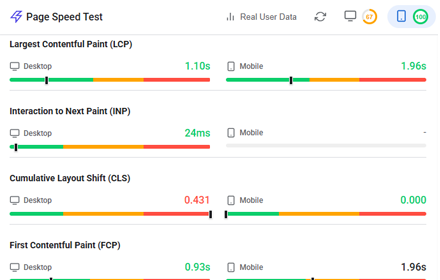
Website Page Speed Test - Core Web Vitals and Real User Data (CrUX) reports
Analyze website performance with Core Web Vitals, resource analysis, and optimization suggestions
158

PixelKit — 웹 디자인 툴킷
색상·이미지 분석, 스크린샷, 스타일 편집, 프리셋 자동 적용.
7

Dezalicious
A powerful CSS inspector and element analyzer for web development
8
★ 5.0

ReadyTools Web Assistant
Smart utilities for analyzing and improving any website — fonts, layout, SEO, colors, and more by ReadyTools.
3
★ 5.0
Data sourced from the Chrome Web Store · last verified Jun 8, 2026.