
DBIRD Dual Subtitles - Microsoft Teams Meeting
Show dual live subtitles in Microsoft Teams meetings. Supports 12+ languages. Uses built-in translation for privacy.
As of June 2026, DBIRD Dual Subtitles - Microsoft Teams Meeting has 289 users and a 4.90/5 rating from 10 reviews in the Communication category.
Usersup 38.3 percent+38.3%
289
289
Ratingno change0%
4.90
10 reviews
Reviewsno change0%
10
Version
1.3.1
Manifest V3
90-day change · In the last 90 days this extension 1 version update.
History
13 snapshotsTracking since Apr 1, 2026.
View as table
| Date | Users | Rating | Reviews | Version |
|---|---|---|---|---|
| Apr 1, 2026 | 209 | 4.90 | 10 | 1.3.0 |
| Apr 10, 2026 | 214 | 4.90 | 10 | 1.3.0 |
| Apr 20, 2026 | 226 | 4.90 | 10 | 1.3.0 |
| Apr 25, 2026 | 234 | 4.90 | 10 | 1.3.1 |
| May 3, 2026 | 247 | 4.90 | 10 | 1.3.1 |
| May 9, 2026 | 248 | 4.90 | 10 | 1.3.1 |
| May 16, 2026 | 254 | 4.90 | 10 | 1.3.1 |
| May 20, 2026 | 251 | 4.90 | 10 | 1.3.1 |
| May 25, 2026 | 262 | 4.90 | 10 | 1.3.1 |
| May 30, 2026 | 275 | 4.90 | 10 | 1.3.1 |
| Jun 4, 2026 | 277 | 4.90 | 10 | 1.3.1 |
| Jun 8, 2026 | 281 | 4.90 | 10 | 1.3.1 |
| Jun 14, 2026 | 277 | 4.90 | 10 | 1.3.1 |
| Now | 289 | 4.90 | 10 | 1.3.1 |
Changelog
- Apr 20, 2026description
DBIRD Dual Subtitles for Microsoft Teams

Requires Google Chrome 122 or newer for live translation.

SUPPORTED LANGUAGES: English, German, French, Italian, Spanish, Dutch, Portuguese, Polish, Bulgarian, Swedish, Danish, Norwegian, Romanian, Chinese (Simplified) and Korean

Make your Microsoft Teams meetings instantly multilingual with DBIRD Dual Subtitles — a smart Chrome extension that adds real-time dual captions inside your meeting window.

See both the original spoken text and its translated version simultaneously, improving clarity and collaboration across languages.

WHY USE DBIRD
• Translate Microsoft Teams captions instantly
• See both original and translated subtitles together
• Use in guest mode (limited time) or log in for full premium access

KEY FEATURES
• Real-time dual subtitles for Microsoft Teams
• Supports Multi-language combinations
• Uses Chrome’s built-in translation — no external servers
• Lightweight, fast, and privacy-friendly

HOW TO USE
1. Join a Microsoft Teams meeting
2. Turn on captions in Teams
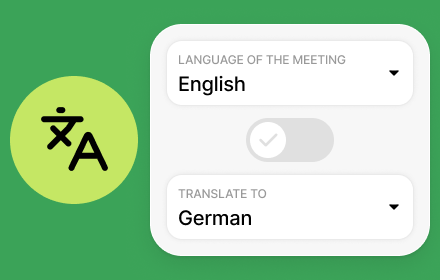
3. Open the DBIRD extension and choose your languages
4. Start seeing dual subtitles live

PREMIUM ACCESS
Free users can try limited dual subtitles each day.
Upgrade to DBIRD Premium for unlimited translation time and continuous captions.

WHAT’S NEW (v1.1.0)
• Improved caption detection and refresh reliability
• Faster translation warm-up
• Smoother performance and reduced memory use

WHAT’S NEW (v1.1.1)
• Added support for 12+ languages

WHAT’S NEW (v1.1.2)
• Added support for Bulgarian language

WHAT’S NEW (v1.2.0)
• Improved auto-scrolling behavior for live captions

WHAT’S NEW (v1.2.1)
• Improved compatibility with new Microsoft Teams domains

WHAT'S NEW (v1.3.0)
• Easier way to share feedback after your meeting
• Small improvements to the extension popup

PRIVACY
DBIRD never collects or stores meeting data. All translation runs locally through Chrome’s built-in AI engine.

Learn more: https://dbird.app
Support: [email protected]
DBIRD Dual Subtitles for Microsoft Teams

Requires Google Chrome 122 or newer for live translation.

SUPPORTED LANGUAGES: English, German, French, Italian, Spanish, Dutch, Portuguese, Polish, Bulgarian, Swedish, Danish, Norwegian, Romanian, Chinese (Simplified) and Korean

Make your Microsoft Teams meetings instantly multilingual with DBIRD Dual Subtitles — a smart Chrome extension that adds real-time dual captions inside your meeting window.

See both the original spoken text and its translated version simultaneously, improving clarity and collaboration across languages.

WHY USE DBIRD
• Translate Microsoft Teams captions instantly
• See both original and translated subtitles together
• Use in guest mode (limited time) or log in for full premium access

KEY FEATURES
• Real-time dual subtitles for Microsoft Teams
• Supports Multi-language combinations
• Uses Chrome’s built-in translation — no external servers
• Lightweight, fast, and privacy-friendly

HOW TO USE
1. Join a Microsoft Teams meeting
2. Turn on captions in Teams
3. Open the DBIRD extension and choose your languages
4. Start seeing dual subtitles live

PREMIUM ACCESS
Free users can try limited dual subtitles each day.
Upgrade to DBIRD Premium for unlimited translation time and continuous captions.

WHAT’S NEW (v1.1.0)
• Improved caption detection and refresh reliability
• Faster translation warm-up
• Smoother performance and reduced memory use

WHAT’S NEW (v1.1.1)
• Added support for 12+ languages

WHAT’S NEW (v1.1.2)
• Added support for Bulgarian language

WHAT’S NEW (v1.2.0)
• Improved auto-scrolling behavior for live captions

WHAT’S NEW (v1.2.1)
• Improved compatibility with new Microsoft Teams domains

WHAT'S NEW (v1.3.0)
• Easier way to share feedback after your meeting
• Small improvements to the extension popup

WHAT'S NEW (v1.3.1)
• Faster translation startup for your language
• Clearer message when language model is loading

PRIVACY
DBIRD never collects or stores meeting data. All translation runs locally through Chrome’s built-in AI engine.

Learn more: https://dbird.app
Support: [email protected]
Permissions & access
- Permissions
- activeTabscriptingstorage
- Host access
- https://dbird.app/*
Screenshots


About
DBIRD Dual Subtitles for Microsoft Teams

Requires Google Chrome 122 or newer for live translation.

SUPPORTED LANGUAGES: English, German, French, Italian, Spanish, Dutch, Portuguese, Polish, Bulgarian, Swedish, Danish, Norwegian, Romanian, Chinese (Simplified) and Korean

Make your Microsoft Teams meetings instantly multilingual with DBIRD Dual Subtitles — a smart Chrome extension that adds real-time dual captions inside your meeting window.

See both the original spoken text and its translated version simultaneously, improving clarity and collaboration across languages.

WHY USE DBIRD
• Translate Microsoft Teams captions instantly
• See both original and translated subtitles together
• Use in guest mode (limited time) or log in for full premium access

KEY FEATURES
• Real-time dual subtitles for Microsoft Teams
• Supports Multi-language combinations
• Uses Chrome’s built-in translation — no external servers
• Lightweight, fast, and privacy-friendly

HOW TO USE
1. Join a Microsoft Teams meeting
2. Turn on captions in Teams
3. Open the DBIRD extension and choose your languages
4. Start seeing dual subtitles live

PREMIUM ACCESS
Free users can try limited dual subtitles each day.
Upgrade to DBIRD Premium for unlimited translation time and continuous captions.

WHAT’S NEW (v1.1.0)
• Improved caption detection and refresh reliability
• Faster translation warm-up
• Smoother performance and reduced memory use

WHAT’S NEW (v1.1.1)
• Added support for 12+ languages

WHAT’S NEW (v1.1.2)
• Added support for Bulgarian language

WHAT’S NEW (v1.2.0)
• Improved auto-scrolling behavior for live captions

WHAT’S NEW (v1.2.1)
• Improved compatibility with new Microsoft Teams domains

WHAT'S NEW (v1.3.0)
• Easier way to share feedback after your meeting
• Small improvements to the extension popup

WHAT'S NEW (v1.3.1)
• Faster translation startup for your language
• Clearer message when language model is loading

PRIVACY
DBIRD never collects or stores meeting data. All translation runs locally through Chrome’s built-in AI engine.

Learn more: https://dbird.app
Support: [email protected]
Technical
- Version
- 1.3.1
- Manifest
- V3
- Size
- 203KiB
- Min Chrome
- 88
- Languages
- 1
- Featured
- Yes
Metadata
- ID
- klfjjicphehnmcnbbpfmbnfpnngelopo
- Developer ID
- uef1bcd9156346dbe763529b050318bd4
- Developer Email
- [email protected]
- Created
- Oct 18, 2025
- Last Updated (Store)
- Apr 13, 2026
- Last Scraped
- Jun 14, 2026
- Website
- dbird.app
- Support URL
- https://dbird.app/contact-us/
- Privacy Policy
- https://dbird.app/privacy-policy/
Similar extensions
Alternatives to DBIRD Dual Subtitles - Microsoft Teams Meeting, ranked by description similarity.

DBIRD Dual Subtitles - Zoom Meeting
Show dual live subtitles in Zoom meetings. Supports 12+ languages. Uses built-in translation for privacy.
162
★ 5.0

Amber Notes | Live Transcription & Translation
Meeting transcription and translation for Google Meet and Teams. Get accurate transcripts and translations instantly.
37
Google Meet AI Translate
Translate from any language to any language synchronously
10.0K
★ 3.4

Meeting Voice Captions Translate
Google Meet Voice Captoins Translate, Microsoft Teams Voice Captions Translate.
1.0K
★ 4.0

EventCAT Meeting Assistant
Instantly add EventCAT's AI translation bot to your online meetings
38
★ 5.0

Live Translation: Real-Time Video & Audio Translator
AI-powered real-time translation tool for videos, live streams, and meetings, supporting 50+ languages.
4.0K
★ 2.8

Lingua Boost
Suggests synonyms for common words during Google Meet using captions.
—
★ 5.0

DocTranslator - Google Translate PDF, Large PDF Translator
Translate Large PDF Documents, Excel files, PowerPoint slides in 120+ languages with AI Document Translator.
468
★ 4.5
Data sourced from the Chrome Web Store · last verified Jun 14, 2026.