
Navigate Vedas
Explore the Vedas, India’s ancient scriptures, with this extension. Find verses, translations and commentaries easily and quickly.
As of June 2026, Navigate Vedas has 10 users in the Accessibility category.
Usersdown 16.7 percent−16.7%
10
10
Ratingno change0%
—
— reviews
Reviewsno change0%
—
Version
3.1
Manifest V3
90-day change · In the last 90 days this extension 1 version update, changed permissions.
History
3 snapshotsTracking since May 1, 2026.
View as table
| Date | Users | Rating | Reviews | Version |
|---|---|---|---|---|
| May 1, 2026 | 12 | — | — | 2.1 |
| May 29, 2026 | 10 | — | — | 2.1 |
| Jun 13, 2026 | 9 | — | — | 3.1 |
| Now | 10 | — | — | 3.1 |
Changelog
- May 29, 2026description
This extension is designed for the readers and devotees of the Vedas, the ancient scriptures of India. It allows you to easily navigate between the different cantos, chapters and verses of the Vedas, and access their translations and commentaries. Whether you want to study, meditate or chant the sacred texts, this extension will help you find the verses you need in a simple and convenient way.

The extension tested only these websites, www.holy-bhagavad-gita.org, or https://vedabase.io/

How to guide is here, https://scribehow.com/shared/How_to_Access_a_Specific_Text_Passage_on_VedaBase__duL1eMjxTV2JoaMfC2xfNw

Disclaimer: This extension is designed to work only with the websites www.holy-bhagavad-gita.org and https://vedabase.io/. The developer of this extension is not affiliated with or endorsed by these websites. The extension may not function properly or at all if used with other websites. The developer is not responsible for any errors, damages, or losses that may result from using this extension. Use this extension at your own risk.
Navigate Vedas — Elevate Your Scripture Study Experience

📖 Unlock the Wisdom of Ancient Scriptures Effortlessly
Deepen your connection to the Bhagavad Gita and Srimad Bhagavatam. Navigate Vedas is a lightweight, premium Chrome Extension designed for readers, students, and devotees of Vedic literature. It puts an elegant, accessible, floating control panel right at your fingertips, letting you jump to any canto, chapter, or verse instantly.

No more tedious manual navigation, back-and-forth clicking, or editing complex URLs. Just type, press enter, and immerse yourself in the verses.

---

✨ Core Features

* 🚀 Instant Floating Navigator: A clean, beautifully styled, peach-themed button and form that sits unobtrusively in the corner of your browser.
* 🕉️ Smart Scripture Detection:
  * Bhagavad Gita: Navigate seamlessly by Chapter and Verse.
  * Srimad Bhagavatam: Automatically detects when you are reading Bhagavatam and adds a dynamic "Canto" input field.
* ⚡ Seamless SPA Compatibility: Optimized for modern Single Page Applications (SPA), allowing lightning-fast routing on VedaBase without annoying full-page refreshes.
* ♿ Accessibility & Dark Mode Friendly: Built with high-contrast, WCAG AA/AAA-compliant inputs, readable placeholders, and robust keyboard focus indicators. (Press Escape to quickly close the form).
* 🪶 100% Lightweight & Safe: Zero tracking, zero third-party dependencies, and exceptionally fast load times.

---

📖 How to Use It

1. Visit any page on the supported scripture websites.
2. Click the floating "Go to" button in the bottom right corner (or navigate to it using your keyboard's Tab key).
3. Enter your target Canto, Chapter, and/or Verse.
4. Press Enter or click "Go" to instantly teleport to your desired passage!

🖥️ Step-by-Step Interactive Guide:
https://scribehow.com/shared/How_to_Access_a_Specific_Text_Passage_on_VedaBase__duL1eMjxTV2JoaMfC2xfNw

---

🌐 Supported Sites

This extension is customized and optimized exclusively for:
* VedaBase ( https://vedabase.io )
* Holy Bhagavad Gita ( https://www.holy-bhagavad-gita.org )

---

⚖️ Disclaimer & Compatibility
This extension is an independent tool developed to enhance your scripture reading experience. It is designed to work exclusively with www.holy-bhagavad-gita.org and https://vedabase.io/. The developer is not affiliated with, authorized, maintained, or endorsed by either of these websites. Use at your own discretion.
- May 29, 2026host_permissions
(empty)
*://vedabase.io/*
- May 29, 2026permissions
(empty)
webNavigation, scripting
Permissions & access
- Permissions
- webNavigationscripting
- Host access
- *://vedabase.io/*
Screenshots


About
Navigate Vedas — Elevate Your Scripture Study Experience

📖 Unlock the Wisdom of Ancient Scriptures Effortlessly
Deepen your connection to the Bhagavad Gita and Srimad Bhagavatam. Navigate Vedas is a lightweight, premium Chrome Extension designed for readers, students, and devotees of Vedic literature. It puts an elegant, accessible, floating control panel right at your fingertips, letting you jump to any canto, chapter, or verse instantly.

No more tedious manual navigation, back-and-forth clicking, or editing complex URLs. Just type, press enter, and immerse yourself in the verses.

---

✨ Core Features

* 🚀 Instant Floating Navigator: A clean, beautifully styled, peach-themed button and form that sits unobtrusively in the corner of your browser.
* 🕉️ Smart Scripture Detection:
  * Bhagavad Gita: Navigate seamlessly by Chapter and Verse.
  * Srimad Bhagavatam: Automatically detects when you are reading Bhagavatam and adds a dynamic "Canto" input field.
* ⚡ Seamless SPA Compatibility: Optimized for modern Single Page Applications (SPA), allowing lightning-fast routing on VedaBase without annoying full-page refreshes.
* ♿ Accessibility & Dark Mode Friendly: Built with high-contrast, WCAG AA/AAA-compliant inputs, readable placeholders, and robust keyboard focus indicators. (Press Escape to quickly close the form).
* 🪶 100% Lightweight & Safe: Zero tracking, zero third-party dependencies, and exceptionally fast load times.

---

📖 How to Use It

1. Visit any page on the supported scripture websites.
2. Click the floating "Go to" button in the bottom right corner (or navigate to it using your keyboard's Tab key).
3. Enter your target Canto, Chapter, and/or Verse.
4. Press Enter or click "Go" to instantly teleport to your desired passage!

🖥️ Step-by-Step Interactive Guide:
https://scribehow.com/shared/How_to_Access_a_Specific_Text_Passage_on_VedaBase__duL1eMjxTV2JoaMfC2xfNw

---

🌐 Supported Sites

This extension is customized and optimized exclusively for:
* VedaBase ( https://vedabase.io )
* Holy Bhagavad Gita ( https://www.holy-bhagavad-gita.org )

---

⚖️ Disclaimer & Compatibility
This extension is an independent tool developed to enhance your scripture reading experience. It is designed to work exclusively with www.holy-bhagavad-gita.org and https://vedabase.io/. The developer is not affiliated with, authorized, maintained, or endorsed by either of these websites. Use at your own discretion.
Technical
- Version
- 3.1
- Manifest
- V3
- Size
- 19.17KiB
- Min Chrome
- 88
- Languages
- 1
- Featured
- Yes
Metadata
- ID
- kkipfonadnfodgejhkccbbhkkgabclfc
- Developer ID
- u2bb4278c642273a31803aad766a2dc68
- Developer Email
- [email protected]
- Created
- May 18, 2023
- Last Updated (Store)
- May 17, 2026
- Last Scraped
- Jun 13, 2026
- Website
- —
Similar extensions
Alternatives to Navigate Vedas, ranked by description similarity.

Sanskrit to IAST Syllables
Reformat the Sanskrit to IAST with syllables side by side, showing grid layout.
191
★ 5.0
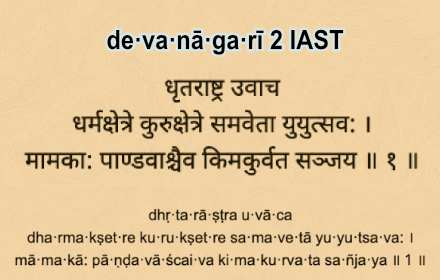
Devangari to IAST Syllables
Reformat the Devanagari to IAST with syllables.
73

Latinify: Indic & Arabic Romanizer
Transliterates Indic scripts (using ITRANS conventions) and Arabic script to the Latin alphabet
31

MyLipi
Convert any Indian alphabet into another.
107
★ 2.7

Highlighted Text-to-Speech
Adds an option to read the highlighted text using Text-to-Speech.
2.0K
★ 2.7

TalkGuidanceGPT
TalkGuidance is a screen reader powered by GPT, which designed to make web browsing more accessible for visually impaired users.
5

Hyperlegible for Web
Replaces all fonts with Atkinson Hyperlegible from Google Fonts.
—
Kaguya
An extension that allow you to use Kaguya
8.0K
★ 4.4
Data sourced from the Chrome Web Store · last verified Jun 13, 2026.