BeanShot: Capture Stunning Screenshots Effortlessly
Taking Beautiful Screenshots Has Never Bean That Easy!
As of May 2026, BeanShot: Capture Stunning Screenshots Effortlessly has 380 users and a 4.58/5 rating from 19 reviews in the Productivity category.
Usersdown 12.4 percent−12.4%
380
380
Ratingdown 0.4 percent−0.4%
4.58
19 reviews
Reviewsdown 5.0 percent−5.0%
19
Version
1.2
Manifest V3
History
3 snapshotsTracking since Apr 1, 2026.
View as table
| Date | Users | Rating | Reviews | Version |
|---|---|---|---|---|
| Apr 1, 2026 | 434 | 4.60 | 20 | 1.2 |
| May 1, 2026 | 435 | 4.60 | 20 | 1.2 |
| May 29, 2026 | 406 | 4.60 | 20 | 1.2 |
| Now | 380 | 4.58 | 19 | 1.2 |
Permissions & access
- Permissions
- activeTabstoragedownloadssystem.display
- Host access
- None declared
Screenshots
About
BeanShot makes it child's play for you to take clean and fantastic-looking screenshots of any web page. You have full control over the size and can make pixel perfect adjustments to the aspect ratio of the final images.

Only with BeanShot, you get all the following benefits for free:

✨ NEW ✨
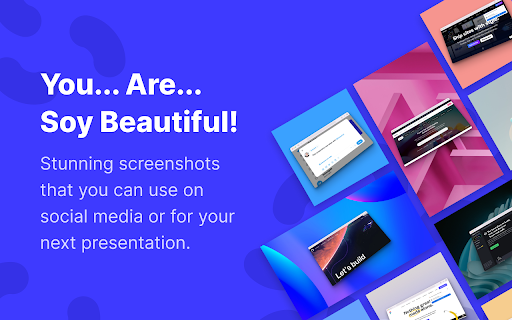
Apply amazing 3D effects to your screenshots to make them pop and make your presentation stand out from the rest.

🖼️ Clean Browser Frames for Windows and macOS
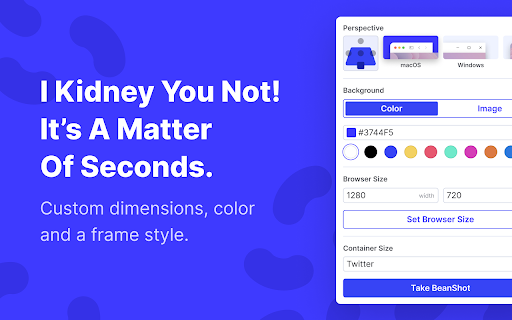
Long URLs and many open tabs often make normal screenshots of your browser look choppy and distract from the actual content. BeanShot takes replaces your browser bar on the shots with a clean and minimalistic browser bar. Also benefit from the following advantages. Choose the browser bar that suits your operating system or requirements.

🎨 Background Color
Give your screenshots more room to breathe. BeanShot places your screenshots in a visually appealing way on a background of your favorite color. The aspect ratio of the screenshot does not necessarily have to be the same as the final graphic.

🖼️ Background Image
Need more than color? Choose from 10 beautiful backgrounds to give your screenshots a polished and high-quality look.

📱 Social Media Presets
Export screenshots easily and directly in the right aspect ratio to shine on social networks.

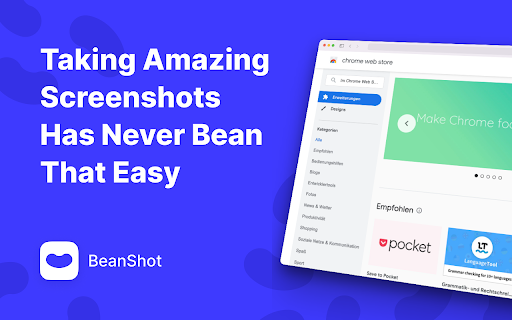
Taking Amazing Screenshots Has Never Bean That Easy
With BeanShot 📸
Technical
- Version
- 1.2
- Manifest
- V3
- Size
- 17.68MiB
- Min Chrome
- 88
- Languages
- 1
- Featured
- Yes
Metadata
- ID
- kjdfaaclbbbjjeepcfpgennckckhofle
- Developer ID
- ufcbf6673d1986a7f9cc6516536776090
- Developer Email
- [email protected]
- Created
- Jun 22, 2022
- Last Updated (Store)
- Nov 12, 2024
- Last Scraped
- May 29, 2026
- Website
- —
- Support URL
- help.beanshot.fun
- Privacy Policy
- https://legal.christiankonrad.co/en/privacy
Similar extensions
Alternatives to BeanShot: Capture Stunning Screenshots Effortlessly, ranked by description similarity.

ShotEasy - Light and easy-to-use screenshot tool
Easily capture area, or scroll page to get a long screenshot of the full page, with Beautifier and editing tools.
2.0K
★ 4.4

SleekShot – Effortless Screenshots with Beautiful Backgrounds
Screenshots with beautiful backgrounds, instantly ready to share on social media, presentations, emails, blogs, and more.
55

Zenshotz - Capture & Beautify
Capture any webpage screenshot and beautify it with Zenshotz. 1-click to professional mockups.
45
★ 5.0

Makeshot Pro - Make Screenshot Professional
Capture & instantly style screenshots with Makeshot Pro: Add backgrounds, borders, text, emoji & more. Make every shot professional
3

ScreenClean — Beautiful Screenshot Enhancer
Transform screenshots into beautiful, presentation-ready images. Add backgrounds, shadows, and device frames in one click.
—

vShot (Ultra Fast Screenshot Tool)
Lightweight, easy-to-use Chrome screenshot extension.
11

LayerShot X
Click. Capture. Done.
51
★ 5.0

EasyShot – Screenshot & Screen Capture
Capture full page, visible area or selection. The easiest screen capture tool. Save high-quality PNG/JPEG images instantly.
135
★ 4.0
Data sourced from the Chrome Web Store · last verified May 29, 2026.