
TabDo for Microsoft To Do
Instantly save the current tab as a task in Microsoft To Do.
As of June 2026, TabDo for Microsoft To Do has 13 users in the Workflow & Planning category.
Usersup 550.0 percent+550.0%
13
13
Ratingno change0%
—
— reviews
Reviewsno change0%
—
Version
2.0
Manifest V3
History
8 snapshotsTracking since Apr 17, 2026.
View as table
| Date | Users | Rating | Reviews | Version |
|---|---|---|---|---|
| Apr 17, 2026 | 2 | — | — | 2.0 |
| Apr 22, 2026 | — | — | — | 2.0 |
| Apr 27, 2026 | 7 | — | — | 2.0 |
| May 4, 2026 | 5 | — | — | 2.0 |
| May 10, 2026 | 9 | — | — | 2.0 |
| May 15, 2026 | 11 | — | — | 2.0 |
| May 21, 2026 | 10 | — | — | 2.0 |
| May 28, 2026 | 14 | — | — | 2.0 |
| Now | 13 | — | — | 2.0 |
Permissions & access
- Permissions
- identitystorageactiveTabtabscontextMenusnotifications
- Host access
- https://graph.microsoft.com/*, https://login.microsoftonline.com/*
Screenshots


About
Turn any tab into a task in seconds! TabDo is a premium, beautifully designed Chrome extension that bridges the gap between your browser and Microsoft To Do. Stop losing track of important articles, emails, or research pages. With TabDo, you can save your current tab as an actionable task before you close it—so you can get back to focusing on what matters.

✨ Beautifully Designed & Fully Themed
Built for professionals who care about their workflow, TabDo v2.0 features a stunning modern interface with fluid animations, quick-select date chips, and 5 meticulously crafted color themes: Airy Light, Midnight Purple, Sunset Glow, Oceanic, and Forest Minimal.

🚀 What's New in v2.0:
• Lightning Fast Shortcuts: Set up custom keyboard shortcuts to save tasks silently in the background without even opening the popup. You can map shortcuts to save a normal task, a High Priority task, or even batch-save all open tabs instantly.
• Advanced Customization: Tailor your experience in the brand new Settings tab. Choose default reminder times, sort your lists alphabetically, toggle "Minimal UI" to hide date/time fields for a cleaner look, and fully customize how titles and URLs are pre-filled.
• Powerful Recent Tasks Manager: Your "Recent" tab is now a full task manager. Search tasks, bulk-star, bulk-delete, or cleanly undo an accidental deletion within 5 seconds.
• "Tabs to New List" Feature: Researching a big project? Take all your open tabs and save them instantly into a brand-new Microsoft To Do list with one click.
• Oops-Proof: Accidentally hit delete? The new 5-second Undo toast gives you time to recover mistakes seamlessly.

⚡ Core Features:
• One-Click Saving: Instantly turn your active tab into a Microsoft To Do task.
• Powerful Details: Add a quick description, assign a priority level (Normal or High), and select the exact list you want to save it to.
• Smart Due Dates & Reminders: Easily assign due dates with 1-click options for "Today," "Tomorrow," or "Next Week," and set exact customized reminder times.
• Context Menu Integration: Right-click anywhere on a webpage, or even on highlighted text, to instantly send it straight to your To Do list.
• Keep Typing: Press Shift+Enter to save a task but keep the window open so you can rapidly enter multiple tasks in a row.

🔒 Your Privacy is Our Priority TabDo is built with privacy at its core. It operates 100% locally in your browser and talks directly to Microsoft.
• No tracking: We do NOT track your browsing history or tasks.
• Secure Authentication: Uses Microsoft's official, secure OAuth 2.0 login.
• Zero bloatware: No analytics, no ads, just a pure productivity tool.

How it works:

Click 'Add to Chrome' above.
Open the extension and log in securely with your Microsoft account.
Next time you find a page you want to read later, simply click the TabDo icon in your toolbar, pick a list, and hit "Add Task"!
Stop leaving 50 tabs open "for later." Clear your clutter, organize your mind, and let TabDo do the heavy lifting.

(Note: TabDo is an independent productivity tool and is not officially affiliated with or endorsed by Microsoft Corporation. Microsoft To Do is a trademark of Microsoft.)
Technical
- Version
- 2.0
- Manifest
- V3
- Size
- 141KiB
- Min Chrome
- 88
- Languages
- 1
- Featured
- No
Metadata
- ID
- kifdnpnmkgchccnmeepigegndppklnbj
- Developer ID
- u93d33ae0c014fe09607751e974c8674f
- Developer Email
- [email protected]
- Created
- Feb 24, 2026
- Last Updated (Store)
- Mar 1, 2026
- Last Scraped
- Jun 4, 2026
- Website
- https://tabdo.aybkm.com/
- Support URL
- https://www.instagram.com/aybkm/
- Privacy Policy
- https://tabdo.aybkm.com/privacy.html
Similar extensions
Alternatives to TabDo for Microsoft To Do, ranked by description similarity.

DoItNow
A productivity Chrome extension to manage tasks with categories, filters, sorting, and priority marking.
3
★ 4.0

Taskify Tabs
🚀 Tabs Overwhelming You? Turn Them into Tasks! 🗂️
Save. Organize. Focus. Automate.
Tame your browser chaos with the ultimate tab…
30
★ 5.0

TabTodo
New Tab, New Todo
5

NewTabTodo
Manage your day to day tasks by simply adding cards inside your browser's new tab
666
★ 5.0

Organizer
Awesome task manager on every tab. Calendar sync, Google Tasks, Todoist, sticky notes, and dark mode. Stay organized effortlessly.
6

My Checklist New Tab
Turn your new tab into a powerful daily, weekly, and monthly checklist dashboard with cloud sync.
58
★ 5.0

New Tab Todo List: Checklist, Notes, Outliner
Beautiful and sharable checklists, notes, and to-do lists. Collaborate and outline in real-time.
30.0K
★ 4.2
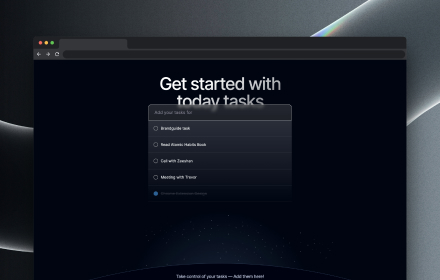
TaskTodo — Manage your today tasks on new tab
Tasktodo is a chrome extension. Try our to-do list today and experience the power of productivity!
79
★ 5.0
Data sourced from the Chrome Web Store · last verified Jun 4, 2026.