
Opened Tabs
Displays a list of all opened tabs in the browser. You can search for tabs and close them.
As of June 2026, Opened Tabs has 12 users in the Workflow & Planning category.
Usersup 50.0 percent+50.0%
12
12
Ratingno change0%
—
— reviews
Reviewsno change0%
—
Version
2.0.0
Manifest V3
History
7 snapshotsTracking since Apr 1, 2026.
View as table
| Date | Users | Rating | Reviews | Version |
|---|---|---|---|---|
| Apr 1, 2026 | 8 | — | — | 2.0.0 |
| Apr 24, 2026 | 7 | — | — | 2.0.0 |
| May 5, 2026 | 8 | — | — | 2.0.0 |
| May 11, 2026 | 11 | — | — | 2.0.0 |
| May 20, 2026 | 9 | — | — | 2.0.0 |
| May 30, 2026 | 7 | — | — | 2.0.0 |
| Jun 8, 2026 | 10 | — | — | 2.0.0 |
| Now | 12 | — | — | 2.0.0 |
Permissions & access
- Permissions
- tabs
- Host access
- None declared
Screenshots


About
Opened Tabs Manager is a sophisticated browser extension designed to help users efficiently manage, search, and navigate their multitude of open tabs from a single, streamlined popup interface. Ideal for anyone dealing with numerous tabs—whether you are a power user, developer, researcher, or casual browser—the extension offers a clear, organized view of all active tabs across all browser windows. This tool prevents the common frustration of tab overload, streamlines workflow, and enhances overall productivity by providing instant access to your tab data in an elegant and user-friendly manner.

Once installed, Opened Tabs Manager adds a convenient button to your browser toolbar. Clicking this button opens a clean, modern popup window that displays every tab currently open, complete with tab titles, favicons, and URLs for easy identification. The interface prominently features a powerful search bar at the top, allowing users to instantly filter tabs by typing any part of a tab’s title or URL—results update in real-time as you type, making it fast and simple to locate any tab even when dozens are open. The tab count badge dynamically reflects how many tabs remain open at all times, providing constant awareness of your browsing session’s scope.

Designed with user experience in mind, the interface employs contemporary design elements such as Google Fonts for optimal readability and badges that convey useful information without clutter. Its responsive layout adapts seamlessly depending on the number of open tabs and usage patterns, ensuring both light and heavy tab users enjoy a smooth experience. Furthermore, Opened Tabs Manager includes built-in localization support, automatically adjusting the interface for various languages and reading directions, including both left-to-right (LTR) and right-to-left (RTL) text formats, making it accessible and helpful worldwide.

The extension is lightweight and requires no complicated setup, leveraging native browser APIs strictly to access open tabs data. Importantly, it respects user privacy by not collecting or tracking any personal information, focusing solely on enhancing your browsing workflow without compromise.

Key Features:
- Instant Tab Listing: View a comprehensive list of all open tabs across all browser windows, complete with titles, favicons, and full URLs for easy recognition.
- Powerful Search & Filter: Effortlessly filter tabs by typing any portion of a tab’s title or URL, with live, real-time updates as you type.
- One-Click Switching: Quickly switch focus to any tab by clicking it within the popup, eliminating time-consuming tab hunting.
- Tab Count Badge: Always see the number of open tabs with a dynamic badge that helps you monitor and manage tab overload.
- Clean, Modern Interface: Enjoy a visually appealing, easy-to-navigate design utilizing Google Fonts and sophisticated CSS styling.
- Fallback for Tab Icons: Tabs without favicons display a clear, default fallback icon to maintain consistent and easy identification.
- Full Localization Support: UI elements and text automatically adapt for multiple languages and reading directions (LTR and RTL), supporting global accessibility.

How It Works:
1. Install Opened Tabs Manager from your browser’s extension store.
2. Click the extension icon on the toolbar to open the popup interface.
3. View a list of all currently open tabs, each showing essential info like title, favicon, and URL.
4. Use the search bar at the top to filter tabs by entering any part of their title or URL, with instant filtering.
5. Watch the tab count badge update dynamically, giving you a real-time overview of open tabs.
6. Click any tab in the list to immediately switch your browser’s focus to that tab.
7. Benefit from a responsive and localized UI that automatically adjusts to your preferred language and reading direction.

Privacy: - No personal data collected.
Technical
- Version
- 2.0.0
- Manifest
- V3
- Size
- 28.13KiB
- Min Chrome
- 88
- Languages
- 10
- Featured
- No
Metadata
- ID
- kienlhakdbaiaofmjjlckflhgkhpciao
- Developer ID
- ue7279cfe506c08da8fb7cb0ddcf345d6
- Developer Email
- [email protected]
- Created
- Dec 29, 2022
- Last Updated (Store)
- Jan 21, 2026
- Last Scraped
- Jun 8, 2026
- Website
- —
- Support URL
- https://praveenravi.com/Opened_Tabs/
- Privacy Policy
- https://praveenravi.pages.dev/Opened_Tabs/privacy
Similar extensions
Alternatives to Opened Tabs, ranked by description similarity.

Smart Tab Manager
Organize tabs with custom groups, save sessions, and instantly search & switch between tabs.
3

Quick Tab Search
Quickly search and switch between open tabs
209
★ 5.0

Smart Tab Manager
Intelligently organize and manage your tabs.
—
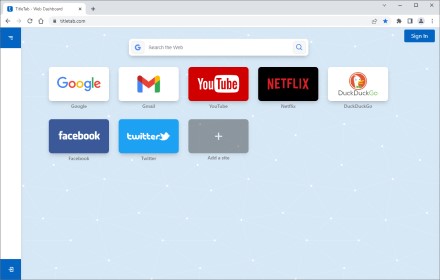
TitleTab - Speed Dial Dashboard
TitleTab Extension: speed dial dashboard, prevent accidental tab closure, and easy open tab saving.
1.0K
★ 4.4

Liquid Tabs - Beautiful Tab Organizer
Organize your tabs beautifully with a liquid glass interface
343
★ 5.0

Keep Tabs Manager
Effortlessly manage and organize tabs with KeepTab Manager, making your browsing smooth and clutter-free.
—
★ 5.0

LeanTabs - Smart Tab Manager
Turn tab chaos into organized sessions. Save RAM, manage workspaces, and declutter your browser securely.
14

SmartTabs - Intelligent Tab Manager
Organize and archive browser tabs with productivity analytics. Automatically manage tab clutter and boost productivity.
76
★ 5.0
Data sourced from the Chrome Web Store · last verified Jun 8, 2026.