
Flyff Universe - Screenshots
Take screenshots in Flyff Universe and save them automatically.
As of June 2026, Flyff Universe - Screenshots has 16 users in the Productivity category.
Usersup 33.3 percent+33.3%
16
16
Ratingno change0%
—
— reviews
Reviewsno change0%
—
Version
1.0.0
Manifest V3
History
3 snapshotsTracking since Apr 23, 2026.
View as table
| Date | Users | Rating | Reviews | Version |
|---|---|---|---|---|
| Apr 23, 2026 | 12 | — | — | 1.0.0 |
| May 12, 2026 | 14 | — | — | 1.0.0 |
| Jun 7, 2026 | 14 | — | — | 1.0.0 |
| Now | 16 | — | — | 1.0.0 |
Permissions & access
- Permissions
- activeTabdownloadsdownloads.uistorage
- Host access
- None declared
Screenshots
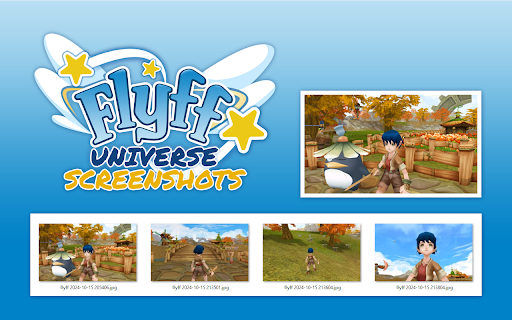
About
Unofficial browser extension to take screenshots in Flyff Universe and save them automatically.

HOW IT WORKS:
1. Open "universe.flyff.com/play"
2. There are two ways to take screenshots:
  - Click on the "extension icon" in the browser toolbar.
  - Use the keyboard shortcut "Ctrl+Shift+F".
3. The screenshots will be automatically saved in the folder:
  <Downloads folder>\Flyff Universe - Screenshots

OPTIONS:
You can change the quality of the screenshots and the keyboard shortcut of the extension.

SOURCE CODE:
https://github.com/davidgaroro/flyff-universe-screenshots

DONATION:
https://www.paypal.com/donate?hosted_button_id=T7CVYXY994KHJ

LEGAL:
This project is not endorsed by Gala Lab Corp.
Technical
- Version
- 1.0.0
- Manifest
- V3
- Size
- 27.88KiB
- Min Chrome
- 88
- Languages
- 5
- Featured
- No
Metadata
- ID
- khpalflfiahnldcpemicflhkmkbpmkcb
- Developer ID
- u57f836266f32126a7261d278d3722375
- Developer Email
- [email protected]
- Created
- Oct 24, 2024
- Last Updated (Store)
- Oct 25, 2024
- Last Scraped
- Jun 7, 2026
- Website
- —
- Support URL
- —
- Privacy Policy
- —
Similar extensions
Alternatives to Flyff Universe - Screenshots, ranked by description similarity.

Formular Screenshot Tracker
Generiere automatisch Screenshots der Formulardaten von Webseiten die du besuchst und speichere sie innerhalb vom Browser.
2
★ 5.0

SnapSeq
Capture screen regions and export as PDF
—

Fast Screenshot - One Click Capture
Capture full-page screenshots instantly with just one click. Simple, fast and lightweight tool for quick screen captures.
122

Screenshot Capture
Capture Full Page screenshots of web pages
—

Instant Screenshot
One-click screenshot tool that instantly captures and saves your current browser tab with automatic timestamp-based file naming.
46
★ 5.0

Custom Screenshot
Takes a screenshot of the current page and names it using the page's URL.
2

Take and resize browser screenshots
Take screenshots of a browser window (with the address bar, menus, tooltips, popups), resize, save, put to clipboard in one click
15

Take Youtube Video Screenshots
Take Youtube Video Screenshots
88
★ 5.0
Data sourced from the Chrome Web Store · last verified Jun 7, 2026.