
Bulk Twitter/X Tweets Replies Exporter
Automate the scraping and exporting of comments from multiple tweet URLs directly to Excel or CSV.
As of June 2026, Bulk Twitter/X Tweets Replies Exporter has 620 users and a 4.00/5 rating from 1 reviews in the Workflow & Planning category.
Usersup 2.3 percent+2.3%
620
620
Ratingno change0%
4.00
1 reviews
Reviewsno change0%
1
Version
1.2.2
Manifest V3
History
6 snapshotsTracking since Apr 18, 2026.
View as table
| Date | Users | Rating | Reviews | Version |
|---|---|---|---|---|
| Apr 18, 2026 | 606 | 4.00 | 1 | 1.2.2 |
| Apr 27, 2026 | 616 | 4.00 | 1 | 1.2.2 |
| May 7, 2026 | 595 | 4.00 | 1 | 1.2.2 |
| May 14, 2026 | 618 | 4.00 | 1 | 1.2.2 |
| May 23, 2026 | 636 | 4.00 | 1 | 1.2.2 |
| Jun 2, 2026 | 629 | 4.00 | 1 | 1.2.2 |
| Now | 620 | 4.00 | 1 | 1.2.2 |
Permissions & access
- Permissions
- identityidentity.emailtabsstoragewebRequest
- Host access
- https://*.twitter.com/*, https://*.x.com/*, https://*.xtcodetech.com/*
Screenshots


About
Automate the collection of comments from multiple tweets without the need to gather them one by one. This extension allows you to paste multiple tweet URLs, and it automatically visits each tweet to scrape the comments.

The exported CSV file includes numerous fields such as the content of the comment, the timestamp of the comment, and the commenter's profile information. This includes the Name, Handle, Bio, the number of followers, whether the commenter can be DM'ed, their location, as well as the number of likes, favorites, and retweets on the comment. This provides you with comprehensive data analysis dimensions.

🙂How it works:
1. Ensure you are logged in to your Twitter/X account.
2. Open the extension and paste all the tweet URLs, one URL per line, then click [Start Export] button
3. Wait for a moment while the extension collects comments of these tweets
4. You can download all comments from any tweet either during the scraping process or after it has completed.

🔒Data Privacy:
Protecting the privacy and security of user data is our foremost concern. We cherish the trust our users place in us and are dedicated to maintaining the strictest data protection protocols, in compliance with privacy laws such as GDPR and CCPA.

✉️Contact us:
If you have any feedbacks or suggestions, please don't hesitate to reach out to us at [email protected]
Technical
- Version
- 1.2.2
- Manifest
- V3
- Size
- 1.87MiB
- Min Chrome
- 88
- Languages
- 49
- Featured
- No
Metadata
- ID
- kgpophppigcmgbghfkkhpdbhkhigikca
- Developer ID
- u1fbd61ee3e85bd66e3cd8adf57480720
- Developer Email
- [email protected]
- Created
- Jun 6, 2024
- Last Updated (Store)
- Nov 28, 2025
- Last Scraped
- Jun 2, 2026
- Website
- —
- Support URL
- —
- Privacy Policy
- https://easyhighlight.xtcodetech.com/private.html
Similar extensions
Alternatives to Bulk Twitter/X Tweets Replies Exporter, ranked by description similarity.
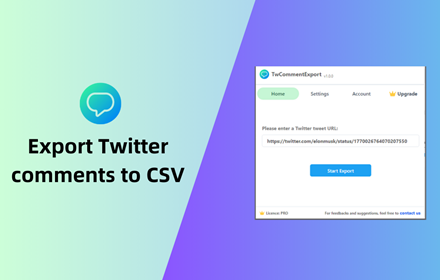
TwCommentExport - Export Twitter Comments
Export Twitter tweet comments/replies to CSV or Excel with one click. You can download comments from any tweet for analysis
1.0K
★ 5.0

TwReplyExport - X/Twitter Replies Export
One click to export reply & comment list of any x/twitter tweets to CSV/Excel/JSON.
1.0K
★ 3.0

TwLikesExport - X/Twitter Likes Export
One click to export like user list of any x/twitter tweets to CSV.
766
★ 3.4

Save IG Comment - Export IG Comments
This extension will help you quickly export or save IG comments to XLS/CSV file.
988
★ 2.6

exportcomments.com
Official exportcomments.com extension. Auto-retrieves cookies for Facebook, Instagram, TikTok, Discord, and more.
4.0K
★ 2.3

TweetExtract - Export Tweet from any User
One click to export tweet and post list of any X/Twitter account, save as CSV/Excel/JSON file.
534
★ 1.8

Ins Comment Exporter
This extension will help you quickly export instagram comments to Excel xlsx or csv files.
3.0K
★ 3.5

Twitter/X Comment Bot
One click auto comment bot for Twitter/X
22
Data sourced from the Chrome Web Store · last verified Jun 2, 2026.