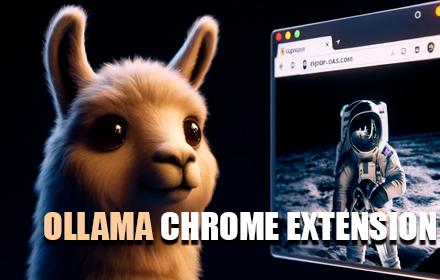
open-os LLM Browser Extension
Quick access to your favorite local LLM from your browser (Ollama).
As of June 2026, open-os LLM Browser Extension has 1,000 users and a 4.33/5 rating from 3 reviews in the Productivity category.
Usersno change0%
1.0K
1,000
Ratingno change0%
4.33
3 reviews
Reviewsno change0%
3
Version
1.04
Manifest V3
History
1 snapshotsTracking since Apr 17, 2026.
View as table
| Date | Users | Rating | Reviews | Version |
|---|---|---|---|---|
| Apr 17, 2026 | 1.0K | 4.33 | 3 | 1.04 |
| Now | 1.0K | 4.33 | 3 | 1.04 |
Permissions & access
- Permissions
- storagesidePanelcontextMenusdeclarativeNetRequest
- Host access
- http://localhost:11434/*
Screenshots


About
Ollama UI. A lightweight, open-source extension for Chromium-based browsers (Chrome, Brave, Edge) that gives you instant access to your local AI assistant while you browse.

  Features:

  - Works with any Ollama model — Llama 3, Qwen, Gemma, Mistral, DeepSeek, and more
  - Configurable Ollama host — connect to a remote server on your local network or anywhere
  - Switch between installed models on the fly
  - Streaming responses rendered token by token
  - Full Markdown support in conversations
  - Access from the sidebar (supported browsers) or as a new tab
  - Pre-prompts and scenarios to set the right context for your LLM
  - 6 built-in themes: Light, Dark, Light Modern, Dark Modern, Retro Terminal (MS-DOS), and NOSTROMO MU-TH-UR 6000
  - Soul Identity Injection (experimental) — inject rich AI personalities like MU-TH-UR 6000, HAL 9000, or OS1 into your conversations. Powered by soul-protocol.com
  - Customization options: font size, username, assistant name, header text
  - Simple, fast, private — no accounts, no telemetry, no external servers

  Getting started:

  1. Install Ollama from https://ollama.com
  2. Pull a model from your terminal, e.g.: ollama run llama3:8b
  3. Click the extension icon to start chatting. Right-click to open in a new tab.

  Video tutorial: https://www.youtube.com/watch?v=7ujZ1N4Pmz8
Technical
- Version
- 1.04
- Manifest
- V3
- Size
- 4.34MiB
- Min Chrome
- 88
- Languages
- 1
- Featured
- Yes
Metadata
- ID
- kgeinnbgpilffgaipgihigcphcokellk
- Developer ID
- uaa3b532c769a01af3c409af1069947fe
- Developer Email
- [email protected]
- Created
- Feb 27, 2023
- Last Updated (Store)
- Feb 21, 2026
- Last Scraped
- Jun 3, 2026
- Website
- open-os.com
- Support URL
- —
- Privacy Policy
- https://open-os.com/privacy.html
Similar extensions
Alternatives to open-os LLM Browser Extension, ranked by description similarity.

OpenTalkGPT - UI to access DeepSeek,Llama or open source modal with rag.
This extension hosts an ollama ui on localhost and help you to access all open srouce modals.
196
★ 4.7

Offline AI Chat (Ollama)
Chat interface for your local Ollama AI models. Requires Ollama to be installed and running on localhost.
223
★ 4.0

Ollama Sidekick
Chat with your local Ollama AI models in a side panel. Includes webpage content as context. All data stays on your device.
59

Ollama Client
Chat with your local Ollama AI models right from the browser
59

LoLLaMA - Open Source AI Browser Assistant
Open-source personal AI browser assistant. Chat with local or cloud LLMs, modify websites, and create widgets. Privacy-first.
30
★ 4.8

Ollama Client - Chat with Local LLM Models
Local-first Chrome extension for private LLM chat with Ollama, LM Studio, and llama.cpp, including local RAG workflows.
5.0K
★ 4.8

Browser AI Agent
AI-powered browser automation agent using Ollama local LLM
27

sidellama
sidellama
338
★ 5.0
Data sourced from the Chrome Web Store · last verified Jun 3, 2026.