QuickEdit: Edit Local Pages with Shortcut Key
Edit any pages locally by toggling contentEditable attribute with shortcut keys
As of June 2026, QuickEdit: Edit Local Pages with Shortcut Key has 146 users and a 5.00/5 rating from 1 reviews in the Developer Tools category.
Usersup 0.7 percent+0.7%
146
146
Ratingno change0%
5.00
1 reviews
Reviewsno change0%
1
Version
2.0.0
Manifest V3
History
4 snapshotsTracking since Apr 1, 2026.
View as table
| Date | Users | Rating | Reviews | Version |
|---|---|---|---|---|
| Apr 1, 2026 | 145 | 5.00 | 1 | 2.0.0 |
| Apr 21, 2026 | 148 | 5.00 | 1 | 2.0.0 |
| May 11, 2026 | 165 | 5.00 | 1 | 2.0.0 |
| Jun 6, 2026 | 157 | 5.00 | 1 | 2.0.0 |
| Now | 146 | 5.00 | 1 | 2.0.0 |
Permissions & access
- Permissions
- contextMenusactiveTab
- Host access
- None declared
Screenshots
About
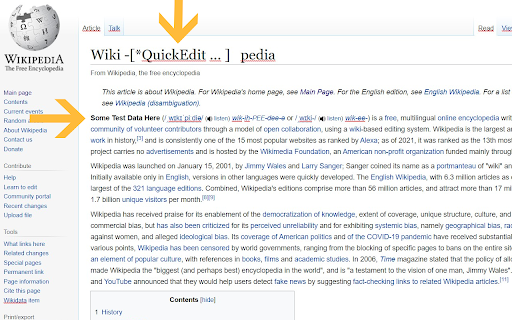
QuickEdit makes any pages editable locally by adding the contentEditable attribute to the HTML. Any changes are not permanent and will be reverted when the page is reloaded.

QuickEdit is meant for developers and designers who need to do occasional test edits on the front end without any commitments.

QuickEdit can be accessed via shortcut keys (ALT+R) or through the context menu.

The shortcut key is also configurable via the chrome extensions shortcut menu.
Technical
- Version
- 2.0.0
- Manifest
- V3
- Size
- 8.16KiB
- Min Chrome
- 88
- Languages
- 1
- Featured
- Yes
Metadata
- ID
- kfgkcpcagbflnecejofneecfbcnodboh
- Developer ID
- u7dcc349903ee643ee3929897e35a3ba6
- Developer Email
- [email protected]
- Created
- Jun 17, 2021
- Last Updated (Store)
- Apr 7, 2025
- Last Scraped
- Jun 6, 2026
- Website
- —
- Support URL
- —
- Privacy Policy
- —
Similar extensions
Alternatives to QuickEdit: Edit Local Pages with Shortcut Key, ranked by description similarity.

Edit Anything by Slash Mark
Instantly turn any webpage editable. Modify text directly on pages with a single click. Simple, fast, and lightweight.
106

CodeQuick
Code Quick allows you to quickly test and preview custom HTML and CSS directly in your browser.
7

Edit Any Website Live
Edit any website live in one click. Toggle Design Mode to edit text on any page, save and copy HTML, undo - no code needed.
95

WebEdit
Edit web page elements freely
3

ShiftEdit
ShiftEdit is an online IDE for developing PHP, Ruby, HTML, CSS and JavaScript using (S)FTP, Dropbox or Google Drive
50.0K
★ 4.2

QuickPageEdit
Edit any text on the page with one click (including Shadow DOM)
18

Right-click contenteditable
Right click on an element and press "Add contenteditable" to add a contenteditable attribute to it. Click again to remove it.
165
★ 5.0

Page Edit
Make any webpage into a content editable document and modify it via toolbar popup!
30.0K
★ 4.6
Data sourced from the Chrome Web Store · last verified Jun 6, 2026.