
Download Chrome History
Activate this extension to download your Chrome search history for up to a month with just one click.
As of May 2026, Download Chrome History has 70 users in the Productivity category.
Usersup 7.7 percent+7.7%
70
70
Ratingno change0%
—
— reviews
Reviewsno change0%
—
Version
1.0.1
Manifest V3
History
2 snapshotsTracking since Apr 24, 2026.
View as table
| Date | Users | Rating | Reviews | Version |
|---|---|---|---|---|
| Apr 24, 2026 | 65 | — | — | 1.0.1 |
| May 21, 2026 | 69 | — | — | 1.0.1 |
| Now | 70 | — | — | 1.0.1 |
Permissions & access
- Permissions
- historynotifications
- Host access
- None declared
Screenshots

About
Revolutionize your previous searches with our Download chrome history extension! In one click, easily get your entire Chrome search history for the last month or any week with the date and time. With the help of this tab, you can analyze your research, track browsing trends, and categorize your findings for easier access to information for a more enjoyable and efficient browsing experience. Key Features of this Chrome extension: One-Click Download: You can easily download the entire history of your Chrome search for the last one month within the blink of an eye. Detailed Timestamps: This helps ensure that if a particular activity is searched, the time it took place will be given to the minute. Trend Analysis: Self-assess your patterns and trends of browsing the net to find out more about your Internet usage. Easy Organization: Simplify your work, save resources, and optimize your search process to be able to find all the information you have searched for to date with the click of a button. How to Use: 1. Install the Extension • Go to www. chrome. com/webstore and click on the “Add to Chrome” button to install the extension to Chrome browser. 2. Open the Extension • To interact with this extension, activate the extension by clicking the icon in the Chrome toolbar and then selecting the features available. 3. On this page you can Download Your Search History • If you want to download the history of your searches to refer to them later and to have timestamps as well, you should click on the “Download History” button. 4. Analyze and Organize • Right click on the downloaded file to check the search history, evaluate the tendency of browsing and sort the results if necessary. Why is It Useful? This Chrome extension enables users to download their searches' history in time for convenience and helps the pupils monitor their browsing habits and findings. It makes it easier for you to manage your activities on the internet and makes sure you do not lose any data. To whom Is It Beneficial? This extension will be a valuable tool for researchers, students, professionals, and any busy user who conducts a lot of searches online. It plays a crucial role in the systematic management of research, and monitoring of the information seeking and acquisition procedures. FAQs 1. Which process should I follow to install the extension? Go to the Chrome Web Store and type the extension in the search bar, then click on the button that says, ‘Add to Chrome’. 2. Which data is available for download with this extension? It is possible to export all your activity data from the past month, where you can find the exact time, you did the search. 3. Is my Search History data safe? Yes, your search history is saved on your device as a downloaded file, so your data is safe and protected. 4. Is it possible to select the time range of search history to download? It is important to note that the extension can export the search history of the last month only. Possible updates may also include the ability to select an individual time. 5. I understand that the downloaded search history can be used in many ways, but how can I use it? The downloaded file is helpful for the repeated examination of past searches, browsing histories, and information that is stored for research or other uses.
Technical
- Version
- 1.0.1
- Manifest
- V3
- Size
- 104KiB
- Min Chrome
- 88
- Languages
- 1
- Featured
- No
Metadata
- ID
- kefnbaolbkclbnclklcbdloofaffejmh
- Developer ID
- uf2247893e0eb0c0b7e6b153d855596c7
- Developer Email
- [email protected]
- Created
- Jun 8, 2024
- Last Updated (Store)
- Jul 2, 2024
- Last Scraped
- May 21, 2026
- Website
- —
- Support URL
- —
Similar extensions
Alternatives to Download Chrome History, ranked by description similarity.

Chrome History Exporter Pro
Easily export your browsing history as CSV or JSON with customizable time ranges. Perfect for data analysis.
14

Clear Browsing History
Clear Browsing History Extension lets you clear browsing history on closing browser and disable browsing history saving easily!
1.0K
★ 5.0
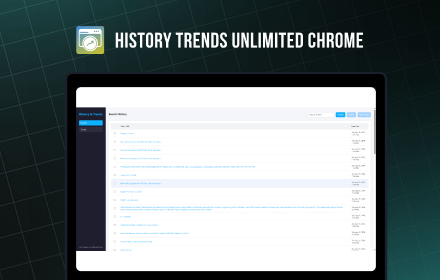
History Trends Unlimited Chrome
Explore history and trends with domain data, unique visits, URLs, and interactive graphs over custom timeframes.
10

Downloads
Easily access downloads on this device. Manage all downloaded files in Google Chrome with a single link to the downloads history
9.0K
★ 3.8

Download History
Download History is a straightforward Chrome extension that allows you to quickly and easily download your browsing history to a…
5.0K
★ 3.8

TutivSoft History Analyzer and Insights
Analyze and visualize your browsing history maintained safely on your device.
11
★ 5.0

Web Archive
Use web archive for quick access to the wayback machine, internet archive, search engines for browsing web history
2.0K
★ 5.0

Sutra
The smarter browser history
—
★ 5.0
Data sourced from the Chrome Web Store · last verified May 21, 2026.