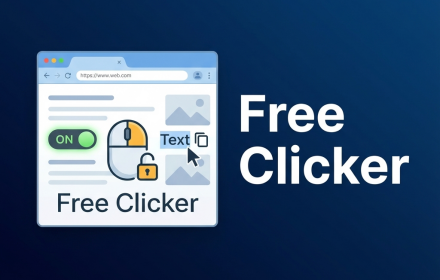
Free Clicker - Right-Click Unlocker
One-click tool to unlock right-click, text selection, and copy on most websites while keeping your data private.
As of June 2026, Free Clicker - Right-Click Unlocker has 17 users in the Productivity category.
Usersup 183.3 percent+183.3%
17
17
Ratingno change0%
—
— reviews
Reviewsno change0%
—
Version
1.0.0
Manifest V3
History
7 snapshotsTracking since Apr 3, 2026.
View as table
| Date | Users | Rating | Reviews | Version |
|---|---|---|---|---|
| Apr 3, 2026 | 6 | — | — | 1.0.0 |
| Apr 17, 2026 | 8 | — | — | 1.0.0 |
| Apr 25, 2026 | 12 | — | — | 1.0.0 |
| May 2, 2026 | 11 | — | — | 1.0.0 |
| May 8, 2026 | 10 | — | — | 1.0.0 |
| May 16, 2026 | 11 | — | — | 1.0.0 |
| Jun 4, 2026 | 13 | — | — | 1.0.0 |
| Now | 17 | — | — | 1.0.0 |
Permissions & access
- Permissions
- storageactiveTab
- Host access
- https://*/*, http://*/*
Screenshots


About
🖱️ Free Clicker – Right‑Click & Copy Unlocker

Some sites block right‑click, drag, or copy even when you are simply trying to quote or study content.
Free Clicker brings back your basic browser controls with a single toggle.

✨ KEY FEATURES

- One global toggle in the popup to enable/disable protection for all supported sites.
- Smart Auto-Recall: Automatically remembers and re-enables protection for your favorite sites.
- Restores right‑click menu, text selection, and copy behavior on many restrictive pages.
- Lightweight: no remote servers, no accounts, no analytics.
- Supports English and Korean UI.

🔒 PRIVACY FIRST

- Uses `chrome.storage.sync` only to remember your toggle state and language preference.
- Does NOT read or upload page contents for tracking or profiling.
- No advertising SDKs, no analytics, no third‑party scripts.

⚠️ RESPONSIBLE USE

Free Clicker helps you regain control over your own browser,
but you are still responsible for respecting each website’s Terms of Service and copyright rules

---

Release Notes

v1.0.0
• Zero-UI "Smart Auto-Recall": Automatically keeps protection active for your favorite sites.
• Visual Overhaul: Cleaner, modern Cyber-Glass design with improved readability.

v0.9.5
Initial Release
Technical
- Version
- 1.0.0
- Manifest
- V3
- Size
- 548KiB
- Min Chrome
- 88
- Languages
- 2
- Featured
- No
Metadata
- ID
- kdnnjhfaoialfnodjofipkpphehdnjog
- Developer ID
- u86ed9d4aa5e807864cce64cdf5ea5dcc
- Developer Email
- [email protected]
- Created
- Jan 8, 2026
- Last Updated (Store)
- Feb 3, 2026
- Last Scraped
- Jun 4, 2026
- Website
- —
- Support URL
- —
- Privacy Policy
- http://leemoi.shop/privacy/clicker_privacy.html
Similar extensions
Alternatives to Free Clicker - Right-Click Unlocker, ranked by description similarity.

Easily Enable Copy and Right-Click
This extension force-enables right-click, text selection, and copying on websites that try to block these basic features.
4

Copy Unlock - Enable Copy & Right Click
One-click unlock: copy text, select content, and right-click on any website. Lightweight, privacy-first, zero tracking.
21

Right Click & Copy Enabler
Re-enables right-click and text copying on restricted websites.
—

Right Click Unlocker Pro
Restore right-click functionality with advanced features and site management
11

Allow Copy & Enable Right Click
Remove copy protection and restore right-click functionality
5

Unlock & Nav
Unblocks right-click/copy and provides configurable navigation buttons.
26
★ 5.0

RightClick Unlocker – Enable Copy, Paste & Right Click
Enable right-click, copy, paste, and text selection on restricted websites instantly. Remove browsing limitations with one click.
47

Allow Right Click
Activate this extension to restore right-click, copy, paste, cut and text selection on restricted websites.
299
★ 3.0
Data sourced from the Chrome Web Store · last verified Jun 4, 2026.