
Record Voice Messages in Gmail - Beep
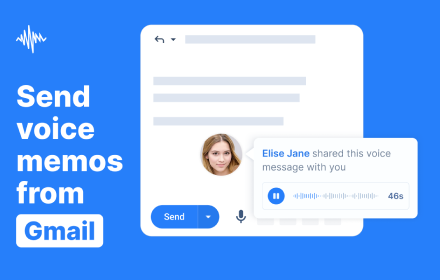
Record, send, and listen to transcribed audio messages and voice notes all within Gmail. It's the faster, friendlier way to email.
As of June 2026, Record Voice Messages in Gmail - Beep has 4,000 users and a 4.89/5 rating from 93 reviews in the Communication category.
Usersno change0%
4.0K
4,000
Ratingno change0%
4.89
93 reviews
Reviewsdown 1.1 percent−1.1%
93
Version
2.19
Manifest V3
90-day change · In the last 90 days this extension 9 version updates.
History
11 snapshotsTracking since Apr 5, 2026.
View as table
| Date | Users | Rating | Reviews | Version |
|---|---|---|---|---|
| Apr 5, 2026 | 4.0K | 4.89 | 94 | 2.05 |
| Apr 16, 2026 | 4.0K | 4.89 | 93 | 2.05 |
| Apr 22, 2026 | 4.0K | 4.89 | 93 | 2.06 |
| Apr 27, 2026 | 4.0K | 4.89 | 93 | 2.07 |
| May 2, 2026 | 4.0K | 4.89 | 93 | 2.10 |
| May 7, 2026 | 4.0K | 4.89 | 93 | 2.11 |
| May 11, 2026 | 4.0K | 4.89 | 94 | 2.11 |
| May 14, 2026 | 4.0K | 4.89 | 94 | 2.12 |
| May 23, 2026 | 4.0K | 4.89 | 94 | 2.13 |
| May 28, 2026 | 4.0K | 4.89 | 94 | 2.16 |
| Jun 22, 2026 | 4.0K | 4.89 | 93 | 2.18 |
| Now | 4.0K | 4.89 | 93 | 2.19 |
Changelog
- May 11, 2026description
Beep for Gmail is a tool that allows you record and send voice notes in Gmail. Responding to emails can be pain…especially long ones. It’s hard to type everything you feel. So we procrastinate or worse, forget to respond. Thankfully, voice messages make this a whole lot easier. 🤔 Why voice messages? Audio messages take the friendliness and ease of a phone call without the difficulty of scheduling a call and combines it with the speed of email without the drudgery of crafting the perfect response and tone. You can talk a lot faster than you can type! ⚙️ How it works? 1. Install the extension above. 2. Visit Gmail 3. Click the red microphone to the right of the send button to start recording. That’s it. A link and image of a player will be inserted into the email and all you have to do is send that message to the recipient. 🙋🏾♀️ Who’s it for? 👩🏿💻 CEOS/Entrepreneurs/Business Owners When you’ve got a million small things and tasks on your plate, replying to emails can be incredibly time-consuming and distracting. With audio, it’s a lot faster. 👨🏽💼 Sales Reps Sometimes you want to add a personal touch to stand out with your prospects. Voice can create a connection that written communication cannot. 👨🏫 Teachers and Educators If feedback isn’t delivered in a tactful way, you can hurt and derail a student’s learning. Plus, well-crafted, written responses take tons of time, vocalizing this feedback is far faster and friendlier. 👩💻 Marketers, Finance Professionals It can sometimes feel like a chore to respond to long emails or financial reports. Beep allows you to distill what would be a long email into a brief message. 👷♀️ Project Managers & Product Managers You’ve got millions of details to manage and voice memos can convey more to your team in a shorter amount of time. 👵 Seniors or People with Disabilities Typing can be difficult and time-consuming for people who aren’t super fast at typing. Make responding as easy as clicking a button. Plus seniors get to hear the voices of their loved ones. ***Questions, Comments, or Suggestions*** Visit our site at beepaudio.com or send us an email [email protected] ***Disclaimer*** This app is not affiliated with or officially endorsed by Google or Gmail in any way
Beep for Gmail is a voice notes, audio messages, and speech-to-text Chrome extension for Gmail. Record, send, and listen to transcribed voice messages directly inside Gmail without leaving your inbox. Instead of typing long replies, you can respond with voice notes that feel more personal, more natural, and much faster to create. Beep helps you send audio messages in Gmail while keeping the speed and convenience of email. With built-in transcription and speech-to-text support, your voice messages are also easier to review, understand, and reference. 🤔 Why use voice messages in Gmail? Voice messages combine the warmth and clarity of a phone call with the convenience of email. You can explain more, communicate tone more clearly, and respond faster than typing out long replies. That means less procrastination, fewer delayed responses, and more human communication. ✨ What you can do with Beep for Gmail • Record and send voice notes directly in Gmail • Add audio messages and spoken replies to emails in seconds • Use built-in transcription to make voice notes easier to review and understand • Insert a shareable audio player directly into your email • Replay messages anytime with full recording history • Use smart context to remember where recordings were created in the recording history • Set optional expiration dates to automatically delete recordings after a chosen time • Restrict recordings to your organization or domain for more control and privacy • Communicate more clearly with tone, nuance, and personality ⚙️ How it works 1. Install the Chrome extension. 2. Open Gmail. 3. Click the red microphone button next to Send to start recording. 4. Beep inserts a voice note and audio player into your email, ready to send. That’s it. No switching tabs, no extra upload steps, and no need to schedule a call just to explain something clearly. 🗣️ Speech-to-text transcription Beep includes transcription and speech-to-text support so your voice notes are easier to search, review, reference, and understand. This makes audio messages more accessible and more useful for both senders and recipients. 🙋🏾♀️ Who it’s for 👩🏿💻 CEOs, Entrepreneurs, and Business Owners When you have constant decisions, follow-ups, and requests coming in, voice notes help you reply faster and communicate more clearly without getting stuck writing long emails. 👨🏽💼 Sales Reps Voice messages help add a personal touch, stand out in crowded inboxes, and build stronger connections with prospects and customers. 👨🏫 Teachers and Educators Give clearer, friendlier feedback to students, parents, and colleagues. Voice helps communicate tone better and saves time compared with writing long responses. 👩💻 Marketers and Finance Professionals Summarize ideas, reports, updates, and next steps faster with voice instead of drafting lengthy email replies. 👷♀️ Project Managers and Product Managers When you are juggling details across teams, voice notes help you communicate context, nuance, and urgency more quickly. 🧑💼 Life Coaches Send more personal follow-ups, encouragement, accountability check-ins, and coaching reflections in a format that feels warm, direct, and human. 👵 Seniors or People with Accessibility Needs Typing can be difficult or time-consuming. Voice notes make responding easier, faster, and more natural. 🔒 Extra features • Full recording history • Smart context for easier organization • Optional expiration dates • Domain-restricted sharing • Embedded audio player in Gmail Beep helps make Gmail faster, more human, and better for communication through voice. Questions, comments, or suggestions? Visit beepaudio.com or email [email protected] Disclaimer: This app is not affiliated with or officially endorsed by Google or Gmail in any way.
- May 11, 2026short_description
Record, send, and listen to audio messages in Gmail. It's the faster, friendlier way to send and receive voicemail.
Record, send, and listen to transcribed audio messages and voice notes all within Gmail. It's the faster, friendlier way to email.
Permissions & access
- Permissions
- storageactiveTabscripting
- Host access
- https://mail.google.com/
Screenshots


About
Beep for Gmail is a voice notes, audio messages, and speech-to-text Chrome extension for Gmail. Record, send, and listen to transcribed voice messages directly inside Gmail without leaving your inbox. Instead of typing long replies, you can respond with voice notes that feel more personal, more natural, and much faster to create. Beep helps you send audio messages in Gmail while keeping the speed and convenience of email. With built-in transcription and speech-to-text support, your voice messages are also easier to review, understand, and reference. 🤔 Why use voice messages in Gmail? Voice messages combine the warmth and clarity of a phone call with the convenience of email. You can explain more, communicate tone more clearly, and respond faster than typing out long replies. That means less procrastination, fewer delayed responses, and more human communication. ✨ What you can do with Beep for Gmail • Record and send voice notes directly in Gmail • Add audio messages and spoken replies to emails in seconds • Use built-in transcription to make voice notes easier to review and understand • Insert a shareable audio player directly into your email • Replay messages anytime with full recording history • Use smart context to remember where recordings were created in the recording history • Set optional expiration dates to automatically delete recordings after a chosen time • Restrict recordings to your organization or domain for more control and privacy • Communicate more clearly with tone, nuance, and personality ⚙️ How it works 1. Install the Chrome extension. 2. Open Gmail. 3. Click the red microphone button next to Send to start recording. 4. Beep inserts a voice note and audio player into your email, ready to send. That’s it. No switching tabs, no extra upload steps, and no need to schedule a call just to explain something clearly. 🗣️ Speech-to-text transcription Beep includes transcription and speech-to-text support so your voice notes are easier to search, review, reference, and understand. This makes audio messages more accessible and more useful for both senders and recipients. 🙋🏾♀️ Who it’s for 👩🏿💻 CEOs, Entrepreneurs, and Business Owners When you have constant decisions, follow-ups, and requests coming in, voice notes help you reply faster and communicate more clearly without getting stuck writing long emails. 👨🏽💼 Sales Reps Voice messages help add a personal touch, stand out in crowded inboxes, and build stronger connections with prospects and customers. 👨🏫 Teachers and Educators Give clearer, friendlier feedback to students, parents, and colleagues. Voice helps communicate tone better and saves time compared with writing long responses. 👩💻 Marketers and Finance Professionals Summarize ideas, reports, updates, and next steps faster with voice instead of drafting lengthy email replies. 👷♀️ Project Managers and Product Managers When you are juggling details across teams, voice notes help you communicate context, nuance, and urgency more quickly. 🧑💼 Life Coaches Send more personal follow-ups, encouragement, accountability check-ins, and coaching reflections in a format that feels warm, direct, and human. 👵 Seniors or People with Accessibility Needs Typing can be difficult or time-consuming. Voice notes make responding easier, faster, and more natural. 🔒 Extra features • Full recording history • Smart context for easier organization • Optional expiration dates • Domain-restricted sharing • Embedded audio player in Gmail Beep helps make Gmail faster, more human, and better for communication through voice. Questions, comments, or suggestions? Visit beepaudio.com or email [email protected] Disclaimer: This app is not affiliated with or officially endorsed by Google or Gmail in any way.
Technical
- Version
- 2.19
- Manifest
- V3
- Size
- 2.26MiB
- Min Chrome
- 88
- Languages
- 4
- Featured
- Yes
Metadata
- ID
- kcgmbngghfpnddnfccnabnioiidenipc
- Developer ID
- uc7c8ac3d766bd5e10bcb38c13de6bc08
- Developer Email
- [email protected]
- Created
- May 8, 2021
- Last Updated (Store)
- Jun 17, 2026
- Last Scraped
- Jun 22, 2026
- Website
- beepaudio.com
- Support URL
- https://www.beepaudio.com
- Privacy Policy
- https://www.beepaudio.com/privacy
Similar extensions
Alternatives to Record Voice Messages in Gmail - Beep, ranked by description similarity.

Gmail Voice Mail
Record and send voice messages directly in Gmail - quick, easy, and seamless audio recording for your emails.
54
★ 5.0

MicMyMail - Send voice messages in Gmail for FREE
Record and share audio instantly on your Emails — no apps, no downloads, no payments, just your voice.
38
★ 5.0

AI Email Generator & Dictation for Gmail - Speak2mail
AI Email Generator with Voice Typing is an AI email writer that converts speech to text and creates context-aware AI email responses
130
★ 4.9
Vocal: Send voice notes in Gmail
Send voice recordings in Gmail
9.0K
★ 4.9

LikhaAI
Capture audio and transform it into a professional email
5

Speech to text AI (for Gmail)
Instant voice dictation for Gmail. Speak naturally – AI turns everything you say into perfectly formatted, ready-to-send text.
379
★ 5.0

VoiceToMail Gmail Plugin
Voice-to-email composition with AI refinement for Gmail.
18
★ 5.0

Gmail Voice Recorder Pro
Professional voice recording for Gmail - Record, preview, and attach audio messages with live waveforms and keyboard shortcuts
5
Data sourced from the Chrome Web Store · last verified Jun 22, 2026.