
Shorts Auto-Advance
Auto-advance YouTube Shorts after N playthroughs (repeat 0/1/2). Click icon toggles enable; right-click context menu sets repeat.
As of June 2026, Shorts Auto-Advance has 10 users in the Productivity category.
Usersup 150.0 percent+150.0%
10
10
Ratingno change0%
—
— reviews
Reviewsno change0%
—
Version
0.1.7
Manifest V3
History
6 snapshotsTracking since Apr 1, 2026.
View as table
| Date | Users | Rating | Reviews | Version |
|---|---|---|---|---|
| Apr 1, 2026 | 4 | — | — | 0.1.7 |
| Apr 18, 2026 | 5 | — | — | 0.1.7 |
| Apr 28, 2026 | 5 | — | — | 0.1.7 |
| May 8, 2026 | 8 | — | — | 0.1.7 |
| May 20, 2026 | 9 | — | — | 0.1.7 |
| Jun 3, 2026 | 11 | — | — | 0.1.7 |
| Now | 10 | — | — | 0.1.7 |
Permissions & access
- Permissions
- scriptingwebNavigationcontextMenus
- Host access
- https://www.youtube.com/*, https://youtube.com/*
Screenshots

About
Purpose Automatically advances to the next YouTube Short after it has played the configured number of times (repeat 0, 1, or 2), even if the browser window is unfocused, keeping binge viewing hands‑free.
Core Features
Auto‑advance logic: Detects a completed playthrough using multiple signals (ended event, timeupdate loop detection, seeked, and a fallback 1s polling loop for throttled/unfocused tabs).
Repeat control: Session‑only in‑memory repeat count (0,1,2) set via right‑click context menu; no persistence or storage permission.
Enable/disable toggle: Left‑click the extension icon to turn auto‑advance on or off (session only).
Animated icon: Cycles through frames (icons/anim/icon(0–9).png) when enabled and the active tab is on a Shorts video; static colored/grey icon elsewhere or when disabled.
Robust URL handling: Works on multiple Shorts URL variants (www.youtube.com/shorts/ID, youtube.com/shorts/ID, with queries).
Fallback injection: Background service worker dynamically injects the content script if navigation occurs before static matching fires.
Loop detection resilience: Polling interval ensures wrap detection when Chrome throttles media events in a background/unfocused window.
Debounce & user interaction suppression: Short delay windows cancel auto advance if the user interacts (wheel, click, key, touch).
Technical Architecture
Manifest v3.
Service worker (background.js) manages:
In‑memory state: enabled flag and repeatCount.
Context menus for repeat selection and toggle.
Animated icon frame loop (conditional on active Shorts tab).
Navigation and tab events to refresh animation and inject content script.
Broadcasting state to all Shorts tabs via runtime messages.
Content script (content.js) handles:
Attaching to the current Shorts video element.
Counting playthroughs (wrapCount) based on events and fallback polling.
Respecting repeatCount and enabled state from messages.
Advancing via preferred next button > anchor fallback > simulated ArrowDown key.
SPA / navigation changes (URL polling + YouTube’s internal navigate event).
No storage, no popup usage (popup files are vestigial and can be removed).
Session‑only behavior (state resets on browser/service worker restart).
User Flow
Install extension.
Navigate to any YouTube Short.
Right‑click icon to choose repeat mode (0/1/2).
Left‑click to toggle enable/disable.
Watch Shorts; they auto‑advance after the configured number of complete loops—including while you’re in another application.
Limitations
State not persisted across browser restarts.
Repeat range currently limited to 0–2.
Animated icon only reflects enabled state when active tab is a Shorts page; not per-tab if multiple Shorts tabs are open.
Some style/lint warnings (e.g., window vs globalThis) intentionally ignored for functionality.
Popup and settings artifacts are unused and could be cleaned out for a leaner build.
Potential Improvements (easy next steps)
Persist enabled/repeatCount with chrome.storage (optional).
Extend repeat range (0–5 or custom).
Overlay indicator on the video showing remaining loops.
Animation pause when video paused; resume on play.
Clean lint/style warnings for long‑term maintainability.
Remove unused popup/settings files to reduce package size.
Smarter loop detection (e.g., using playback position deltas + ended fallback only if duration > threshold).
Edge Case Handling
Multiple rapid loop signals debounced (350 ms).
User interaction shortly before auto‑advance cancels and resets counters.
Fallback poll ensures progress while unfocused or when events are throttled.
SPA reattachment triggers on URL change, YouTube navigate finish, and visibilitychange.
Technical
- Version
- 0.1.7
- Manifest
- V3
- Size
- 72.37KiB
- Min Chrome
- 88
- Languages
- 1
- Featured
- No
Metadata
- ID
- kcdelpoplodhnacdilddfocbaghpkhfm
- Developer ID
- udd875d4d29a48362f86859b12ccd8421
- Developer Email
- [email protected]
- Created
- Oct 31, 2025
- Last Updated (Store)
- Oct 31, 2025
- Last Scraped
- Jun 3, 2026
- Website
- —
- Support URL
- —
- Privacy Policy
- —
Similar extensions
Alternatives to Shorts Auto-Advance, ranked by description similarity.

YouTube Shorts Auto Skipper
Automatically skip YouTube Shorts videos and ads with customizable settings
53
★ 4.3
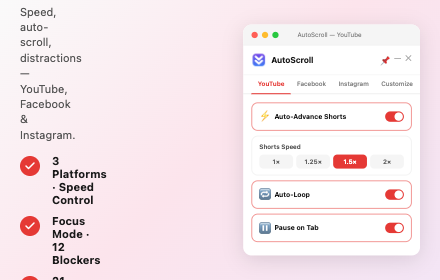
AutoScroll – Video Auto-Scroller
Auto-scroll extension for YouTube, Facebook & Instagram — smooth scrolling through video feeds with customizable speed.
266

Autoplay Shorts
Automatically plays the next short video on YouTube Shorts.
5.0K
★ 3.1

Shorts AutoSkip
유튜브 쇼츠를 설정한 횟수만큼 재생 후 자동으로 넘깁니다.
20
★ 5.0

YouTube Popup Player
Watch YouTube videos in a floating popup player. Block Shorts, filter content, keep recommendations.
26
★ 3.7

YouTube Auto-Refresh
Never let "Try again later" or "Still watching?" error interrupt your YouTube experience again!
1.0K
★ 5.0

Auto-Next YouTube Shorts
Auto-Next YouTube Shorts when video loops.
144
★ 3.7

YouTube Shorts Notification Filter
Filters Shorts from YouTube notifications and optionally redirects Shorts URLs to regular watch pages.
18
★ 5.0
Data sourced from the Chrome Web Store · last verified Jun 3, 2026.