FlowR - Web Recorder / Website Recorder
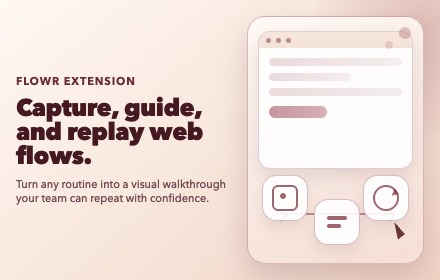
Record guided walkthroughs with element highlights and tooltips.
As of June 2026, FlowR - Web Recorder / Website Recorder has 4 users and a 5.00/5 rating from 1 reviews in the Productivity category.
Usersno change0%
4
4
Ratingno change0%
5.00
1 reviews
Reviewsno change0%
1
Version
0.1.6
Manifest V3
90-day change · In the last 90 days this extension 3 version updates.
History
8 snapshotsTracking since Apr 14, 2026.
View as table
| Date | Users | Rating | Reviews | Version |
|---|---|---|---|---|
| Apr 14, 2026 | — | — | — | 0.1.1 |
| Apr 21, 2026 | — | — | — | 0.1.1 |
| Apr 26, 2026 | 1 | — | — | 0.1.3 |
| May 9, 2026 | 2 | — | — | 0.1.3 |
| May 14, 2026 | 1 | — | — | 0.1.5 |
| May 27, 2026 | 2 | — | — | 0.1.5 |
| Jun 3, 2026 | — | — | — | 0.1.5 |
| Jun 9, 2026 | 1 | — | — | 0.1.6 |
| Now | 4 | 5.00 | 1 | 0.1.6 |
Changelog
- May 9, 2026name
FlowR - Web Recorder
FlowR - Web Recorder / Website Recorder
- Apr 21, 2026name
FlowR - Website Recorder
FlowR - Web Recorder
Permissions & access
- Permissions
- storageunlimitedStorageactiveTabidentitydownloadstabs
- Host access
- <all_urls>
Screenshots


About
Website Recorder helps you create clear, repeatable website walkthroughs in minutes.

What you can do:

- Record user flows directly in the browser
- Capture clicks, inputs, navigation, hover, and scroll steps
- Add custom instructions for each step
- Replay flows with on-page highlights and guidance tooltips
- Edit, reorder, and refine steps after recording
- Save recordings to your library for reuse
- Export recordings for documentation and team handoff
- Share walkthroughs with teammates for consistent onboarding and support

Why teams use it:

- Create product tours without rebuilding test environments
- Standardize demos, QA reproduction paths, and training flows
- Reduce back-and-forth when explaining how to reproduce issues
- Keep guidance contextual by showing steps on the actual page

Who it’s for:

- Product and onboarding teams
- QA and support teams
- Sales engineers and customer success
- Anyone who needs to explain web workflows clearly
Technical
- Version
- 0.1.6
- Manifest
- V3
- Size
- 474KiB
- Min Chrome
- 88
- Languages
- 1
- Featured
- No
Metadata
- ID
- kajjcogpdapfeigbkcaoeihljpihjlie
- Developer ID
- ude2982c2a5505fbac6b4c2e8f05ca991
- Developer Email
- [email protected]
- Created
- Apr 13, 2026
- Last Updated (Store)
- May 31, 2026
- Last Scraped
- Jun 9, 2026
- Website
- celestialsynthesis.com
- Support URL
- —
- Privacy Policy
- https://flowr.celestialsynthesis.com/privacy
Data sourced from the Chrome Web Store · last verified Jun 9, 2026.