
boltnote.ai - Chrome Extension
A chrome extension for boltnote.ai - enter entries directly from the chrome browser
As of June 2026, boltnote.ai - Chrome Extension has 9 users in the Productivity category.
Usersup 125.0 percent+125.0%
9
9
Ratingno change0%
—
— reviews
Reviewsno change0%
—
Version
1.0
Manifest V3
History
3 snapshotsTracking since Apr 23, 2026.
View as table
| Date | Users | Rating | Reviews | Version |
|---|---|---|---|---|
| Apr 23, 2026 | 4 | — | — | 1.0 |
| May 12, 2026 | 5 | — | — | 1.0 |
| Jun 7, 2026 | 6 | — | — | 1.0 |
| Now | 9 | — | — | 1.0 |
Permissions & access
- Permissions
- storageactiveTabsidePanel
- Host access
- None declared
Screenshots

About
Boltnote.ai Chrome Extension - Your Thoughts, Lightning Fast

New to boltnote.ai? Visit boltnote.ai to create your free account before installing this extension.

Transform your browsing experience with boltnote.ai's official Chrome extension. Capture ideas, save important information, and jot down notes without leaving your current tab, thanks to our convenient side panel integration.

Quickly capture notes and ideas directly from your browser with boltnote.ai's seamless side panel integration.

Key Features:
• Instant Access: One click to open the side panel - always ready when inspiration strikes
• Seamless Integration: Works alongside your browsing, no tab switching needed
• Quick Entry: Submit notes with a single click or press Enter
• Secure Authentication: Safe and private access to your boltnote.ai account
• Minimalist Design: Clean, distraction-free interface with dark mode support

Perfect for:
• Knowledge workers capturing research notes
• Students saving study materials
• Professionals tracking important information
• Writers collecting inspiration
• Anyone who values quick note-taking while browsing

How It Works:
1. Click the boltnote.ai icon in your Chrome toolbar to open the side panel
2. Log in to your boltnote.ai account (one-time setup)
3. Start taking notes immediately
4. Press Enter or click Submit to save your note
5. Continue browsing without interruption

Your notes sync instantly with your boltnote.ai account, accessible anywhere through the web interface.

Privacy & Security:
• Secure authentication using industry-standard protocols
• No sensitive data stored locally
• Operates with minimal required permissions
• Respects your privacy - only stores essential authentication data

Requirements:
• Chrome browser
• boltnote.ai account (sign up at boltnote.ai)
• Internet connection

Start capturing your thoughts at lightning speed - install the boltnote.ai Chrome extension today!

For support or feedback, contact us at [email protected]
Technical
- Version
- 1.0
- Manifest
- V3
- Size
- 26.52KiB
- Min Chrome
- 88
- Languages
- 1
- Featured
- No
Metadata
- ID
- jpkcefhiamdbnbkdbclplbonnlbkidll
- Developer ID
- u8a4ab24a325d850e9c861e49dcfbbb8a
- Developer Email
- [email protected]
- Created
- Feb 10, 2025
- Last Updated (Store)
- Feb 10, 2025
- Last Scraped
- Jun 7, 2026
- Website
- boltnote.ai
- Support URL
- —
Similar extensions
Alternatives to boltnote.ai - Chrome Extension, ranked by description similarity.

ZapNotes
Stay organized and capture ideas instantly with this simple, fast, and customizable notes extension.
6

Quick Chrome Notes
Use Quick Chrome Notes, an instant web scratchpad for Chrome. Capture thoughts fast. Everything auto saves locally automatically.
113
★ 5.0

Quick Note 📝
Quickly jot down your important things!!
7

Simply Notes
Transform your new tab into a powerful note-taking dashboard. Quick capture, organize, and search your thoughts instantly.
5
★ 5.0

Silence Notes
A brutalist note-taking Chrome extension with hashtag filtering
—

Quick Note
A simple quick note-taking extension
5
★ 5.0
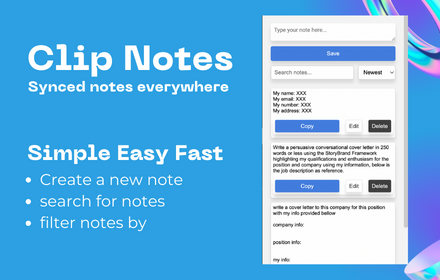
Clip Note
a quick simple in browser productivity notepad, for saving time with repetitive tasks.
129

Online Notes
Online Notes is your go-to companion to instantly take quick notes- anytime & anywhere! ⚡
50
★ 3.0
Data sourced from the Chrome Web Store · last verified Jun 7, 2026.