CSV Viewer
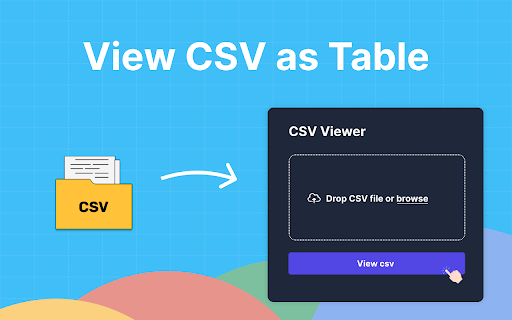
CSV Viewer allows you to read csv and open csv files. Our csv reader instantly transforms your data into an HTML table
As of June 2026, CSV Viewer has 20,000 users and a 4.84/5 rating from 70 reviews in the Developer Tools category.
Usersno change0%
20.0K
20,000
Ratingup 0.2 percent+0.2%
4.84
70 reviews
Reviewsup 6.1 percent+6.1%
70
Version
0.0.5
Manifest V3
History
3 snapshotsTracking since Apr 23, 2026.
View as table
| Date | Users | Rating | Reviews | Version |
|---|---|---|---|---|
| Apr 23, 2026 | 20.0K | 4.83 | 66 | 0.0.5 |
| May 12, 2026 | 20.0K | 4.84 | 67 | 0.0.5 |
| Jun 7, 2026 | 20.0K | 4.84 | 69 | 0.0.5 |
| Now | 20.0K | 4.84 | 70 | 0.0.5 |
Permissions & access
- Permissions
- contextMenusactiveTab
- Host access
- None declared
Screenshots
About
Use the extension as a simple csv viewer within your browser. Our csv reader is designed to enhance productivity and streamline your workflow, whether you're a data analyst, a marketer, or anyone who frequently works with this type of data.


🚀 Why Our Tool is the Right Choice?

➤ Easy Online Access: Enjoy the convenience of an online csv viewer that allows you to open and read spreadsheet data directly from your browser. No more downloading or switching between different applications.
➤ Speed and Efficiency: Designed as a fast CSV viewer, this extension allows you to view a file in just two clicks, saving you time and improving your productivity.
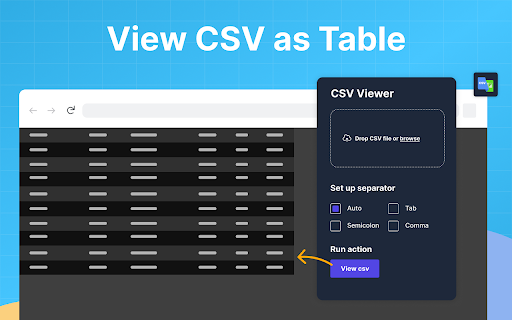
➤ Support for Various Delimiters: Our csv online viewer manages files with commas, tabs, semicolons, and more, ensuring your data is accurately presented.
➤ Versatile Viewing Options: If you need a csv file viewer or an online tool to view these files, this extension has got you covered. View your data in a neatly organized table format, making it easier to analyze and understand.


⁉️ How to Use:

1️⃣ Open: Open a file directly from your local storage or any online source through your browser. Simply click on the .csv viewer icon and then click the "Convert" button
2️⃣ View: Once opened, use the extension as a csv file opener and csvreader to view your data. The interface is intuitive, making it easy for anyone to navigate through their files.
3️⃣ Export: You can easily export it to a different format if needed.


🏆 Key Features:

➜ Quick Viewer: Instantly open and view data with a simple click. Our CSV quick viewer feature makes it easy to access your data in less than 5 seconds.
➜ Integrated Table Viewer: This tool is more than just a basic viewer; it displays data in a table format, enabling you to easily gain insights.
➜ Lightweight Extension: More than just an extension, it's a complete software solution built for Chrome. Perfect for those who need an excel viewer csv without installing heavy applications.
➜ Seamless Functionality: Our tool excels as csv.reader, ensuring compatibility and ease of use with a wide array of delimiters (comma, tab, semicolon).


🗂️ How to View CSV Files:

🔸 Install the Extension: Download the Csv Viewer from the official web store to unlock its features instantly.
🔸 Open the website: Go to the website where your document is hosted, or open it in a browser to view csv file
🔸 Launch the Extension: Click the extension icon in your browser's toolbar to activate its main interface. After opening, you should click the "Convert" button
🔸 Explore Your Data: The extension immediately organizes your data into an accessible format, allowing you to view and organize your information directly through the browser.


❤️ Additional Benefits:

● Online Viewer: Access your field-separated values documents from anywhere, at any time.
● CSV Format Reader: This extension supports various data formats.
● User-Friendly Viewer: The csv reader feature is designed for simplicity and ease of use, making it suitable for both beginners and professionals.
● Secure and Reliable: Your data's security is our top priority. The extension ensures that your files are handled securely, with no risk of data loss or unauthorized access.


📌 Frequently Asked Questions (FAQs):

❓ Can I use the CSV viewer online on any operating system?
☀️ Yes, it is a Chrome extension and can be used on any operating system that supports the Chrome browser, including Windows, macOS, and Linux.

❓ Is there a limit to the size of the file I can open the viewer?
☀️ Our solution supports files over 100 MB but may slow down with very large datasets. We're always improving to manage bigger files more efficiently.

❓ How secure is my data when using this viewer?
☀️ Your data's security is paramount. Our extension processes files locally on your device, and no data is sent to external servers, ensuring your information remains confidential and secure.

❓ Does the extension support comma-separated values with different delimiters?
☀️ Yes, it supports files with various delimiters, including commas, semicolons, and tabs. You can specify the delimiter to ensure the data is displayed correctly.

❓ Can I convert a file to Excel or JSON?
☀️ Yes, the extension's advanced export capabilities enable you to convert and export your data to JSON format. In the future, we will also support Excel (XLSX)

❓ How to Open Csv Files?
☀️ Click the extension icon in your browser and select a file to open it with the CSV viewer.


In summary, the Csv Viewer combines the functionality of a csv reader online and cvs reader. Whether you're working with large datasets or simple tables, this extension is designed to meet all your needs. Try today and experience the convenience of managing your spreadsheet documents directly in your browser.
Technical
- Version
- 0.0.5
- Manifest
- V3
- Size
- 207KiB
- Min Chrome
- 88
- Languages
- 52
- Featured
- No
Metadata
- ID
- jpcebfaobfpjabiedigejoanbpgepelm
- Developer ID
- ue98780d3d44a5b15d048accb5962967e
- Developer Email
- [email protected]
- Created
- Mar 23, 2024
- Last Updated (Store)
- Apr 8, 2024
- Last Scraped
- Jun 7, 2026
- Website
- —
- Support URL
- —
Similar extensions
Alternatives to CSV Viewer, ranked by description similarity.

CSV Viewer in Side Panel or New Tab
Import and view CSV files in a side panel or new tab.
23
★ 5.0

JSON Viewer
Pretty JSON Viewer – an online json formatter, validator, and viewer for easy formatting and validation of json files.
1.0K
★ 5.0

XML Reader
Use XML Reader as a fast XML viewer, formatter & beautifier. Easily read, format, and edit XML online.
1.0K
★ 4.4

Cloud File Viewer
Chrome extension for easy file viewing on Google Cloud Storage with improved UI, stats, pagination, and search features.
659
★ 5.0

JSON Formatter
Simplify your tasks with JSON Formatter, validator, and beautifier in one tool.
609
★ 5.0

JSON to CSV - Fast JSON Converter
Convert JSON to CSV quickly with our Fast JSON Converter. Perfect for efficient data processing and analysis!
138
★ 5.0

CSV Viewer
A CSV Viewer that just works. No more downloading and opening in Excel.
73

JSON to Table Converter - Chiku Converter
Convert JSON data to a table and download as an Excel file.
108
★ 5.0
Data sourced from the Chrome Web Store · last verified Jun 7, 2026.