
Capture: Screen recording & sharing
Capture videos, screenshots, events and more to report bugs faster.
As of June 2026, Capture: Screen recording & sharing has 2,000 users and a 4.92/5 rating from 13 reviews in the Developer Tools category.
Usersno change0%
2.0K
2,000
Ratingno change0%
4.92
13 reviews
Reviewsno change0%
13
Version
4.16.0
Manifest V3
History
1 snapshotsTracking since Apr 23, 2026.
View as table
| Date | Users | Rating | Reviews | Version |
|---|---|---|---|---|
| Apr 23, 2026 | 2.0K | 4.92 | 13 | 4.16.0 |
| Now | 2.0K | 4.92 | 13 | 4.16.0 |
Permissions & access
- Permissions
- tabsstorageoffscreenscriptingwebRequestwebNavigation
- Host access
- <all_urls>, *://*/*
Screenshots

About
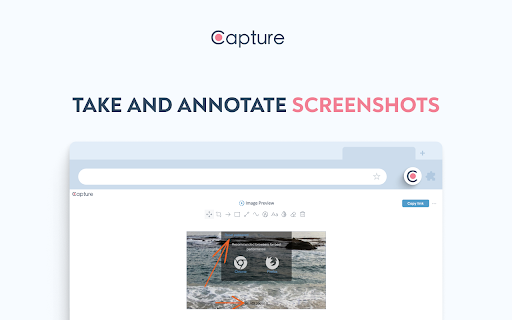
Record the screen, take and annotate screenshots, capture events and technical details and file bugs faster for FREE!😎

🐞 Bugs are quite annoying, especially when you need to collect a lot of information before sending it to a tech team.

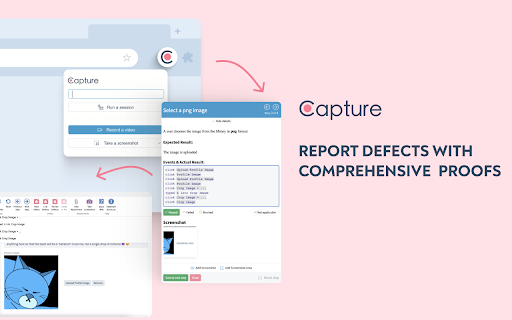
Capture powers you up 💪 to create the most comprehensive bug reports for your developers in just one click.

🚀 It's faster than typing a message, more efficient than endless chain of distracting calls and much more fun!

WITH CAPTURE YOU:
✅ save at least 10 hours per week on collecting all important technical details before reporting the defect;
✅ reduce the time spent on running your tests by 6X while all your actions are automatically documented and saved.

HOW TO USE IT:
👉 Hit the Capture icon.
👉 Choose: record your screen or take a screenshot.
👉 Start capturing desktop, window or an app.
👉 Share it!

Capture has an advantage of a native integration with one of the most powerful test management solutions - aqua! Where you can manage your test cases, runs and reported defects.

WITH AQUA YOU CAN GET EVEN MORE:
👉  Create a test case
👉  Start a test run
👉  Hit the Capture icon and provide a URL.
👉  Start testing and reporting the captured data directly to the tool
Note: aqua account is required

💙 Capture integrates seamlessly with Jira too, allowing you to report defects at lightning speed!

Privacy policy: https://usecapture.io/privacy-policy-2/
Technical
- Version
- 4.16.0
- Manifest
- V3
- Size
- 1.66MiB
- Min Chrome
- 88
- Languages
- 2
- Featured
- Yes
Metadata
- ID
- jpcandanmpaeclcpfhadgflmlbhdehjg
- Developer ID
- u0e6213decd5f7af9c8dea1f2b9cae5e8
- Developer Email
- [email protected]
- Created
- Apr 29, 2022
- Last Updated (Store)
- Nov 5, 2024
- Last Scraped
- Jun 7, 2026
- Website
- https://usecapture.io/
- Support URL
- —
- Privacy Policy
- https://aqua-cloud.io/privacy-policy/
Similar extensions
Alternatives to Capture: Screen recording & sharing, ranked by description similarity.

BugBul Bug Reporter
Hızlıca ekran görüntüsü veya video alın, sesli not ekleyin ve Jira/Trello'ya anında raporlayın.
7

Screendesk - Record & Report Bugs
Record bugs directly from your browser, with all the context developers need to fix them.
11
★ 5.0

Capture - Instant bug reports
The fastest way to create bug reports from your website.
298
★ 5.0

Defect Reporter
Capture tab info and screenshot for defect reports.
1

BetterBugs: Create precise bug reports with 1-click
One-click bug reports with all the context devs need
10.0K
★ 4.9

Screen Recorder – Auto Bug Reports
Record your screen instantly and turn it into a ready-to-share report.
86
★ 3.0

BugRepro
Capture bugs with screenshots, recordings, console logs, and network data. Works on any site to help teams debug faster.
13
★ 5.0

nicecatch
nicecatch - voice-powered bug reporting
12
★ 5.0
Data sourced from the Chrome Web Store · last verified Jun 7, 2026.