
Lippa
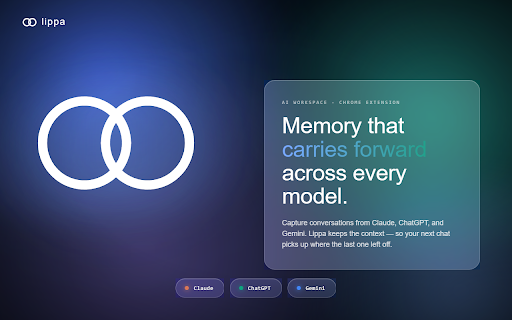
Capture and continue your AI conversations across Claude, ChatGPT, and Gemini.
As of June 2026, Lippa has 9 users and a 5.00/5 rating from 1 reviews in the Workflow & Planning category.
Usersup 125.0 percent+125.0%
9
9
Ratingno change0%
5.00
1 reviews
Reviewsno change0%
1
Version
2.1.3
Manifest V3
90-day change · In the last 90 days this extension 5 version updates, changed permissions.
History
9 snapshotsTracking since Apr 1, 2026.
View as table
| Date | Users | Rating | Reviews | Version |
|---|---|---|---|---|
| Apr 1, 2026 | 4 | — | — | 2.0.16 |
| Apr 17, 2026 | 3 | — | — | 2.0.20 |
| Apr 22, 2026 | 13 | — | — | 2.0.21 |
| Apr 27, 2026 | 12 | — | — | 2.0.21 |
| May 5, 2026 | 12 | — | — | 2.0.21 |
| May 10, 2026 | 13 | — | — | 2.0.21 |
| May 15, 2026 | 12 | — | — | 2.0.21 |
| May 22, 2026 | 8 | — | — | 2.1.1 |
| May 28, 2026 | 9 | 5.00 | 1 | 2.1.2 |
| Now | 9 | 5.00 | 1 | 2.1.3 |
Changelog
- May 15, 2026description
CarryForward is a system of record for AI-assisted work.

When you use Claude, ChatGPT, or Gemini for serious projects, context
gets lost between sessions and scattered across tools. CarryForward fixes
that by capturing your conversations, extracting what matters — decisions,
constraints, tasks, open questions — and making it available whenever you
need to continue.

HOW IT WORKS

1. Import — the extension captures conversations from your AI tool of choice
   and sends them to your CarryForward workspace at app.carryforward.ai.

2. Extract — CarryForward automatically extracts structured project state:
   confirmed decisions, hard constraints, open tasks, and unresolved questions.
   Each item is source-linked back to the conversation that produced it.

3. Review — inspect and confirm extracted items in your workspace. Anything
   below the confidence threshold lands as a suggestion for manual review.

4. Continue — generate a context pack and paste it into any AI tool to resume
   exactly where you left off, with full provenance.

WHAT THE EXTENSION DOES

- Watches Claude.ai, ChatGPT, and Gemini for conversation updates
- Automatically syncs new content to your CarryForward workspace
- Triggers extraction after 30 minutes of inactivity — no manual steps needed
- Adds a popup for manual sync override when you need it immediately

WHAT YOU NEED

A CarryForward account at app.carryforward.ai. Early access is invite-only.

PERMISSIONS

- Storage: saves your API token and workspace settings locally
- Scripting: reads conversation content from Claude.ai, ChatGPT, and Gemini
  to capture transcripts
- Active tab: scopes capture to the tab you are currently viewing

No data is read from any site other than the three AI tools listed above.
Lippa is a system of record for AI-assisted work.

When you use Claude, ChatGPT, or Gemini for serious projects, context gets
lost between sessions and scattered across tools. Lippa fixes that by
capturing your conversations, extracting what matters — decisions,
constraints, tasks, open questions — and making it available whenever you
need to continue.

HOW IT WORKS

1. Import — the extension captures conversations from your AI tool of choice
   and sends them to your Lippa workspace at app.lippa.ai.
2. Extract — Lippa automatically extracts structured project state:
   confirmed decisions, hard constraints, open tasks, and unresolved questions.
   Each item is source-linked back to the conversation that produced it.
3. Review — inspect and confirm extracted items in your workspace. Anything
   below the confidence threshold lands as a suggestion for manual review.
4. Continue — generate a context pack and paste it into any AI tool to resume
   exactly where you left off, with full provenance.

WHAT THE EXTENSION DOES

- Watches Claude.ai, ChatGPT, and Gemini for conversation updates
- Automatically syncs new content to your Lippa workspace
- Triggers extraction after 30 minutes of inactivity — no manual steps needed
- Adds a popup for manual sync override when you need it immediately

WHAT YOU NEED

A Lippa account at app.lippa.ai. Early access is invite-only.

PERMISSIONS

- Storage: saves your API token and workspace settings locally
- Scripting: reads conversation content from Claude.ai, ChatGPT, and Gemini
  to capture transcripts
- Active tab: scopes capture to the tab you are currently viewing

No data is read from any site other than the three AI tools listed above.
- May 15, 2026name
CarryForward
Lippa
- May 15, 2026host_permissions
https://chat.openai.com/*, https://chatgpt.com/*, https://claude.ai/*, https://claude.com/*, https://gemini.google.com/*, https://app.carryforward.ai/*
https://chat.openai.com/*, https://chatgpt.com/*, https://claude.ai/*, https://claude.com/*, https://gemini.google.com/*, https://app.lippa.ai/*
- May 15, 2026short_description
Capture AI conversations and import them into CarryForward
Capture and continue your AI conversations across Claude, ChatGPT, and Gemini.
Permissions & access
- Permissions
- activeTabalarmsnotificationsscriptingstoragetabs
- Host access
- https://chat.openai.com/*, https://chatgpt.com/*, https://claude.ai/*, https://claude.com/*, https://gemini.google.com/*, https://app.lippa.ai/*
Screenshots


About
Lippa is a system of record for AI-assisted work.

When you use Claude, ChatGPT, or Gemini for serious projects, context gets
lost between sessions and scattered across tools. Lippa fixes that by
capturing your conversations, extracting what matters — decisions,
constraints, tasks, open questions — and making it available whenever you
need to continue.

HOW IT WORKS

1. Import — the extension captures conversations from your AI tool of choice
   and sends them to your Lippa workspace at app.lippa.ai.
2. Extract — Lippa automatically extracts structured project state:
   confirmed decisions, hard constraints, open tasks, and unresolved questions.
   Each item is source-linked back to the conversation that produced it.
3. Review — inspect and confirm extracted items in your workspace. Anything
   below the confidence threshold lands as a suggestion for manual review.
4. Continue — generate a context pack and paste it into any AI tool to resume
   exactly where you left off, with full provenance.

WHAT THE EXTENSION DOES

- Watches Claude.ai, ChatGPT, and Gemini for conversation updates
- Automatically syncs new content to your Lippa workspace
- Triggers extraction after 30 minutes of inactivity — no manual steps needed
- Adds a popup for manual sync override when you need it immediately

WHAT YOU NEED

A Lippa account at app.lippa.ai. Early access is invite-only.

PERMISSIONS

- Storage: saves your API token and workspace settings locally
- Scripting: reads conversation content from Claude.ai, ChatGPT, and Gemini
  to capture transcripts
- Active tab: scopes capture to the tab you are currently viewing

No data is read from any site other than the three AI tools listed above.
Technical
- Version
- 2.1.3
- Manifest
- V3
- Size
- 136KiB
- Min Chrome
- 88
- Languages
- 1
- Featured
- No
Metadata
- ID
- joggjhcgjfcmfnnadecfabdmnegpidkd
- Developer ID
- u4e10fb227460d9e9e96cb67d737fdb10
- Developer Email
- [email protected]
- Created
- Mar 16, 2026
- Last Updated (Store)
- May 24, 2026
- Last Scraped
- Jun 10, 2026
- Website
- lippa.ai
- Support URL
- https://lippa.ai
- Privacy Policy
- https://api.lippa.ai/privacy
Similar extensions
Alternatives to Lippa, ranked by description similarity.

Universal AI Navigator
Navigation sidebar for Gemini, ChatGPT, Claude, and Perplexity.
18
★ 5.0

chatSwitch ai
Move your chats effortlessly across ai platforms - break free from token/chat limits
9
★ 4.8

ChatGPT, Gemini, Claude Chat Export & Navigator
Download and export ChatGPT, Gemini, and Claude conversations in PDF, Markdown, JSON, HTML, or Text, plus smart prompt navigation.
2.0K
★ 4.9

AI Context Bridge
One-click context transfer between ChatGPT and Claude. Never lose conversation context when switching AI platforms again.
20
★ 5.0

AI Ensemble
Route AI responses between Claude, ChatGPT, and Gemini for collaborative problem-solving
4

Recall.Ai
Save, organize, and summarize AI chats (ChatGPT, Gemini, Claude, etc.) directly in your browser. Cross-platform & privacy-first.
126
★ 5.0

Multi-AI Router
Route prompts to ChatGPT, Gemini, and Claude from a unified side panel. Clipboard-first, no automation.
6
★ 5.0

Prompt Suite
Smart prompt manager for AI chats. Organize, schedule & insert prompts into ChatGPT, Claude, Gemini & Perplexity with folders.
35
★ 5.0
Data sourced from the Chrome Web Store · last verified Jun 10, 2026.