
Email Extractor: Scrape Emails From Websites
Powerful web email scraping tool automatically visits websites to extract mails and social media profiles in bulk efficiently
As of June 2026, Email Extractor: Scrape Emails From Websites has 10,000 users and a 3.62/5 rating from 26 reviews in the Productivity category.
Usersno change0%
10.0K
10,000
Ratingdown 7.9 percent−7.9%
3.62
26 reviews
Reviewsdown 13.3 percent−13.3%
26
Version
2.5.8
Manifest V3
90-day change · In the last 90 days this extension 1 version update.
History
4 snapshotsTracking since Apr 18, 2026.
View as table
| Date | Users | Rating | Reviews | Version |
|---|---|---|---|---|
| Apr 18, 2026 | 10.0K | 3.93 | 30 | 2.5.7 |
| May 7, 2026 | 10.0K | 3.77 | 26 | 2.5.7 |
| May 23, 2026 | 10.0K | 3.72 | 25 | 2.5.7 |
| May 28, 2026 | 10.0K | 3.72 | 25 | 2.5.8 |
| Now | 10.0K | 3.62 | 26 | 2.5.8 |
Permissions & access
- Permissions
- storagetabsidentity
- Host access
- <all_urls>
Screenshots

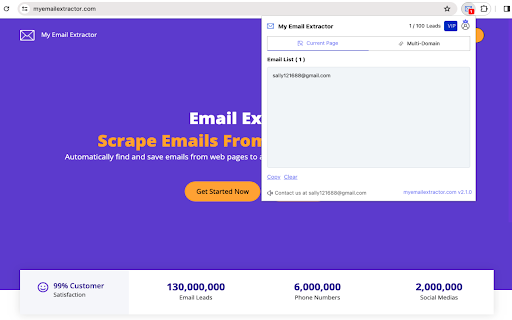
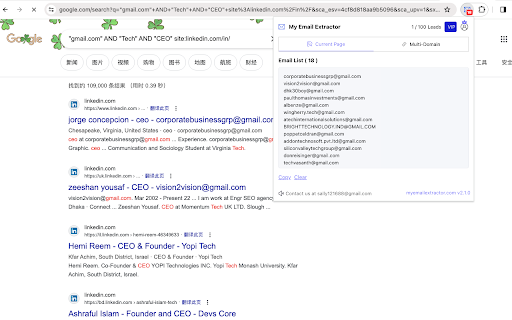
About
MyEmailExtractor can help you easily grab emails and contact pages from websites and find huge amounts of email data. This tool automates the process of finding emails, saves time, and lets you focus on your work.
Just a few clicks and you can get email addresses from any web page for maximum efficiency. Start using these resources to boost your email outreach and see results today.

What data does it provide?
🔹 Email address: The email scraped from the internet.
🔹 Domain source: The website for this place, such as a business' homepage
🔹 Social Medias: The social media profile URLs found from the internet (Facebook, Instagram, LinkedIn, Youtube, Twitter, and so on).

Features:
✓ Search and save emails from websites and save their contact pages
✓ Extract emails from common sub-pages
✓ Export emails in Excel CSV format
✓ Auto-search for relevant email leads
✓ Find email leads from up to 1000+ URLs

How To Find Emails From URLs?
The following is a step-by-step guide to help you extract email addresses from a website using the My Email Extractor tool.
➤ Open your preferred web browser and install the Chrome extension “My Email Extractor”.
➤ Navigate to the website you want to crawl and enter its URL in the extension.
➤ Click the “Scraper” button to extract the email addresses.
➤ Download the email list as an Excel spreadsheet or another preferred format.

Note: Make sure your Chrome browser extension settings are set correctly to effectively extract email addresses.

Email Extractor, free or unlimited versions, and email discovery tools like Email Finder Extensions, Email Finder Plus, and the Email Collector suite simplify extracting email addresses from web pages. Email Scrapers offers a robust solution for scraping emails from websites.

Email Extractor simplifies email extraction from multiple URLs. Extracting emails from PDFs is essential for PDFs, providing an easy way to mine emails. Email extraction tools cater to a variety of needs, from online to comprehensive web-based searches. Whether scraping or extracting emails efficiently, email extraction tools cater to every need.
Technical
- Version
- 2.5.8
- Manifest
- V3
- Size
- 494KiB
- Min Chrome
- 88
- Languages
- 54
- Featured
- Yes
Metadata
- ID
- joflojehbdajphljkcggpmajnoibdaio
- Developer ID
- u1f61bd35b4450b360120812aef7c5315
- Developer Email
- [email protected]
- Created
- Mar 24, 2024
- Last Updated (Store)
- May 23, 2026
- Last Scraped
- Jun 22, 2026
- Website
- myemailextractor.com
- Support URL
- —
- Privacy Policy
- https://www.myemailextractor.com/privacy
Similar extensions
Alternatives to Email Extractor: Scrape Emails From Websites, ranked by description similarity.

Email Extractor
Extract all email addresses from the current web page.
2

Easy Email Scrapper by Pyzit
An extension used to scrap emails from any web page
41
★ 4.8

Website Email Extractor
Domain email crawler with pause/resume, concurrency, error handling, caching, and export.
23
★ 5.0

Email Address Extractor
Extract email addresses from web pages easily
3

Email Scraper
Smart email scraper that collects and copies emails from websites. Includes an email extractor and powerful mail finder tools
398
★ 5.0

Bulk Email Extractor - Collect Emails from Websites with Single Click
Extract emails from websites instantly. This extension scans pages & collects addresses with one click. Perfect for lead generation.
271
★ 5.0

Email Finder
Search for email addresses on a website
6

Email Auto Extractor
Extract email addresses from the pages you browse to help you with cold email marketing.
525
Data sourced from the Chrome Web Store · last verified Jun 22, 2026.