
Tab Suspender
Save memory by suspending inactive tabs with smart management.
As of June 2026, Tab Suspender has 10 users in the Workflow & Planning category.
Usersup 100.0 percent+100.0%
10
10
Ratingno change0%
—
— reviews
Reviewsno change0%
—
Version
2.1
Manifest V3
History
4 snapshotsTracking since Apr 20, 2026.
View as table
| Date | Users | Rating | Reviews | Version |
|---|---|---|---|---|
| Apr 20, 2026 | 5 | — | — | 2.1 |
| May 5, 2026 | 6 | — | — | 2.1 |
| May 16, 2026 | 7 | — | — | 2.1 |
| May 29, 2026 | 6 | — | — | 2.1 |
| Now | 10 | — | — | 2.1 |
Permissions & access
- Permissions
- tabsstoragealarms
- Host access
- None declared
Screenshots




About
💤 Tab Suspender – Smart Memory Saver for Chrome
💡 Tired of your browser slowing down your computer?
🚀 Tab Suspender automatically pauses inactive tabs, helping you free up memory and speed up your browsing experience — without losing your place!

🔧 Key Features
🧠 Smart Tab Suspension
Automatically suspend tabs you haven’t used in a while, based on your preferences.

💾 Save RAM Instantly
Fewer active tabs = less memory usage = a faster computer!

🌙 Stay Focused
Avoid distractions by keeping only active, needed tabs in view.

🔔 Custom Suspension Timing
Choose how long a tab should remain inactive before it's suspended — from minutes to hours.

🖱️ One-Click Restore
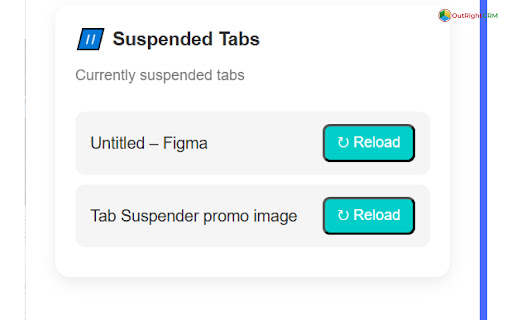
Suspended tabs are just a click away. Reload them instantly whenever you need them again.

💻 Lightweight & Minimal UI
No clutter. Simple popup interface for easy control and settings.

🔒 Privacy Friendly
We don’t collect your personal data. All your settings stay on your device.

🎯 Why Use Tab Suspender?
✅ Boost your device’s performance
✅ Save battery on laptops
✅ Reduce CPU and memory drain
✅ Avoid clutter from too many open tabs
✅ Works seamlessly in the background

Whether you're a power user with dozens of tabs open, a student researching online, or a developer juggling projects — Tab Suspender will help you stay productive and efficient.

🔧 How It Works
Install the extension

Open your tabs and let them run as usual

After a period of inactivity (you set the timing), tabs are suspended

When you revisit a suspended tab, it automatically reloads 🔁

It’s that easy.
Technical
- Version
- 2.1
- Manifest
- V3
- Size
- 12.74KiB
- Min Chrome
- 88
- Languages
- 1
- Featured
- No
Metadata
- ID
- jobdcnkaijfkacdfjifpgjbnngklmnhf
- Developer ID
- u44f3b94fd319d07e4fe386e7e743da57
- Developer Email
- [email protected]
- Created
- Aug 6, 2025
- Last Updated (Store)
- Aug 15, 2025
- Last Scraped
- Jun 9, 2026
- Website
- https://www.outrightcrm.com/
- Support URL
- https://www.outrightsystems.org/
Similar extensions
Alternatives to Tab Suspender, ranked by description similarity.

Tab Suspender
Optimize browser performance with Tab Suspender.
659
★ 3.8

Tab Suspender
Automatically suspend inactive tabs to save memory
115
★ 5.0

Tab Suspender – Free Up RAM & Boost Browser Speed
Keep your browser fast with Tab Suspender! Suspend inactive tabs,free up memory,reduce lag,rename tabs, and manage data efficiently.
7.0K
★ 4.7

Tab Minder
Automatically suspends inactive tabs after a period of time.
3

Tab Suspender by Workona
Suspend your browser tabs to save memory.
30.0K
★ 4.0

Tab Suspender
Suspend tabs you are not using to save memory usage and make your computer run faster. Reduce the load on your device, and battery.
30.0K
★ 3.6

Flash Tab Saver
Simple and easy to use. Save and recover the tabs whenever you want, in just one click, and without pop-ups.
873
★ 3.8

Tab Sweep
Sweep away inactive tabs with customizable notification and auto-close settings
—
Data sourced from the Chrome Web Store · last verified Jun 9, 2026.