
SyncClipper Extension
Sync your clipboard across all Chrome tabs and devices.
As of June 2026, SyncClipper Extension has 9 users in the Productivity category.
Usersup 28.6 percent+28.6%
9
9
Ratingno change0%
—
— reviews
Reviewsno change0%
—
Version
1.0
Manifest V3
History
5 snapshotsTracking since Apr 20, 2026.
View as table
| Date | Users | Rating | Reviews | Version |
|---|---|---|---|---|
| Apr 20, 2026 | 7 | — | — | 1.0 |
| May 5, 2026 | 9 | — | — | 1.0 |
| May 16, 2026 | 8 | — | — | 1.0 |
| May 29, 2026 | 10 | — | — | 1.0 |
| Jun 9, 2026 | 11 | — | — | 1.0 |
| Now | 9 | — | — | 1.0 |
Permissions & access
- Permissions
- activeTabscriptingclipboardReadstorage
- Host access
- https://www.syncclipper.com/*, https://clip-board-sync.vercel.app/*, <all_urls>
Screenshots


About
🚀 **SyncClipper - Seamless Clipboard Synchronization**

Transform your workflow with instant clipboard sharing across all your devices. SyncClipper makes copying and pasting between devices as simple as a single click.

✨ **Key Features:**
• **Instant Sync** - Copy on one device, paste immediately on another
• **No Login Required** - Start syncing in seconds with session-based pairing
• **Real-Time Updates** - See clipboard changes instantly across all connected devices
• **Secure Sessions** - Temporary sessions with automatic expiration for privacy
• **QR Code Pairing** - Easily connect mobile devices by scanning QR codes
• **Keyboard Shortcut** - Quick sync with Ctrl+Shift+S
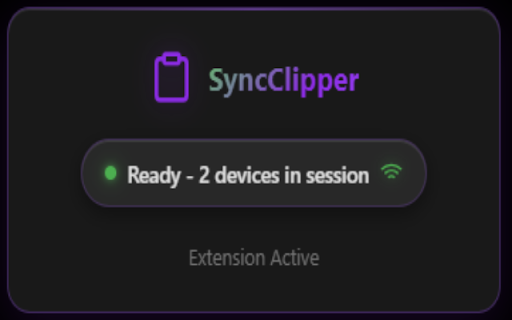
• **Clean Interface** - Beautiful, modern popup with connection status

🔧 **How It Works:**
1. Visit clip-board-sync.vercel.app and start a sync session
2. Install this extension and it automatically connects
3. Copy text on any connected device
4. Paste instantly on any other device in your session

🔒 **Privacy & Security:**
• Sessions expire automatically for security
• No permanent data storage
• No account creation or personal information required
• Open source and transparent

💡 **Perfect For:**
• Developers sharing code snippets between devices
• Students transferring notes between laptop and phone
• Professionals copying links, emails, and documents
• Anyone who works across multiple devices

🌟 **Why Choose SyncClipper:**
Unlike other clipboard managers, SyncClipper requires no setup, no accounts, and works instantly. Simply start a session on our web app and your extension automatically connects. Sessions are temporary and secure, giving you peace of mind while maintaining ultimate convenience.

**Get started in under 30 seconds!**
---
🔗 **Links:**
• Web App: https://clip-board-sync.vercel.app
Technical
- Version
- 1.0
- Manifest
- V3
- Size
- 11.28KiB
- Min Chrome
- 88
- Languages
- 1
- Featured
- No
Metadata
- ID
- jnocpejjefdcfnhffcdijnopgnbjicel
- Developer ID
- u38a7a9e7cdbb44392bf47911988736a1
- Developer Email
- [email protected]
- Created
- Jul 2, 2025
- Last Updated (Store)
- Jul 2, 2025
- Last Scraped
- Jun 9, 2026
- Website
- —
- Support URL
- —
- Privacy Policy
- https://clip-board-sync.vercel.app/privacy
Similar extensions
Alternatives to SyncClipper Extension, ranked by description similarity.

Clonlee – Clipboard Sync Across Devices
Sync clipboard across devices instantly. Copy on one device, paste on another. Secure, fast, no clutter.
258
★ 4.6

Syncboard - Multiplatform Clipboard Synchronization
Copy and paste from different devices without extra steps
1.0K

Cross-Platform Clipboard Sync
Sync clipboard content across devices via QR code
3

Clip Sync
Save and manage clipboard snippets
6

Hippo clipboard Sync
Seamless Copy and Paste Across Devices.
65

Swiftclip
Fast clipboard manager with favorites context menu
7
★ 5.0

Pclip | Cloud Clipboard
The fastest way to save text and files to your cloud clipboard.
5

Clipboard History
Track and manage your clipboard history across all websites
1
Data sourced from the Chrome Web Store · last verified Jun 9, 2026.