
Video PiP Pro
Enhanced Picture-in-Picture mode for videos with advanced playback controls
As of June 2026, Video PiP Pro has 4 users in the Workflow & Planning category.
Usersdown 42.9 percent−42.9%
4
4
Ratingno change0%
—
— reviews
Reviewsno change0%
—
Version
2.0.1
Manifest V3
History
5 snapshotsTracking since Apr 20, 2026.
View as table
| Date | Users | Rating | Reviews | Version |
|---|---|---|---|---|
| Apr 20, 2026 | 7 | — | — | 2.0.1 |
| May 5, 2026 | 5 | — | — | 2.0.1 |
| May 16, 2026 | — | — | — | 2.0.1 |
| May 29, 2026 | 2 | — | — | 2.0.1 |
| Jun 9, 2026 | 5 | — | — | 2.0.1 |
| Now | 4 | — | — | 2.0.1 |
Permissions & access
- Permissions
- activeTabstoragescriptingtabscontextMenus
- Host access
- None declared
Screenshots


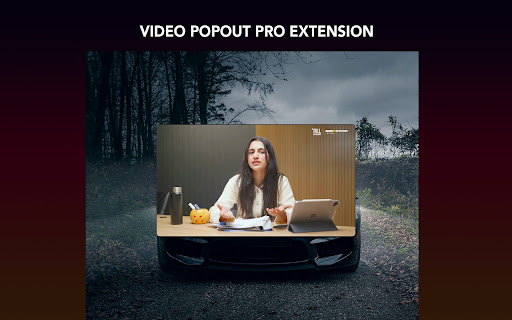
About
Video PiP Pro (Ctrl+Z) - Enhanced Picture-in-Picture Extension
Video PiP Pro (Ctrl+Z) is a powerful browser extension that transforms your video watching experience with advanced Picture-in-Picture (PiP) functionality. It allows you to pop out videos from any website into a dedicated floating window with enhanced controls and customization options.

Key Features

🎬 Popout Video Window

Extract videos from any website into a standalone floating window
Maintain video playback while browsing other content
Resizable window to customize your viewing experience
⌨️ Keyboard Shortcuts (Ctrl+Z)

Ctrl+Z (Cmd+Z on Mac): Instantly toggle Picture-in-Picture mode for the current video
Space: Play/Pause video playback
Arrow Left/Right: Skip backward/forward 10 seconds
Arrow Up/Down: Adjust volume levels
F Key: Toggle fullscreen mode
S Key: Take screenshot of current video frame
🎛️ Enhanced Controls

Playback speed adjustment (0.25x to 3x)
Volume control with boost capability
Video filters (brightness, contrast, saturation, grayscale, invert)
Screenshot capture functionality
Customizable themes (dark/light/auto)
How to Use

Navigate to any website with video content
Click the extension icon or press Ctrl+Z to activate PiP mode
Use the floating control panel or keyboard shortcuts to manage playback
Resize the window or move it anywhere on your screen
Technical
- Version
- 2.0.1
- Manifest
- V3
- Size
- 1.83MiB
- Min Chrome
- 88
- Languages
- 1
- Featured
- No
Metadata
- ID
- jnibkeakgkffjokcomfgbofjgjakfnjd
- Developer ID
- u13d7a8315f7e06f373b90db15864e998
- Developer Email
- [email protected]
- Created
- Sep 2, 2025
- Last Updated (Store)
- Sep 2, 2025
- Last Scraped
- Jun 9, 2026
- Website
- —
- Support URL
- —
- Privacy Policy
- https://sites.google.com/view/ultra-volume-booster/home
Similar extensions
Alternatives to Video PiP Pro, ranked by description similarity.

Picture in Picture - PiP View
Watch videos in a floating PiP window (always on top of other windows) even when tab is switched.
70.0K
★ 3.9

Floating Video Pro — Picture in Picture
Watch YouTube, Twitch & Netflix in a floating PiP window. Hotkeys, auto-save position, custom controls. Free.
141

PIPX - Take Control of Picture-in-Picture, Automatically
Never lose your video again, Automatic Picture-in-Picture (PiP) mode when you switch tabs.
1.0K
★ 4.5

Picture in Picture for Videos
Picture in Picture for floating video from any site
100.0K
★ 4.6

Picture in Picture - Floating player
Picture-in-Picture mode allows you to watch a video in a floating window with playback video and volume controls.
200.0K
★ 4.6

PIPify Picture-in-Picture Extension (by vlablen)
PIPify app that seamlessly enables Picture-in-Picture mode, allowing you to watch videos in a floating window while multitasking.
257

Clear Pip View
Enhance Your Viewing Experience with Clear Pip View: Picture-in-Picture (PiP) Made Crystal Clear!
20.0K
★ 4.9

Picture in Picture Extension for Chrome
Picture in Picture Extension for Chrome enables you to view videos from a floating popup
633
★ 3.7
Data sourced from the Chrome Web Store · last verified Jun 9, 2026.