
CopyKit
Copy HTML blocks, CSS, JS links, or full pages with hover and click—or instantly with one click.
As of June 2026, CopyKit has 83 users and a 5.00/5 rating from 2 reviews in the Developer Tools category.
Usersup 15.3 percent+15.3%
83
83
Ratingno change0%
5.00
2 reviews
Reviewsno change0%
2
Version
1.3
Manifest V3
History
5 snapshotsTracking since Apr 20, 2026.
View as table
| Date | Users | Rating | Reviews | Version |
|---|---|---|---|---|
| Apr 20, 2026 | 72 | 5.00 | 2 | 1.3 |
| May 5, 2026 | 83 | 5.00 | 2 | 1.3 |
| May 16, 2026 | 84 | 5.00 | 2 | 1.3 |
| May 29, 2026 | 86 | 5.00 | 2 | 1.3 |
| Jun 9, 2026 | 82 | 5.00 | 2 | 1.3 |
| Now | 83 | 5.00 | 2 | 1.3 |
Permissions & access
- Permissions
- scriptingactiveTabclipboardWrite
- Host access
- <all_urls>
Screenshots


About
CopyKit is the fastest way to copy HTML blocks, styles, scripts, or entire pages from any website.

Whether you're a frontend developer, designer, or curious learner, CopyKit helps you extract exactly what you need — clean, formatted, and ready to use.

🔹 Hover & Click to Copy

HTML Block with author CSS

CSS Rules only

⚡ Instant Copy Options

External CDN links

JavaScript file links

Full page HTML + CSS snapshot

💡 Why CopyKit?

Clean formatting — no messy computed styles

Visual overlay when selecting elements

Toast confirmations after each copy

Works on any webpage

🎯 No data is collected. Everything runs locally in your browser.

✨ Build faster. Learn smarter. Copy clean.
Technical
- Version
- 1.3
- Manifest
- V3
- Size
- 15.16KiB
- Min Chrome
- 88
- Languages
- 1
- Featured
- No
Metadata
- ID
- jmpfccilcfnknpgilkggolkbhlogdnfc
- Developer ID
- u957bd76e3eb6ea545ee71ed742a1c2f6
- Developer Email
- [email protected]
- Created
- Jul 19, 2025
- Last Updated (Store)
- Aug 1, 2025
- Last Scraped
- Jun 9, 2026
- Website
- —
- Support URL
- https://justicemarkwei.com
Similar extensions
Alternatives to CopyKit, ranked by description similarity.

CSS Copy Tool
Instantly copy CSS from any element. Lightweight alternative to CSS Scan.
13

Click Copy {Code} – One-Click Copy
Software engineer's friend. Copy code from any website with a single click.
204
★ 5.0

CSS Bucket
The fastest and easiest way to inspect and copy CSS from any element on any webpage.
7

HTML/CSS Section Copier
Extracts selected section and provides raw HTML and CSS.
162
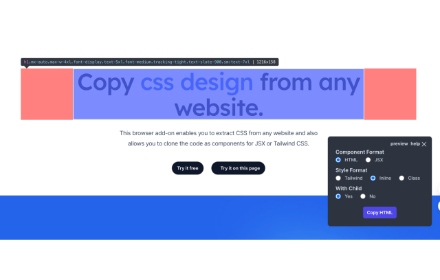
CopyCss - Copy css scan from any website.
Copy css scan from any website.
1.0K
★ 4.0

CopyWeb
A powerful Chrome extension for copying and cloning websites with ease
181

Quick Copy DOM
Visually select any element on the page and instantly copy its HTML to clipboard. Like DevTools element inspector, but faster.
127
★ 5.0

Copy Code Block
Automatically adds a copy button to code blocks on web pages for easy copying of code snippets.
62
Data sourced from the Chrome Web Store · last verified Jun 9, 2026.