
Download with Free Download Manager (FDM)
Sends your downloading jobs to the Free Download Manager by pausing the built-in download manager
As of June 2026, Download with Free Download Manager (FDM) has 80,000 users and a 4.23/5 rating from 144 reviews in the Workflow & Planning category.
Usersup 14.3 percent+14.3%
80.0K
80,000
Ratingdown 0.9 percent−0.9%
4.23
144 reviews
Reviewsup 1.4 percent+1.4%
144
Version
0.3.5
Manifest V3
90-day change · In the last 90 days this extension gained 10.0K users.
History
4 snapshotsTracking since Apr 18, 2026.
View as table
| Date | Users | Rating | Reviews | Version |
|---|---|---|---|---|
| Apr 18, 2026 | 70.0K | 4.27 | 142 | 0.3.5 |
| Apr 27, 2026 | 80.0K | 4.27 | 142 | 0.3.5 |
| May 7, 2026 | 80.0K | 4.27 | 142 | 0.3.5 |
| May 14, 2026 | 80.0K | 4.25 | 143 | 0.3.5 |
| Now | 80.0K | 4.23 | 144 | 0.3.5 |
Permissions & access
- Permissions
- storagenativeMessagingnotificationsdownloadscontextMenusactiveTabscripting
- Host access
- None declared
Screenshots
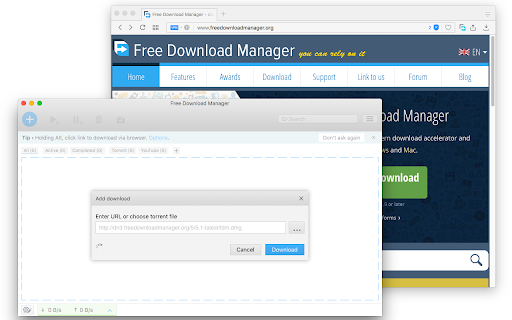
About
Send your downloading job requests to the well-known Free Download Manager (FDM) to take advantage of the following features:

1. BitTorrent support
2. Enhanced audio/video files support
3. Download acceleration
4. Resuming broken downloads
5. Smart file management and powerful scheduler
6. Adjusting traffic usage
7. Remote Control
8. HTML Spider

This extension offers two levels of integration. The simple one is the right-click context menu items for video, audio, and image file types. The second level is an observer for downloading requests that are sent to the built-in download manager. The extension pauses each download when a new request is submitted. Then sends the actual downloadable URL to your Free Download Manager. This mode is more aggressive and can simply toggle on and off from the browser action.

Notes:
1. For the extension to work you need to have Free Download Manager (FDM) installed; http://www.freedownloadmanager.org/
2. For the extension to be able to communicate with FDM, a small native client is required. This native client can be found at https://github.com/belaviyo/native-client/releases. You will get the instruction on how to install this native client when the extension tries to communicate for the first time.
3. This extension can extract links from selected text. Use the right-click context menu over selected text to access this tool.

Web Components:
This extension uses "notification-view" web component:
https://webextension.org/custom-component/notification-view/index.html
Technical
- Version
- 0.3.5
- Manifest
- V3
- Size
- 180KiB
- Min Chrome
- 88
- Languages
- 1
- Featured
- No
Metadata
- ID
- jlodlegnpjplclncjkgolcmdhjmlokna
- Developer ID
- u8ee2081420839f8ca083ce6a3c8751ca
- Developer Email
- [email protected]
- Created
- Jun 28, 2017
- Last Updated (Store)
- Nov 29, 2025
- Last Scraped
- Jun 2, 2026
- Website
- —
- Privacy Policy
- https://add0n.com/policies/inb.cor.txt
Similar extensions
Alternatives to Download with Free Download Manager (FDM), ranked by description similarity.

Download with Download Accelerator Plus (DAP)
Send download links to the DAP download manager by interrupting the built-in download manager or using the right-click context menu
20.0K
★ 4.1

ArrowDL - Arrow Downloader
The easy way to download images, torrents, videos and music, from any website
3.0K
★ 2.4

Free Download Manager
Free Download Manager integration with browser
3.0M
★ 4.2

Download with FlashGet™
Optionally send your downloading jobs to the well-known FlashGet™ download manager
9.0K
★ 3.5

Turbo Download Manager (3rd edition)
A download manager with speed acceleration, site spider, dynamic segmentation, resume, pause, and download recovery
100.0K
★ 3.6

jDM
Send your downloads to jDM (macOS App) to download files faster using dynamic segmentation technique.
475
★ 4.3

Download with JDownloader
Integrates the browser with JDownloader either by interrupting the built-in download manager or from right-click context menu
100.0K
★ 3.8

Download with Ant Download Manager
Download files with Ant Download Manager (AntDM)
100.0K
★ 4.7
Data sourced from the Chrome Web Store · last verified Jun 2, 2026.